AuthenticationRight ChevronSign In - Mobile
Sign In - Mobile - Image

Sign In - Mobile

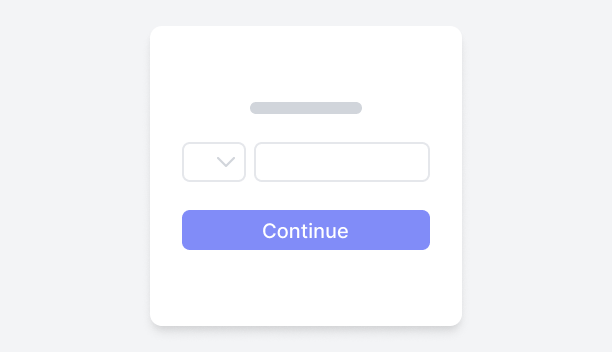
This block allows users to log into an application using their mobile number instead of a traditional username or email. Users begin by selecting their country code from a dropdown menu and then enter their mobile number into an input field. They select the Continue button to submit the form and initiate the login process.
Simple Mobile Sign InFigma LogoGet FigmaGo to Figma
In this demo, the sign-in with mobile number interface offers a simple and intuitive login process.
Figma LogoGet FigmaGo to Figma
Desktop View
Tablet View
Mobile View
Toggle between Light and Dark Mode
Loading Indicator
Mobile Sign In with Visual BackgroundFigma LogoGet FigmaGo to Figma
In this demo, the split-screen sign-in interface seamlessly blends visual appeal with functional usability. One side showcases an engaging image that enhances the overall aesthetic, while the other features a simple, intuitive form for signing in using a mobile number, making the authentication process quick and easy.
Figma LogoGet FigmaGo to Figma
Desktop View
Tablet View
Mobile View
Toggle between Light and Dark Mode
Loading Indicator
Mobile Sign In with Feature HighlightsFigma LogoGet FigmaGo to Figma
In this demo, the sign-in form is integrated into a two-part screen layout. One side features a background that highlights key points of the application in a clear, listed format, while the other presents a simple, intuitive sign-in form with the option to log in using a mobile number.
Figma LogoGet FigmaGo to Figma
Desktop View
Tablet View
Mobile View
Toggle between Light and Dark Mode
Loading Indicator