Resizing in EJ2 JavaScript MultiSelect Dropdown
04 Sep 20264 minutes to read
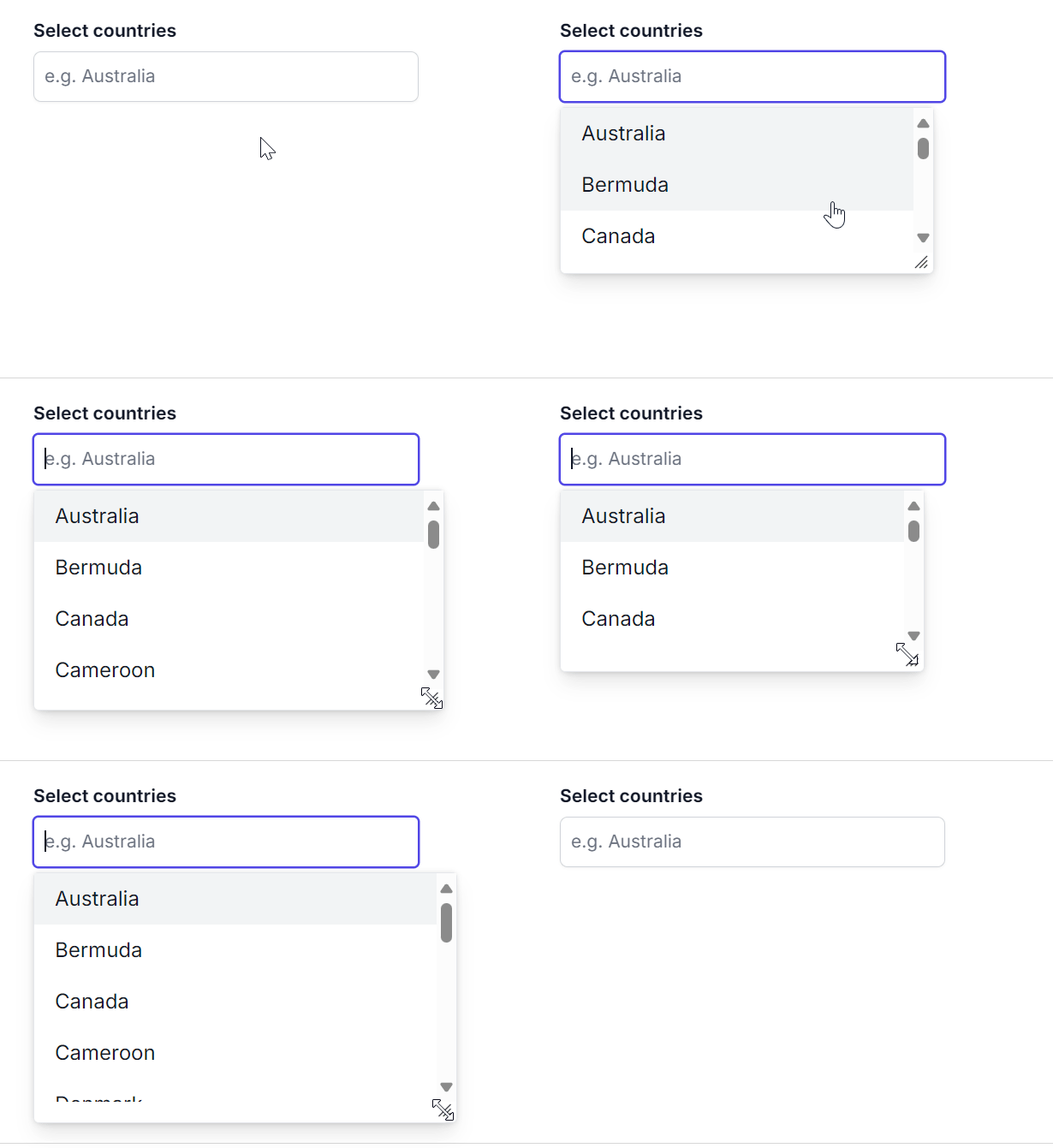
You can dynamically adjust the size of the popup in the MultiSelect component by using the allowResize property. When enabled, users can resize the popup, and the resized dimensions are retained across sessions for a consistent user experience.
let tagData = [
    { "Status": "Open", "State": false },
    { "Status": "Waiting for Customer", "State": false },
    { "Status": "On Hold", "State": true },
    { "Status": "Follow-up", "State": false },
    { "Status": "Closed", "State": true },
    { "Status": "Solved", "State": false },
    { "Status": "Feature Request", "State": false },
    { "Status": "In Progress", "State": false },
    { "Status": "Pending", "State": true },
    { "Status": "Escalated", "State": true },
    { "Status": "New", "State": false },
    { "Status": "Under Review", "State": true },
    { "Status": "Reopened", "State": false },
    { "Status": "Approved", "State": true },
    { "Status": "Awaiting Approval", "State": false },
    { "Status": "Scheduled", "State": false },
    { "Status": "Canceled", "State": true },
    { "Status": "Completed", "State": true },
    { "Status": "Acknowledged", "State": false },
    { "Status": "In Development", "State": false }
];
// initialize MultiSelect component
var listObj = new ej.dropdowns.MultiSelect({
    //set the data to dataSource property
    dataSource: tagData,
    // maps the appropriate column to fields property
    fields: { value: 'Text'},
    // set placeholder to MultiSelect input element
    placeholder: "Select Tags",
    // set true for enable the resize property to AutoComplete
    allowResize: true,
});
listObj.appendTo('#select');
<!DOCTYPE html><html lang="en"><head>
<title>Essential JS 2 MultiSelect</title>
<meta charset="utf-8">
<meta name="viewport" content="width=device-width, initial-scale=1.0">
<meta name="description" content="Typescript UI Controls">
<meta name="author" content="Syncfusion">
<link href="styles.css" rel="stylesheet">
<link href="https://cdn.syncfusion.com/ej2/35.1.37/ej2-base/styles/material.css" rel="stylesheet">
<link href="https://cdn.syncfusion.com/ej2/35.1.37/ej2-inputs/styles/material.css" rel="stylesheet">
<link href="https://cdn.syncfusion.com/ej2/35.1.37/ej2-dropdowns/styles/material.css" rel="stylesheet">
<script src="https://cdn.syncfusion.com/ej2/35.1.37/dist/ej2.min.js" type="text/javascript"></script>
</head>
<body>
<div id="container" style="margin:0 auto; width:250px;">
<br>
<input type="text" id="select">
</div>
<script>
var ele = document.getElementById('container');
if(ele) {
ele.style.visibility = "visible";
}
</script>
<script src="index.js" type="text/javascript"></script>
</body></html>