Upgrade project in Angular Visual studio integration
2 Feb 20262 minutes to read
The Syncfusion® Angular migration add-in for Visual Studio enables you to upgrade an existing Syncfusion® Angular application from one version of Essential Studio® to another. This tool helps reduce manual steps during the upgrade process.
The Syncfusion® Angular Project migration are available from v17.3.0.9.
Follow these steps to upgrade the Syncfusion® version in a Syncfusion Angular application using Visual Studio:
-
Open the Syncfusion® Angular application in Visual Studio.
-
To launch the Migration Wizard, choose one of the following options:
Option 1:
Choose Extensions → Syncfusion → Essential Studio for ASP.NET Core → Migrate Project… from the Visual Studio menu.
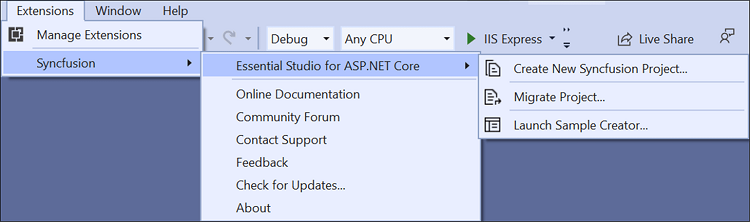
In Visual Studio 2017, you can see the Syncfusion menu directly in the Visual Studio menu.
Option 2:
Right-click the Application in Solution Explorer, select Syncfusion Web, and choose Migrate the Syncfusion ASP.NET Core Project to Another version….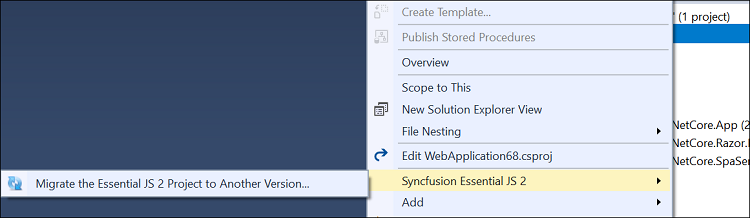
-
The Syncfusion Project Migration window will appear. Choose the required version of Syncfusion ANGULAR to migrate to.
The Syncfusion® Angular versions are loaded from published Syncfusion® Angular NPM packages and require internet connectivity.
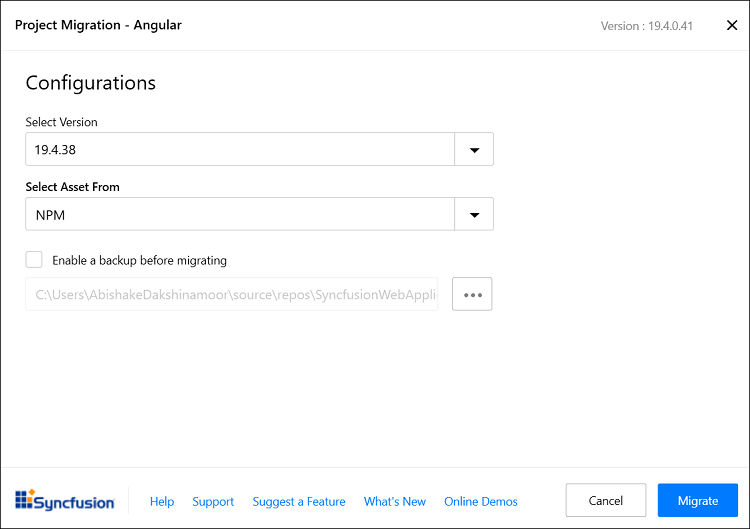
Assets From: Load the Syncfusion® Essential® JS 2 assets into the Angular project from either NPM, CDN, or the Installed Location.
The Installed Location option is available only when the Syncfusion® Essential® JavaScript 2 setup has been installed.
-
Check the “Enable a backup before migrating checkbox if you want to take the project backup and choose the location.
-
Once the migration process completed, will get the success message window.
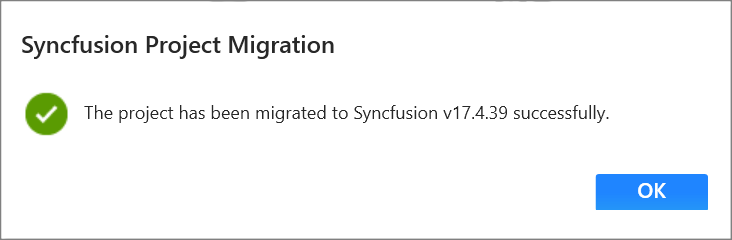
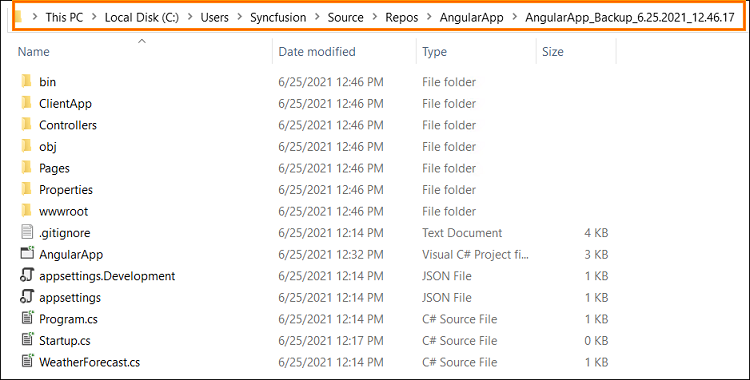
if you enabled project backup before migrating, the old project was saved in the specified backup path location, as shown below once the migration process completed
-
The Syncfusion® Angular NPM packages, and styles are updated to the selected version in the project.