How can I help you?
Convert Project
2 Feb 20262 minutes to read
Syncfusion® provides a Visual Studio add-in that converts an existing Angular application into a Syncfusion® Angular web application.
The Syncfusion® Angular Project conversion is available from v17.3.0.9.
Follow these steps to convert an Angular application to a Syncfusion® Angular application using Visual Studio:
-
Open your existing Angular application or create a new Angular application.
-
To launch the Syncfusion® Project Conversion Wizard, use one of the following options:
Option 1:
Choose Extensions → Syncfusion → Essential Studio for ASP.NET Core → Convert Project… from the Visual Studio menu.
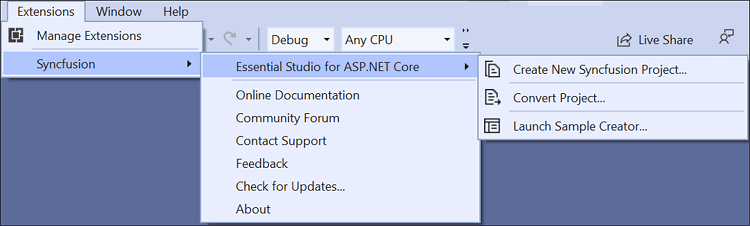
In Visual Studio 2017, the Syncfusion menu may appear directly in the Visual Studio menu.
Option 2:
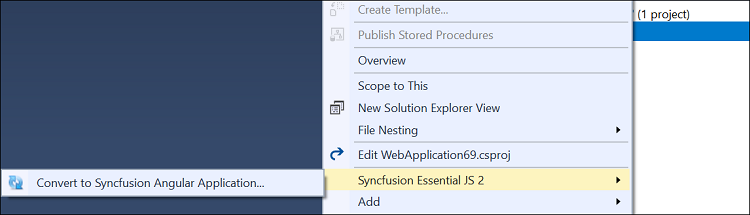
Right-click the Angular Application in Solution Explorer, select Syncfusion Web, and choose Convert to Syncfusion Angular application…
-
The Syncfusion Angular Project Conversion window appears. Choose the required Syncfusion® Angular version, the assets source, and the theme for the conversion.
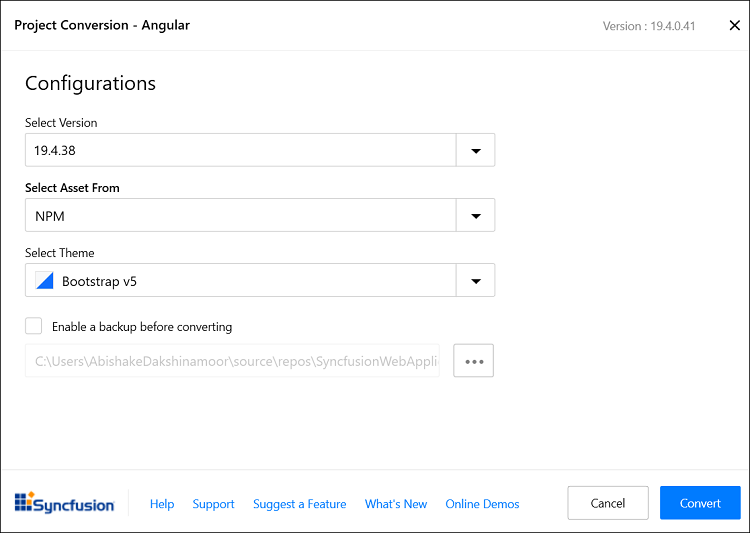
The Syncfusion® Angular versions are loaded from published Syncfusion® Angular NPM packages and require internet connectivity.
The following configurations are available in the Project Conversion Wizard.
Assets From: Load the Syncfusion® Essential® JS 2 assets into the Angular project from either NPM, CDN, or an Installed Location.
The Installed Location option is available only when the Syncfusion® Essential® JavaScript 2 setup has been installed.
Choose the Theme: Select the required theme.
-
Check the Enable a backup before converting checkbox if you want the wizard to create a project backup, and choose the backup location.
-
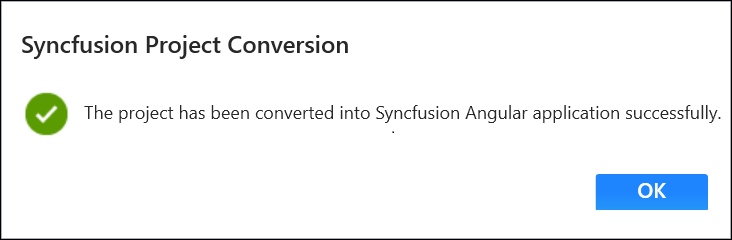
After the conversion process completes, a success confirmation window appears.
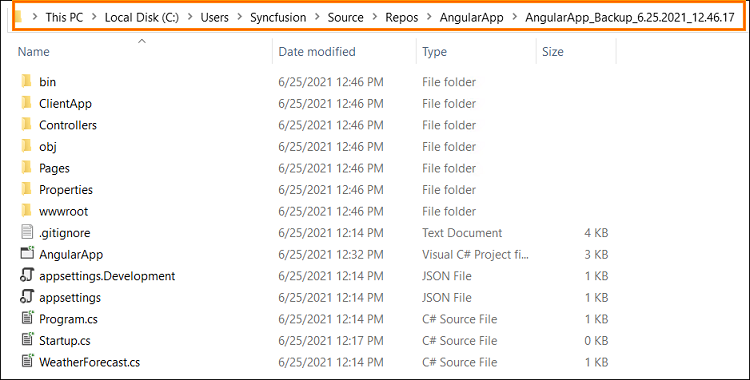
If you enabled project backup before converting, the original project is saved at the specified backup path, as shown below after the conversion completes.
-
The required Syncfusion® Angular NPM packages, scripts, and selected styles are added to the application.