Port positioning in Angular Diagram Component
7 Jul 202617 minutes to read
The Angular Diagram component provides flexible options for positioning ports on nodes. Ports can be precisely positioned using offset coordinates, alignment properties, and margin values to create professional diagram layouts that meet specific design requirements.
Understanding port offset positioning
The offset property positions ports using fractional coordinates relative to the node boundaries. The coordinate system uses values from 0 to 1, where:
- 0 represents the top edge (for Y-axis) or left edge (for X-axis)
- 1 represents the bottom edge (for Y-axis) or right edge (for X-axis)
- 0.5 represents the center point of the width or height
The following table demonstrates port positioning with different offset values:
| Offset values | Port position | Visual result |
|---|---|---|
| (0,0) | Top-left corner | 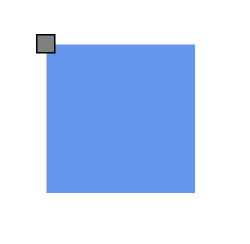 |
| (0,0.5) | Left edge, center vertically | 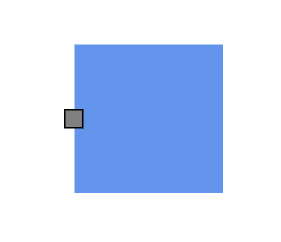 |
| (0,1) | Bottom-left corner | 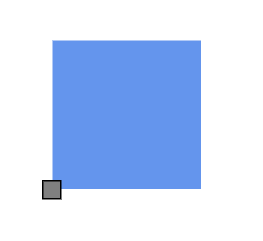 |
| (0.5,0) | Top edge, center horizontally | 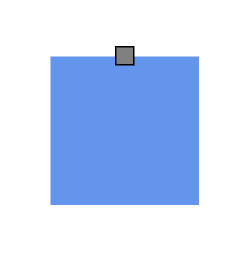 |
| (0.5,0.5) | Center of the node | 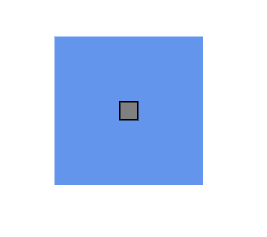 |
| (0.5,1) | Bottom edge, center horizontally | 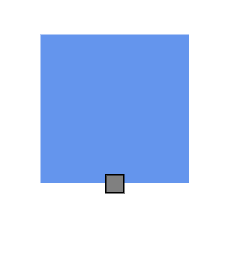 |
| (1,0) | Top-right corner | 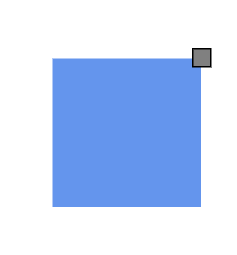 |
| (1,0.5) | Right edge, center vertically | 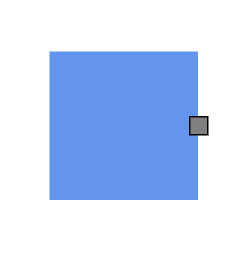 |
| (1,1) | Bottom-right corner | 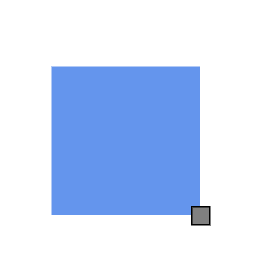 |
Horizontal and vertical alignment options
The horizontalAlignment and verticalAlignment properties provide fine-grained control over port positioning at the specified offset coordinates. These properties determine how the port aligns relative to its calculated position.
import {Component, ViewEncapsulation, ViewChild } from '@angular/core';
import { DiagramModule, DiagramComponent, NodeModel, PointPortModel, PortVisibility } from '@syncfusion/ej2-angular-diagrams';

@Component({
imports: [
         DiagramModule
    ],

providers: [ ],
standalone: true,
  selector: "app-container",
  // specifies the template string for the diagram component
  template: `<ejs-diagram #diagram id="diagram" width="100%" height="580px" [getNodeDefaults]='getNodeDefaults'>
        <e-nodes>
            <e-node id='node1' [offsetX]=100 [offsetY]=120 [ports]='ports1'>
                <e-node-annotations>
                    <e-node-annotation content="Left Top">
                    </e-node-annotation>
                </e-node-annotations>
            </e-node>
            <e-node id='node2' [offsetX]=250 [offsetY]=120 [ports]='ports2'>
                <e-node-annotations>
                    <e-node-annotation content="Left Bottom">
                    </e-node-annotation>
                </e-node-annotations>
            </e-node>
            <e-node id='node3' [offsetX]=400 [offsetY]=120 [ports]='ports3'>
                <e-node-annotations>
                    <e-node-annotation content="Left Center">
                    </e-node-annotation>
                </e-node-annotations>
            </e-node>
            <e-node id='node4' [offsetX]=100 [offsetY]=250 [ports]='ports4'>
                <e-node-annotations>
                    <e-node-annotation content="Right Top">
                    </e-node-annotation>
                </e-node-annotations>
            </e-node>
            <e-node id='node5' [offsetX]=250 [offsetY]=250 [ports]='ports5'>
                <e-node-annotations>
                    <e-node-annotation content="Right Bottom">
                    </e-node-annotation>
                </e-node-annotations>
            </e-node>
            <e-node id='node6' [offsetX]=400 [offsetY]=250 [ports]='ports6'>
                <e-node-annotations>
                    <e-node-annotation content="Right Center">
                    </e-node-annotation>
                </e-node-annotations>
            </e-node>
            <e-node id='node7' [offsetX]=100 [offsetY]=400 [ports]='ports7'>
                <e-node-annotations>
                    <e-node-annotation content="Center Top">
                    </e-node-annotation>
                </e-node-annotations>
            </e-node>
            <e-node id='node8' [offsetX]=250 [offsetY]=400 [ports]='ports8'>
                <e-node-annotations>
                    <e-node-annotation content="Center Bottom">
                    </e-node-annotation>
                </e-node-annotations>
            </e-node>
            <e-node id='node9' [offsetX]=400 [offsetY]=400 [ports]='ports9'>
                <e-node-annotations>
                    <e-node-annotation content="Center Center">
                    </e-node-annotation>
                </e-node-annotations>
            </e-node>
        </e-nodes>
    </ejs-diagram>`
})
export class AppComponent {
    @ViewChild("diagram")
    public diagram?: DiagramComponent;
    public ports1: PointPortModel[] = [{
        id: 'ports1',
        offset: { x: 0, y: 0 },
        visibility: PortVisibility.Visible,
        //set the Horizontal and vertical alignment of the ports.
        horizontalAlignment: 'Left',
        verticalAlignment: 'Top',
    }]
    public ports2: PointPortModel[] = [{
        id: 'ports2',
        offset: { x: 0, y: 0 },
        visibility: PortVisibility.Visible,
        horizontalAlignment: 'Left',
        verticalAlignment: 'Bottom',
    }]
    public ports3: PointPortModel[] = [{
        id: 'ports3',
        offset: { x: 0, y: 0 },
        visibility: PortVisibility.Visible,
        horizontalAlignment: 'Left',
        verticalAlignment: 'Center',
    }]
    public ports4: PointPortModel[] = [{
        id: 'ports4',
        offset: { x: 0, y: 0 },
        visibility: PortVisibility.Visible,
        horizontalAlignment: 'Right',
        verticalAlignment: 'Top',
    }]
    public ports5: PointPortModel[] = [{
        id: 'ports5',
        offset: { x: 0, y: 0 },
        visibility: PortVisibility.Visible,
        horizontalAlignment: 'Right',
        verticalAlignment: 'Bottom',
    }]
    public ports6: PointPortModel[] = [{
        id: 'ports6',
        offset: { x: 0, y: 0 },
        visibility: PortVisibility.Visible,
        horizontalAlignment: 'Right',
        verticalAlignment: 'Center',
    }]
    public ports7: PointPortModel[] = [{
        id: 'ports7',
        offset: { x: 0, y: 0 },
        visibility: PortVisibility.Visible,
        horizontalAlignment: 'Center',
        verticalAlignment: 'Top',
    }]
    public ports8: PointPortModel[] = [{
        id: 'ports8',
        offset: { x: 0, y: 0 },
        visibility: PortVisibility.Visible,
        horizontalAlignment: 'Center',
        verticalAlignment: 'Bottom',
    }]
    public ports9: PointPortModel[] = [{
        id: 'ports9',
        offset: { x: 0, y: 0 },
        visibility: PortVisibility.Visible,
        horizontalAlignment: 'Center',
        verticalAlignment: 'Center',
    }]
    public getNodeDefaults(node: NodeModel): NodeModel {
        node.height = 100;
        node.width = 100;
        return node;
    }
}
import { bootstrapApplication } from '@angular/platform-browser';
import { AppComponent } from './app.component';
import 'zone.js';
bootstrapApplication(AppComponent).catch((err) => console.error(err));The following table shows all possible alignment combinations when using offset (0, 0):
| Horizontal alignment | Vertical alignment | Resulting position | Visual example |
|---|---|---|---|
| Left | Top | Port extends right and down from corner | 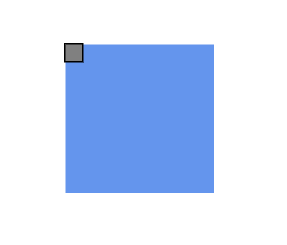 |
| Center | Top | Port centers horizontally, extends down | 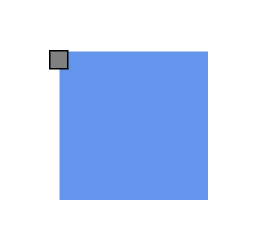 |
| Right | Top | Port extends left and down from corner | 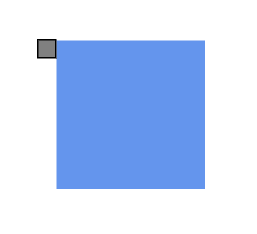 |
| Left | Center | Port extends right, centers vertically | 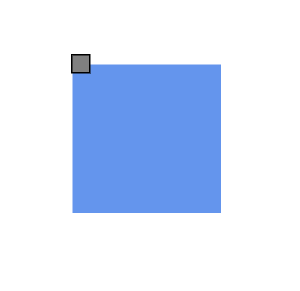 |
| Center | Center | Port centers both horizontally and vertically | 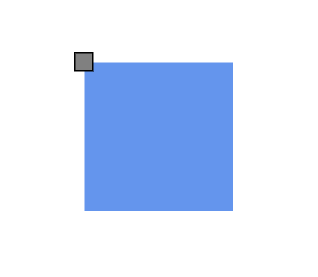 |
| Right | Center | Port extends left, centers vertically | 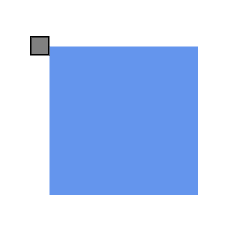 |
| Left | Bottom | Port extends right and up from corner | 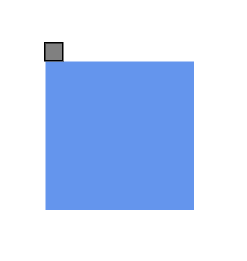 |
| Center | Bottom | Port centers horizontally, extends up | 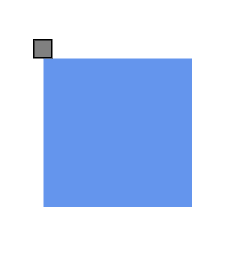 |
| Right | Bottom | Port extends left and up from corner | 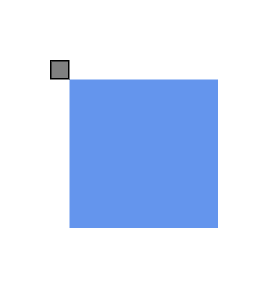 |
Adding margin spacing to ports
The Margin property applies additional spacing around ports using absolute pixel values. Margin creates blank space on any or all four sides of the port, allowing for precise positioning adjustments beyond the basic offset and alignment settings.
import {Component, ViewEncapsulation, ViewChild } from '@angular/core';
import { DiagramModule, DiagramComponent, PointPortModel, PortVisibility } from '@syncfusion/ej2-angular-diagrams';

@Component({
imports: [
         DiagramModule
    ],
providers: [ ],
standalone: true,
  selector: "app-container",
  // specifies the template string for the diagram component
  template: `<ejs-diagram #diagram id="diagram" width="100%" height="580px" >
        <e-nodes>
            <e-node id='node1' [offsetX]=200 [offsetY]=200 [width]=100 [height]=100 [ports]='ports1'>
                <e-node-annotations>
                    <e-node-annotation content=" margin:{left:50}">
                    </e-node-annotation>
                </e-node-annotations>
            </e-node>
        </e-nodes>
    </ejs-diagram>`
})
export class AppComponent {
    @ViewChild("diagram")
    public diagram?: DiagramComponent;
    public ports1: PointPortModel[] = [{
        id: 'ports1',
        offset: { x: 1, y: 0 },
        visibility: PortVisibility.Visible,
        //set the margin of the ports
        margin: { left: 50 },
    }]
}
import { bootstrapApplication } from '@angular/platform-browser';
import { AppComponent } from './app.component';
import 'zone.js';
bootstrapApplication(AppComponent).catch((err) => console.error(err));