Tooltip in Angular Chart
31 Aug 202624 minutes to read
The tooltip displays detailed information about a data point when the mouse pointer hovers over it. This guide covers enabling, formatting, templating, customizing, and interacting with the tooltip in the Syncfusion Angular Chart component.
Available tooltip features:
- Enable and configure the default tooltip
- Position the tooltip at a fixed location
- Format tooltip content (global, per-series, and inline)
- Render custom HTML and table layouts using templates
- Map additional data fields with
tooltipMappingName - Customize appearance (fill, border, text style, highlight color)
- Switch interaction modes (nearest, split, follow pointer, distance)
- Hide or transform tooltips with the
tooltipRenderevent (date format, percentage)
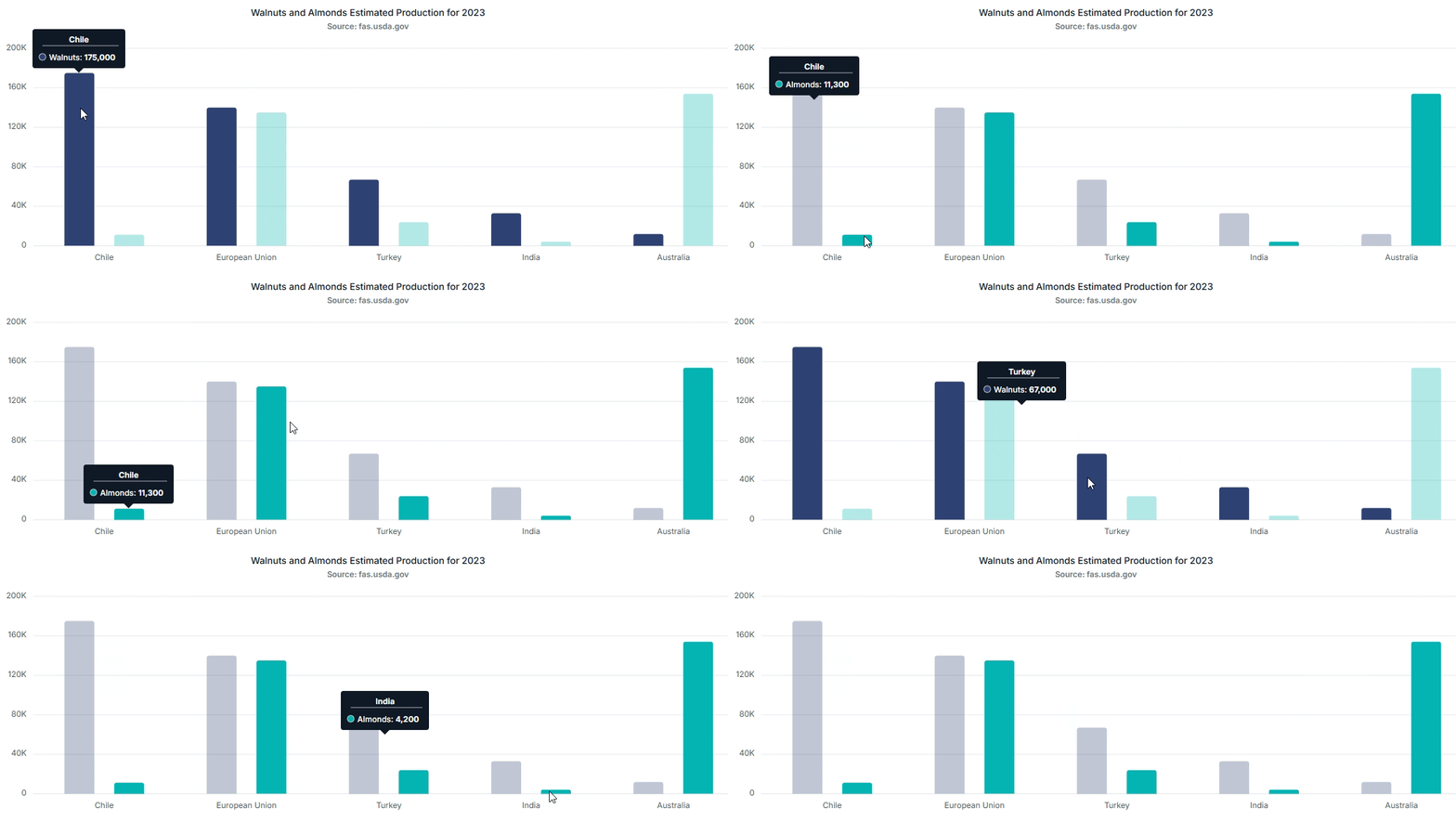
Default tooltip
By default, the tooltip is not visible. You can enable it by setting the enable property to true and injecting TooltipService into @NgModule.providers.
In addition to the service, import ChartModule (or ChartAllModule) into @NgModule.imports. For Angular 17+ standalone components, import ChartComponent directly.
import { NgModule } from '@angular/core';
import { BrowserModule } from '@angular/platform-browser';
import { BrowserAnimationsModule } from '@angular/platform-browser/animations';
import { ChartModule, ChartAllModule } from '@syncfusion/ej2-angular-charts';

@NgModule({
  imports: [BrowserModule, BrowserAnimationsModule, ChartModule],
  providers: [TooltipService],
  bootstrap: [AppComponent]
})
export class AppModule { }
To know about tooltip, you can check out this video:
import { ChartModule } from '@syncfusion/ej2-angular-charts'
import { DateTimeService, StepLineSeriesService, ColumnSeriesService } from '@syncfusion/ej2-angular-charts'
import { LegendService, TooltipService, CategoryService } from '@syncfusion/ej2-angular-charts'
import { Component, OnInit } from '@angular/core';
import { toolData } from './datasource';
@Component({
imports: [
         ChartModule
    ],

providers: [ DateTimeService, StepLineSeriesService, LegendService, TooltipService, CategoryService, ColumnSeriesService],
standalone: true,
    selector: 'app-container',
    template: `<ejs-chart id="chart-container" [primaryXAxis]='primaryXAxis'[primaryYAxis]='primaryYAxis' [title]='title' [tooltip]='tooltip'>
        <e-series-collection>
            <e-series [dataSource]='chartData' type='StepLine' xName='x' yName='y' width=2 name='China' [marker]='marker'></e-series>
        </e-series-collection>
    </ejs-chart>`
})
export class AppComponent implements OnInit {
    public primaryXAxis?: Object;
    public chartData?: Object[];
    public title?: string;
    public primaryYAxis?: Object;
    public marker?: Object;
    public tooltip?: Object;
    ngOnInit(): void {
        this.chartData = toolData;
        this.primaryXAxis = {
            valueType: 'DateTime',
        };
        this.tooltip = { enable: true };
        this.marker = { visible: true, width: 10, height: 10 };
        this.title = 'Unemployment Rates 1975-2010';

}
}
import { bootstrapApplication } from '@angular/platform-browser';
import { AppComponent } from './app.component';
bootstrapApplication(AppComponent).catch((err) => console.error(err));Fixed tooltip
By default, the tooltip follows the mouse movement. To anchor the tooltip at a fixed position instead, set the location property to an { x: number, y: number } object measured in pixels from the top-left corner of the chart.
public tooltip: Object = {
    enable: true,
    location: { x: 120, y: 20 }
};import { ChartModule } from '@syncfusion/ej2-angular-charts'
import { DateTimeService, StepLineSeriesService, ColumnSeriesService } from '@syncfusion/ej2-angular-charts'
import { LegendService, TooltipService, CategoryService } from '@syncfusion/ej2-angular-charts'
import { Component, OnInit } from '@angular/core';
import { toolData } from './datasource';
@Component({
imports: [
ChartModule
],
providers: [ DateTimeService, StepLineSeriesService, LegendService, TooltipService, CategoryService, ColumnSeriesService],
standalone: true,
selector: 'app-container',
template: `<ejs-chart id="chart-container" [primaryXAxis]='primaryXAxis'[primaryYAxis]='primaryYAxis' [title]='title' [tooltip]='tooltip'>
<e-series-collection>
<e-series [dataSource]='chartData' type='StepLine' xName='x' yName='y' width=2 name='China' [marker]='marker'></e-series>
</e-series-collection>
</ejs-chart>`
})
export class AppComponent implements OnInit {
public primaryXAxis?: Object;
public chartData?: Object[];
public title?: string;
public primaryYAxis?: Object;
public marker?: Object;
public tooltip?: Object;
ngOnInit(): void {
this.chartData = toolData;
this.primaryXAxis = {
valueType: 'DateTime',
};
this.tooltip = { enable: true, location: { x: 120, y: 20 } };
this.marker = { visible: true, width: 10, height: 10 };
this.title = 'Unemployment Rates 1975-2010';
}
}import { bootstrapApplication } from '@angular/platform-browser';
import { AppComponent } from './app.component';
bootstrapApplication(AppComponent).catch((err) => console.error(err));Format the tooltip
By default, the tooltip displays the x- and y-values of a data point. To display additional information, specify a custom format using the format property. For example, the format ${series.name} ${point.x} displays the series name along with the x-value of the data point.
Common tokens include ${point.x}, ${point.y}, ${point.high}, ${point.low}, ${point.open}, ${point.close}, ${point.volume}, ${series.name}, and ${series.type}.
import { ChartModule } from '@syncfusion/ej2-angular-charts'
import { DateTimeService, StepLineSeriesService, ColumnSeriesService } from '@syncfusion/ej2-angular-charts'
import { LegendService, TooltipService, CategoryService } from '@syncfusion/ej2-angular-charts'
import { Component, OnInit } from '@angular/core';
import { toolData } from './datasource';
@Component({
imports: [
         ChartModule
    ],

providers: [ DateTimeService, StepLineSeriesService, LegendService, TooltipService, CategoryService, ColumnSeriesService],
standalone: true,
    selector: 'app-container',
    template: `<ejs-chart id="chart-container" [primaryXAxis]='primaryXAxis'[primaryYAxis]='primaryYAxis' [title]='title' [tooltip]='tooltip'>
        <e-series-collection>
            <e-series [dataSource]='chartData' type='StepLine' xName='x' yName='y' width=2 name='China' [marker]='marker'></e-series>
        </e-series-collection>
    </ejs-chart>`
})
export class AppComponent implements OnInit {
    public primaryXAxis?: Object;
    public chartData?: Object[];
    public title?: string;
    public marker?: Object;
    public tooltip?: Object;
primaryYAxis: any;
    ngOnInit(): void {
        this.chartData = toolData;
        this.primaryXAxis = {
            valueType: 'DateTime'
        };
        this.tooltip = { enable: true, header: 'Unemployment', format: '<b>${point.x} : ${point.y}</b>' };
        this.marker = { visible: true, width: 10, height: 10 };
        this.title = 'Unemployment Rates 1975-2010';

}
}
import { bootstrapApplication } from '@angular/platform-browser';
import { AppComponent } from './app.component';
bootstrapApplication(AppComponent).catch((err) => console.error(err));Individual series format
You can format each series tooltip separately using the series tooltipFormat property.
Note: If the series
tooltipFormatis given, it shows the tooltip for that series in that format, or else it will take the chart’s global tooltip format.
import { ChartModule } from '@syncfusion/ej2-angular-charts'
import { DateTimeService, StepLineSeriesService, ColumnSeriesService } from '@syncfusion/ej2-angular-charts'
import { LegendService, TooltipService, CategoryService } from '@syncfusion/ej2-angular-charts'
import { Component, OnInit } from '@angular/core';
import { toolData } from './datasource';
@Component({
imports: [
         ChartModule
    ],

providers: [ DateTimeService, StepLineSeriesService, LegendService, TooltipService, CategoryService, ColumnSeriesService],
standalone: true,
    selector: 'app-container',
    template: `<ejs-chart id="chart-container" [primaryXAxis]='primaryXAxis' [title]='title' [tooltip]='tooltip'>
        <e-series-collection>
            <e-series [dataSource]='chartData' type='StepLine' xName='x' yName='y' width=2 name='China' [marker]='marker' [tooltipFormat]="tooltipFormat"></e-series>
            <e-series [dataSource]='chartData' type='StepLine' xName='x' yName='y1' width=2 name='China' [marker]='marker'></e-series>
        </e-series-collection>
    </ejs-chart>`
})
export class AppComponent implements OnInit {
    public primaryXAxis?: Object;
    public chartData?: Object[];
    public title?: string;
    public marker?: Object;
    public tooltip?: Object;
    public tooltipFormat?: string;
    ngOnInit(): void {
      this.chartData = toolData;
        this.primaryXAxis = {
            valueType: 'DateTime'
        };
        this.tooltip = { enable: true, header: 'Unemployment', format: '<b>${point.x} : ${point.y}</b>' };
        this.marker = { visible: true, width: 10, height: 10 };
        this.title = 'Unemployment Rates 1975-2010';
        this.tooltipFormat = '${point.x}';

}
}
import { bootstrapApplication } from '@angular/platform-browser';
import { AppComponent } from './app.component';
bootstrapApplication(AppComponent).catch((err) => console.error(err));Inline tooltip formatting
The tooltip content can be formatted directly within the format property by adding DateTime or number format specifiers to supported tooltip tokens. This allows you to control how point and series values are displayed without using additional events.
The colon (
:) syntax is implemented by the Syncfusion tooltip formatter, not the standard .NET / ICU formatter. Use only the format specifiers listed below.
A format specifier can be applied to a tooltip token by adding a colon (:) followed by the required format.
public tooltip = {
    enable: true,
    format: '${series.name} (${series.type})<br>${point.x:MMM yyyy} : ${point.y:n2}<br>Size: ${point.size}<br>Opacity: ${series.opacity}'
};
In the above example, point.x is displayed in month-year format, point.y is displayed with two decimal places, point.size displays the size value of the data point, and series.opacity displays the opacity value applied to the series.
Inline formatting can be applied to the following tooltip tokens:
-
point.x– Specifies the x-value of the data point, such as DateTime or category values. -
point.y– Specifies the numeric y-value of the data point. -
point.size– Specifies the size value of the data point, commonly used in bubble series. -
point.highandpoint.low– Specify the high and low values, commonly used in range and financial series. -
point.openandpoint.close– Specify the open and close values, commonly used in financial series. -
point.volume– Specifies the volume value, commonly used in financial series. -
point.minimum– Specifies the minimum value, commonly used in box and whisker series. -
point.maximum– Specifies the maximum value, commonly used in box and whisker series. -
point.median– Specifies the median value, commonly used in box and whisker series. -
point.lowerQuartile– Specifies the lower quartile value, commonly used in box and whisker series. -
point.upperQuartile– Specifies the upper quartile value, commonly used in box and whisker series. -
point.outliers– Specifies the outlier values, commonly used in box and whisker series. -
point.percentage– Specifies the percentage value of a data point, commonly used in pie, doughnut, funnel, and pyramid series. -
series.name– Specifies the name assigned to the series. -
series.type– Specifies the rendering type of the series, such asLine,Spline, orColumn. -
series.opacity– Specifies the opacity value applied to the series. This value controls the visual transparency of the series and can be customized in the series configuration.
Important: The availability of point-specific tokens depends on the series type and the values configured in the data source. For example, point.size is applicable to bubble series, while point.median, point.lowerQuartile, and point.upperQuartile are applicable to box and whisker series. The series.name and series.type tokens return string values, so DateTime or number formatting is not applied to these tokens.
The following format types are supported:
- DateTime formats such as
MMM yyyy,MM:yy, anddd MMM - Number formats such as:
-
n2– number with two decimal places -
n0– number without decimals -
c2– currency format -
p1– percentage format -
e1– exponential notation
-
If the specified format does not match the resolved value type, the original value is displayed.
import { ChartModule } from '@syncfusion/ej2-angular-charts';
import { StepLineSeriesService, DateTimeService, LegendService, TooltipService } from '@syncfusion/ej2-angular-charts';
import { Component, OnInit } from '@angular/core';

@Component({
    imports: [ChartModule],
    providers: [StepLineSeriesService, DateTimeService, LegendService, TooltipService],
    standalone: true,
    selector: 'app-container',
    template: `<ejs-chart id="chart" [primaryXAxis]="primaryXAxis" [primaryYAxis]="primaryYAxis" [tooltip]="tooltip" [legendSettings]="legendSettings" title="Unemployment Rates 1975-2010">
                <e-series-collection>
                    <e-series [dataSource]="chartData" type="StepLine" xName="x" yName="y" name="China" [width]="2" [marker]="marker"></e-series>
                    <e-series [dataSource]="chartData"type="StepLine" xName="x" yName="y1" name="Australia" [width]="2" [marker]="marker"></e-series>
                    <e-series [dataSource]="chartData" type="StepLine" xName="x" yName="y2" name="Japan" [width]="2" [marker]="marker"></e-series>
                </e-series-collection>
            </ejs-chart>`
})

export class AppComponent implements OnInit {

public chartData: Object[] = [
    { x: new Date(1975, 0, 1), y: 16, y1: 10, y2: 4.5 },
    { x: new Date(1980, 0, 1), y: 12.5, y1: 7.5, y2: 5 },
    { x: new Date(1985, 0, 1), y: 19, y1: 11, y2: 6.5 },
    { x: new Date(1990, 0, 1), y: 14.4, y1: 7, y2: 4.4 },
    { x: new Date(1995, 0, 1), y: 11.5, y1: 8, y2: 5 },
    { x: new Date(2000, 0, 1), y: 14, y1: 6, y2: 1.5 },
    { x: new Date(2005, 0, 1), y: 10, y1: 3.5, y2: 2.5 },
    { x: new Date(2010, 0, 1), y: 16, y1: 7, y2: 3.7 }
  ];

  public primaryXAxis: Object = {
    title: 'Years',
    lineStyle: { width: 0 },
    labelFormat: 'y',
    intervalType: 'Years',
    valueType: 'DateTime',
    edgeLabelPlacement: 'Shift'
  };

  public primaryYAxis: Object = {
    title: 'Percentage (%)',
    minimum: 0,
    maximum: 20,
    interval: 4,
    labelFormat: '{value}%'
  };

  public tooltip: Object = {
    enable: true,
    format: '${point.x:MMM yyyy}<br/>${point.y:p0}'
  };

  public legendSettings: Object = {
    visible: true
  };

  public marker = { visible: true, width: 10, height: 10 };

}
import { bootstrapApplication } from '@angular/platform-browser';
import { AppComponent } from './app.component';
bootstrapApplication(AppComponent).catch((err) => console.error(err));Tooltip template
Custom HTML content can be rendered in the tooltip using the template property. You can use placeholders like ${x} and ${y} within the template to display the x- and y-values of the corresponding data point.
To register a template, add the <script id="..."> block to index.html (or your root template) and assign the id to the template property in the tooltip configuration. The chart reads the script content by id at runtime.
import { ChartModule } from '@syncfusion/ej2-angular-charts'
import { DateTimeService, StepLineSeriesService, ColumnSeriesService } from '@syncfusion/ej2-angular-charts'
import { LegendService, TooltipService, CategoryService } from '@syncfusion/ej2-angular-charts'
import { Component, OnInit } from '@angular/core';
import { toolData } from './datasource';
@Component({
imports: [
         ChartModule
    ],

providers: [ DateTimeService, StepLineSeriesService, LegendService, TooltipService, CategoryService, ColumnSeriesService],
standalone: true,
    selector: 'app-container',
    template: `<ejs-chart id="chart-container" [primaryXAxis]='primaryXAxis'[primaryYAxis]='primaryYAxis' [title]='title' [tooltip]='tooltip'>
        <e-series-collection>
            <e-series [dataSource]='chartData' type='StepLine' xName='x' yName='y' width=2 name='China' [marker]='marker'></e-series>
        </e-series-collection>
    </ejs-chart>`
})
export class AppComponent implements OnInit {
    public primaryXAxis?: Object;
    public chartData?: Object[];
    public title?: string;
    public primaryYAxis?: Object;
    public marker?: Object;
    public tooltip?: Object;
    ngOnInit(): void {
        this.chartData = toolData;
        this.primaryXAxis = {
            valueType: 'DateTime'
        };
        this.tooltip = { enable: true, template: '#Unemployment' };
        this.marker = { visible: true, width: 10, height: 10 };
        this.title = 'Unemployment Rates 1975-2010';
    }
}
import { bootstrapApplication } from '@angular/platform-browser';
import { AppComponent } from './app.component';
bootstrapApplication(AppComponent).catch((err) => console.error(err));Enable highlight
By setting the enableHighlight property to true, all points in the hovered series are highlighted while the remaining points are dimmed. This behavior improves focus and readability during data analysis.
import { ChartModule } from '@syncfusion/ej2-angular-charts';
import { DateTimeService, StepLineSeriesService, LegendService, TooltipService } from '@syncfusion/ej2-angular-charts';
import { Component, OnInit } from '@angular/core';
import { chartData } from './datasource';
@Component({
    imports: [ChartModule],
    providers: [DateTimeService, StepLineSeriesService, LegendService, TooltipService],
    standalone: true,
    selector: 'app-container',
    template: `<ejs-chart id="chart-container" [primaryXAxis]='primaryXAxis'[primaryYAxis]='primaryYAxis' [title]='title' [legendSettings]='legendSettings' [tooltip]='tooltip'>
        <e-series-collection>
            <e-series [dataSource]='chartData' type='StepLine' xName='x' yName='y' width=2 name='China' [marker]='marker'></e-series>
            <e-series [dataSource]='chartData' type='StepLine' xName='x' yName='y1' width=2 name='Australia' [marker]='marker'></e-series>
            <e-series [dataSource]='chartData' type='StepLine' xName='x' yName='y2' width=2 name='Japan' [marker]='marker'></e-series>
        </e-series-collection>
    </ejs-chart>`
})
export class AppComponent implements OnInit {
    public primaryXAxis?: Object;
    public primaryYAxis?: Object;
    public chartData?: Object[];
    public title?: string;
    public marker?: Object;
    public tooltip?: Object;
    public legendSettings?: Object;
    ngOnInit(): void {
        this.chartData = chartData;
        this.primaryXAxis = {
            title: 'Years',
            lineStyle: { width: 0 },
            labelFormat: 'y',
            intervalType: 'Years',
            valueType: 'DateTime',
            edgeLabelPlacement: 'Shift'
        };
        this.primaryYAxis = {
            title: 'Percentage (%)',
            minimum: 0,
            maximum: 20,
            interval: 4,
            labelFormat: '{value}%'
        };
        this.tooltip = { enable: true, enableHighlight: true };
        this.marker = { visible: true, width: 10, height: 10 };
        this.title = 'Unemployment Rates 1975-2010';
        this.legendSettings = { visible: true };
    }
}
import { bootstrapApplication } from '@angular/platform-browser';
import { AppComponent } from './app.component';
bootstrapApplication(AppComponent).catch((err) => console.error(err));Tooltip mapping name
By default, the tooltip displays only the x- and y-values of a data point. Additional information from the data source can be shown using the tooltipMappingName property of the series. Use the ${point.tooltip} placeholder in the tooltip format to display the mapped value.
import { ChartModule } from '@syncfusion/ej2-angular-charts'
import { DateTimeService, StepLineSeriesService, ColumnSeriesService } from '@syncfusion/ej2-angular-charts'
import { LegendService, TooltipService, CategoryService } from '@syncfusion/ej2-angular-charts'
import { Component, OnInit } from '@angular/core';
import { toolData } from './datasource';
@Component({
imports: [
         ChartModule
    ],

providers: [ DateTimeService, StepLineSeriesService, LegendService, TooltipService, CategoryService, ColumnSeriesService],
standalone: true,
    selector: 'app-container',
    template: `<ejs-chart id="chart-container" [primaryXAxis]='primaryXAxis' [title]='title' [tooltip]='tooltip'>
        <e-series-collection>
            <e-series [dataSource]='chartData' type='Column' xName='x' yName='y' width=2 tooltipMappingName='country'></e-series>
        </e-series-collection>
    </ejs-chart>`
})
export class AppComponent implements OnInit {
    public primaryXAxis?: Object;
    public chartData?: Object[];
    public title?: string;
    public tooltip?: Object;
    ngOnInit(): void {
        this.chartData =  [
                    { x: 'Germany', y: 72, country: 'GER: 72'},
                    { x: 'Russia', y: 103.1, country: 'RUS: 103.1'},
                    { x: 'Brazil', y: 139.1, country: 'BRZ: 139.1'},
                    { x: 'India', y: 462.1, country: 'IND: 462.1'},
                    { x: 'China', y: 721.4, country: 'CHN: 721.4'},
                    { x: 'United States Of America', y: 286.9, country: 'USA: 286.9'},
                    { x: 'Great Britain', y: 115.1, country: 'GBR: 115.1'},
                    { x: 'Nigeria', y: 97.2, country: 'NGR: 97.2'},
        ];
        this.primaryXAxis = {
             valueType: 'Category',
        };
        this.tooltip = {
               enable: true, format: '${point.tooltip}'
        };
        this.title = 'Internet Users in Million – 2016';

}


}
import { bootstrapApplication } from '@angular/platform-browser';
import { AppComponent } from './app.component';
bootstrapApplication(AppComponent).catch((err) => console.error(err));Customize the appearance of tooltip
The appearance of the tooltip can be customized using the following properties:
-
fill- Specifies the background color of the tooltip. -
border- Configures the tooltip border. -
textStyle- Customizes the tooltip text style.
The highlightColor property is defined on the chart (not on the tooltip) and changes the color of a data point when it is highlighted during tooltip interaction.
import { ChartModule } from '@syncfusion/ej2-angular-charts'
import { DateTimeService, StepLineSeriesService, ColumnSeriesService } from '@syncfusion/ej2-angular-charts'
import { LegendService, TooltipService, CategoryService } from '@syncfusion/ej2-angular-charts'
import { Component, OnInit } from '@angular/core';
import { toolData } from './datasource';
@Component({
imports: [
         ChartModule
    ],

providers: [ DateTimeService, StepLineSeriesService, LegendService, TooltipService, CategoryService, ColumnSeriesService],
standalone: true,
    selector: 'app-container',
    template: `<ejs-chart id="chart-container" highlightColor="red" [primaryXAxis]='primaryXAxis'[primaryYAxis]='primaryYAxis' [title]='title' [tooltip]='tooltip'>
        <e-series-collection>
            <e-series [dataSource]='chartData' type='StepLine' xName='x' yName='y' width=2 name='China' [marker]='marker'></e-series>
        </e-series-collection>
    </ejs-chart>`
})
export class AppComponent implements OnInit {
    public primaryXAxis?: Object;
    public chartData?: Object[];
    public title?: string;
    public primaryYAxis?: Object;
    public marker?: Object;
    public tooltip?: Object;
    ngOnInit(): void {
        this.chartData = toolData;
        this.primaryXAxis = {
            valueType: 'DateTime'
        };
        this.tooltip = {
                enable: true,
                format: '${series.name} ${point.x} : ${point.y}',
                fill: '#7bb4eb',
                border: {
                   width: 2,
                   color: 'grey'
                }
        };
        this.marker = { visible: true, width: 10, height: 10 };
        this.title = 'Unemployment Rates 1975-2010';
    }
}
import { bootstrapApplication } from '@angular/platform-browser';
import { AppComponent } from './app.component';
bootstrapApplication(AppComponent).catch((err) => console.error(err));Hide tooltip
Use the tooltipRender event to hide tooltips for deselected series. Cancel the tooltip in the event by setting args.cancel = true when a series is deselected.
public tooltipRender(args: ITooltipRenderEventArgs): void {
    if (args.series.name === 'DeselectedSeries') {
        args.cancel = true;
    }
}import { ChartModule, ChartAllModule, AccumulationChartAllModule } from '@syncfusion/ej2-angular-charts'
import { GridModule } from '@syncfusion/ej2-angular-grids'
import { PageService } from '@syncfusion/ej2-angular-grids'
import { AccumulationChartModule } from '@syncfusion/ej2-angular-charts'
import { DialogModule } from '@syncfusion/ej2-angular-popups'
import { PieSeriesService, AccumulationTooltipService, AccumulationDataLabelService } from '@syncfusion/ej2-angular-charts'
import {
LineSeriesService, DateTimeService, DataLabelService, StackingColumnSeriesService, CategoryService,
StepAreaSeriesService, SplineSeriesService, ScrollBarService, ChartAnnotationService, LegendService, TooltipService, StripLineService,
SelectionService, ScatterSeriesService, ZoomService, ColumnSeriesService, AreaSeriesService, RangeAreaSeriesService
} from '@syncfusion/ej2-angular-charts'
import { Component, OnInit } from '@angular/core';
import { ITooltipRenderEventArgs, Series } from '@syncfusion/ej2-angular-charts';
@Component({
imports: [
ChartModule, ChartAllModule, AccumulationChartAllModule, AccumulationChartModule, GridModule, DialogModule
],
providers: [LineSeriesService, DateTimeService, ColumnSeriesService, DataLabelService, ZoomService, StackingColumnSeriesService, CategoryService,
StepAreaSeriesService, SplineSeriesService, ChartAnnotationService, LegendService, TooltipService, StripLineService,
PieSeriesService, AccumulationTooltipService, ScrollBarService, AccumulationDataLabelService, SelectionService, ScatterSeriesService,
PageService, AreaSeriesService, RangeAreaSeriesService ],
standalone: true,
selector: 'app-container',
template: `<ejs-chart id="chart-container" [primaryXAxis]='primaryXAxis' [primaryYAxis]='primaryYAxis' [title]='title'
[tooltip]='tooltip' selectionMode='Series' (tooltipRender)='tooltipRender($event)'>
<e-series-collection>
<e-series [dataSource]='chartData' type='Line' xName='x' yName='y' name='Max Temp' width=2 [marker]='marker'></e-series>
<e-series [dataSource]='chartData1' type='Line' xName='x' yName='y' name='Max Temp' width=2 [marker]='marker'></e-series>
</e-series-collection>
</ejs-chart>`
})
export class AppComponent implements OnInit {
public primaryXAxis?: Object;
public chartData?: Object[];
public title?: string;
public marker?: Object;
public primaryYAxis?: Object;
public chartData1: Object[] = [
{ x: new Date(2005, 0, 1), y: 28 }, { x: new Date(2006, 0, 1), y: 44 },
{ x: new Date(2007, 0, 1), y: 48 }, { x: new Date(2008, 0, 1), y: 50 },
{ x: new Date(2009, 0, 1), y: 66 }, { x: new Date(2010, 0, 1), y: 78 },
{ x: new Date(2011, 0, 1), y: 84 }
];
public tooltip: Object = {
enable: true
};
public tooltipRender(args: ITooltipRenderEventArgs): void {
let series: Series = <Series>(args.series);
if (series.seriesElement.classList[0] === 'chart-container_ej2_deselected') {
args.cancel = true;
}
};
ngOnInit(): void {
this.chartData =[
{ x: new Date(2005, 0, 1), y: 21 }, { x: new Date(2006, 0, 1), y: 24 },
{ x: new Date(2007, 0, 1), y: 36 }, { x: new Date(2008, 0, 1), y: 38 },
{ x: new Date(2009, 0, 1), y: 54 }, { x: new Date(2010, 0, 1), y: 57 },
{ x: new Date(2011, 0, 1), y: 70 }
];
this.primaryXAxis = {
valueType: 'DateTime',
labelFormat: 'y',
intervalType: 'Years',
edgeLabelPlacement: 'Shift',
majorGridLines: { width: 0 }
};
this.primaryYAxis = {
labelFormat: '{value}%',
rangePadding: 'None',
minimum: 0,
maximum: 100,
interval: 20,
lineStyle: { width: 0 },
majorTickLines: { width: 0 },
minorTickLines: { width: 0 }
};
this.marker = { visible: true,
height: 10,
width: 10 };
this.title = 'NC Weather Report - 2016';
}
}import { bootstrapApplication } from '@angular/platform-browser';
import { AppComponent } from './app.component';
bootstrapApplication(AppComponent).catch((err) => console.error(err));Percentage tooltip
Use the tooltipRender event to display percentage values for pie points. Compute the percentage from args.point.y and args.series.sumOfPoints, then set the formatted result on args.content.
sumOfPoints is the numeric total of all y values in the current pie series and is supplied automatically by the chart during the event. The event’s args object is of type ITooltipRenderEventArgs.
import { ChartModule, ChartAllModule, AccumulationChartAllModule } from '@syncfusion/ej2-angular-charts'
import { AccumulationChartModule } from '@syncfusion/ej2-angular-charts'
import { PieSeriesService, AccumulationTooltipService, AccumulationDataLabelService } from '@syncfusion/ej2-angular-charts'
import {
    LineSeriesService, DateTimeService, DataLabelService, StackingColumnSeriesService, CategoryService,
    StepAreaSeriesService, SplineSeriesService, ScrollBarService, ChartAnnotationService, LegendService, TooltipService, StripLineService,
    SelectionService, ScatterSeriesService, ZoomService, ColumnSeriesService, AreaSeriesService, RangeAreaSeriesService
} from '@syncfusion/ej2-angular-charts'


import { Component, OnInit } from '@angular/core';
import { IAccTooltipRenderEventArgs } from '@syncfusion/ej2-angular-charts';
@Component({
imports: [
         ChartModule, ChartAllModule, AccumulationChartAllModule, AccumulationChartModule
    ],

providers: [LineSeriesService, DateTimeService, ColumnSeriesService, DataLabelService, ZoomService, StackingColumnSeriesService, CategoryService,
        StepAreaSeriesService, SplineSeriesService, ChartAnnotationService, LegendService, TooltipService, StripLineService,
        PieSeriesService, AccumulationTooltipService, ScrollBarService, AccumulationDataLabelService, SelectionService, ScatterSeriesService,
        AreaSeriesService, RangeAreaSeriesService ],
standalone: true,
    selector: 'app-container',
    template: `<ejs-accumulationchart id="chart-container" [tooltip]='tooltip' [title]='title' (tooltipRender)='tooltipRender($event)'>
        <e-accumulation-series-collection>
            <e-accumulation-series [dataSource]='piedata' xName='x' yName='y' [dataLabel]='datalabel' radius="70%"></e-accumulation-series>
        </e-accumulation-series-collection>
    </ejs-accumulationchart>`
})
export class AppComponent implements OnInit {
    public piedata?: Object[];
    public datalabel?: Object;
    public tooltip?: Object;
    public title?: String;
    public tooltipRender(args: IAccTooltipRenderEventArgs): void {
           let value  = args.point.y / args.series.sumOfPoints * 100;
           args["text"] = args.point.x + ' : ' + Math.ceil(value) + '' + '%';
        };
    ngOnInit(): void {
        this.datalabel = { visible: true };
        this.tooltip = {enable: true};
        this.title = 'Mobile Browser Statistics';
        this.piedata = [
                    { 'x': 'Chrome', y: 37 }, { 'x': 'UC Browser', y: 17 },
                    { 'x': 'iPhone', y: 19 }, { 'x': 'Others', y: 4 }, { 'x': 'Opera', y: 11 }
                ];
    }

}
import { bootstrapApplication } from '@angular/platform-browser';
import { AppComponent } from './app.component';
bootstrapApplication(AppComponent).catch((err) => console.error(err));Format tooltip values with formatDate
Use the tooltipRender event to read the current point’s x value and format it with Angular’s formatDate utility before assigning it to args.content.
formatDatemust be imported from@angular/common.
import { formatDate } from '@angular/common';

public tooltipRender(args: ITooltipRenderEventArgs): void {
    args.content = formatDate(new Date(args.point.x as Date), 'MMM yyyy', 'en-US');
}
The output will appear as follows:
import { ChartModule, ChartAllModule, AccumulationChartAllModule } from '@syncfusion/ej2-angular-charts'
import { AccumulationChartModule } from '@syncfusion/ej2-angular-charts'
import { PieSeriesService, AccumulationTooltipService, AccumulationDataLabelService } from '@syncfusion/ej2-angular-charts'
import {
    LineSeriesService, DateTimeService, DataLabelService, StackingColumnSeriesService, CategoryService,
    StepAreaSeriesService, SplineSeriesService, ScrollBarService, ChartAnnotationService, LegendService, TooltipService, StripLineService,
    SelectionService, ScatterSeriesService, ZoomService, ColumnSeriesService, AreaSeriesService, RangeAreaSeriesService
} from '@syncfusion/ej2-angular-charts'


import { Component, OnInit } from '@angular/core';
import { ITooltipRenderEventArgs } from '@syncfusion/ej2-angular-charts';
import { Internationalization } from '@syncfusion/ej2-base';

@Component({
imports: [
         ChartModule, ChartAllModule, AccumulationChartAllModule, AccumulationChartModule
    ],

providers: [LineSeriesService, DateTimeService, ColumnSeriesService, DataLabelService, ZoomService, StackingColumnSeriesService, CategoryService,
        StepAreaSeriesService, SplineSeriesService, ChartAnnotationService, LegendService, TooltipService, StripLineService,
        PieSeriesService, AccumulationTooltipService, ScrollBarService, AccumulationDataLabelService, SelectionService, ScatterSeriesService,
        AreaSeriesService, RangeAreaSeriesService ],
standalone: true,
    selector: 'app-container',
    template: `<ejs-chart id="chart-container" [primaryXAxis]='primaryXAxis'[primaryYAxis]='primaryYAxis' [title]='title' [tooltip]='tooltip' (tooltipRender) = 'tooltipRender($event)'>
        <e-series-collection>
            <e-series [dataSource]='chartData' type='Line' xName='x' yName='y' name='India' width=2 [marker]='marker'></e-series>
        </e-series-collection>
    </ejs-chart>`
})
export class AppComponent implements OnInit {
    public primaryXAxis?: Object;
    public chartData?: Object[];
    public title?: string;
    public marker?: Object;
    public tooltip?: Object;
    public primaryYAxis?: Object;
    public tooltipRender(args: ITooltipRenderEventArgs | any): void {
        let intl: Internationalization = new Internationalization();
        let formattedString: string = intl.formatDate(new Date((args.point.x).toString()), { skeleton: 'MMMEd'});
        args.text = formattedString + ':' + args.text.split(':')[1];
    };
    ngOnInit(): void {
        this.chartData = [
             { x: new Date(2005, 0, 1), y: 21 }, { x: new Date(2006, 0, 1), y: 24 },
             { x: new Date(2007, 0, 1), y: 30 }, { x: new Date(2008, 0, 1), y: 38 },
             { x: new Date(2009, 0, 1), y: 54 }, { x: new Date(2010, 0, 1), y: 57 },
        ];
        this.primaryXAxis = {
           title: 'Year',
           valueType: 'DateTime'
        };
        this.primaryYAxis = {
           title: 'Efficiency',
        };
        this.marker = { visible: true, width: 10, height: 10, dataLabel: { visible: true}};
        this.title = 'Inflation - Consumer Price';
        this.tooltip = {enable: true}
    }
}
import { bootstrapApplication } from '@angular/platform-browser';
import { AppComponent } from './app.component';
bootstrapApplication(AppComponent).catch((err) => console.error(err));Tooltip as table
Render a table in the tooltip using the tooltip template.
- Add the template HTML to
index.html(or the root component template). - Assign the template’s element id to the tooltip
templateproperty.
   <script id="Female-Material" type="text/x-template">
    <div id='templateWrap'>
        <table style="width:100%;  border: 1px solid black;">
        <tr><th colspan="2" bgcolor="#00FFFF">Female</th></tr>
        <tr><td bgcolor="#00FFFF">${x}:</td><td bgcolor="#00FFFF">${y}</td></tr>
        </table>
    </div>
   </script>
import { ChartModule } from '@syncfusion/ej2-angular-charts'
import { LineSeriesService, DateTimeService, DataLabelService, StackingColumnSeriesService, CategoryService, ChartShape,
       StepAreaSeriesService,ChartAnnotationService, LegendService, TooltipService} from '@syncfusion/ej2-angular-charts'


import { Component, OnInit } from '@angular/core';
import { IPointRenderEventArgs } from '@syncfusion/ej2-angular-charts';

@Component({
imports: [
         ChartModule
    ],

providers: [ LineSeriesService, DateTimeService, DataLabelService, StackingColumnSeriesService,CategoryService,
               StepAreaSeriesService,ChartAnnotationService, LegendService, TooltipService],
standalone: true,
    selector: 'app-container',
    template: `<ejs-chart id="chart-container" [primaryXAxis]='primaryXAxis'[primaryYAxis]='primaryYAxis' [title]='title'  [tooltip]='tooltip'>
        <e-series-collection>
            <e-series [dataSource]='chartData' type='Line' xName='x' yName='y' name='Female' width=2 [marker]='marker'></e-series>
        </e-series-collection>
    </ejs-chart>`
})
export class AppComponent implements OnInit {
    public primaryXAxis?: Object;
    public chartData?: Object[];
    public title?: string;
    public marker?: Object;
    public tooltip?: Object;
    public primaryYAxis?: Object;
    ngOnInit(): void {
        this.chartData =[
                    { x: 2010, y: 990 }, { x: 2011, y: 1010 },
                    { x: 2012, y: 1030 }, { x: 2013, y: 1070 },
                    { x: 2014, y: 1105 }, { x: 2015, y: 1138 },
                    { x: 2016, y: 1155 }
                ];
        this.primaryXAxis = {
           minimum: 2010, maximum: 2016,
          edgeLabelPlacement: 'Shift',
        };
        this.primaryYAxis = {
            minimum: 900, maximum: 1300,
            labelFormat: '{value}M',
        };
        this.marker = { visible: true, width: 10, height: 10, shape: 'Rectangle'};
        this.tooltip = {
            enable: true,
            template:'#Female-Material'
            }
        this.title = 'Population of India ( 2010 - 2016 )';
    }
}
import { bootstrapApplication } from '@angular/platform-browser';
import { AppComponent } from './app.component';
bootstrapApplication(AppComponent).catch((err) => console.error(err));Nearest tooltip
The showNearestTooltip property displays the tooltip for the data point nearest to the mouse pointer, even when the pointer is not directly positioned over the point. This is useful for line, spline, area, and other continuous series where the pointer rarely lands exactly on a data point.
This property is also referred to as “closest tooltip” in the API documentation; both terms refer to the same
showNearestTooltipsetting.
import { ChartModule } from '@syncfusion/ej2-angular-charts';
import { DateTimeService, StepLineSeriesService, LegendService, TooltipService } from '@syncfusion/ej2-angular-charts';
import { Component, OnInit } from '@angular/core';
import { chartData } from './datasource';
@Component({
    imports: [ChartModule],
    providers: [DateTimeService, StepLineSeriesService, LegendService, TooltipService],
    standalone: true,
    selector: 'app-container',
    template: `<ejs-chart id="chart-container" [primaryXAxis]='primaryXAxis'[primaryYAxis]='primaryYAxis' [title]='title' [legendSettings]='legendSettings' [tooltip]='tooltip'>
        <e-series-collection>
            <e-series [dataSource]='chartData' type='StepLine' xName='x' yName='y' width=2 name='China' [marker]='marker'></e-series>
            <e-series [dataSource]='chartData' type='StepLine' xName='x' yName='y1' width=2 name='Australia' [marker]='marker'></e-series>
            <e-series [dataSource]='chartData' type='StepLine' xName='x' yName='y2' width=2 name='Japan' [marker]='marker'></e-series>
        </e-series-collection>
    </ejs-chart>`
})
export class AppComponent implements OnInit {
    public primaryXAxis?: Object;
    public primaryYAxis?: Object;
    public chartData?: Object[];
    public title?: string;
    public marker?: Object;
    public tooltip?: Object;
    public legendSettings?: Object;
    ngOnInit(): void {
        this.chartData = chartData;
        this.primaryXAxis = {
            title: 'Years',
            lineStyle: { width: 0 },
            labelFormat: 'y',
            intervalType: 'Years',
            valueType: 'DateTime',
            edgeLabelPlacement: 'Shift'
        };
        this.primaryYAxis = {
            title: 'Percentage (%)',
            minimum: 0,
            maximum: 20,
            interval: 4,
            labelFormat: '{value}%'
        };
        this.tooltip = { enable: true, enableHighlight: true, showNearestTooltip: true };
        this.marker = { visible: true, width: 10, height: 10 };
        this.title = 'Unemployment Rates 1975-2010';
        this.legendSettings = { visible: true };
    }
}
import { bootstrapApplication } from '@angular/platform-browser';
import { AppComponent } from './app.component';
bootstrapApplication(AppComponent).catch((err) => console.error(err));Split tooltip
The split tooltip displays a separate tooltip for each series at the same x-value, making it easier to compare values across multiple series. Each series’ tooltip is rendered with its own color marker and uses the series-specific tooltipFormat when provided.
Enable this feature by setting the split property to true in the tooltip configuration.
import { Component, OnInit } from '@angular/core';
import { ChartModule } from '@syncfusion/ej2-angular-charts';
import { LineSeriesService, CategoryService, TooltipService, LegendService } from '@syncfusion/ej2-angular-charts';

import { vietnamData, indonesiaData, franceData, polandData, mexicoData } from './datasource';

@Component({
    imports: [
        ChartModule
    ],
    providers: [LineSeriesService, CategoryService, TooltipService, LegendService],
    standalone: true,
    selector: 'app-container',
    template: `<ejs-chart id="charts" [primaryXAxis]="primaryXAxis" [primaryYAxis]="primaryYAxis"
        [legendSettings]="legendSettings" [tooltip]="tooltip">
        <e-series-collection>
            <e-series [dataSource]="vietnamData" type="Line" xName="x" yName="y" name="Vietnam" [marker]="marker"></e-series>
            <e-series [dataSource]="indonesiaData" type="Line" xName="x" yName="y" name="Indonesia" [marker]="marker"></e-series>
            <e-series [dataSource]="franceData" type="Line" xName="x" yName="y" name="France" [marker]="marker"></e-series>
            <e-series [dataSource]="polandData" type="Line" xName="x" yName="y" name="Poland" [marker]="marker"></e-series>
            <e-series [dataSource]="mexicoData" type="Line" xName="x" yName="y" name="Mexico" [marker]="marker"></e-series>
        </e-series-collection>
    </ejs-chart>`
})
export class AppComponent implements OnInit {
    public primaryXAxis?: Object;
    public primaryYAxis?: Object;
    public legendSettings?: Object;
    public tooltip?: Object;
    public marker?: Object;

    public vietnamData?: Object[];
    public indonesiaData?: Object[];
    public franceData?: Object[];
    public polandData?: Object[];
    public mexicoData?: Object[];

    ngOnInit(): void {
        this.vietnamData = vietnamData;
        this.indonesiaData = indonesiaData;
        this.franceData = franceData;
        this.polandData = polandData;
        this.mexicoData = mexicoData;

        this.primaryXAxis = {
            valueType: 'Category'
        };

        this.primaryYAxis = {
            title: 'Value'
        };

        this.legendSettings = {
            visible: true
        };

        this.tooltip = {
            enable: true,
            split: true
        };

        this.marker = {
            visible: true
        };
    }
}
import { bootstrapApplication } from '@angular/platform-browser';
import { AppComponent } from './app.component';
bootstrapApplication(AppComponent).catch((err) => console.error(err));export let vietnamData: { x: number; y: number }[] = [
{ x: 2016, y: 7.8 }, { x: 2017, y: 10.3 }, { x: 2018, y: 15.5 },
{ x: 2019, y: 17.5 }, { x: 2020, y: 19.5 }, { x: 2021, y: 23.0 },
{ x: 2022, y: 20.0 }, { x: 2023, y: 19.0 }, { x: 2024, y: 22.1 }
];
export let indonesiaData: { x: number; y: number }[] = [
{ x: 2016, y: 4.8 }, { x: 2017, y: 5.2 }, { x: 2018, y: 6.2 },
{ x: 2019, y: 7.8 }, { x: 2020, y: 9.3 }, { x: 2021, y: 14.3 },
{ x: 2022, y: 15.6 }, { x: 2023, y: 16.0 }, { x: 2024, y: 17.0 }
];
export let franceData: { x: number; y: number }[] = [
{ x: 2016, y: 14.6 }, { x: 2017, y: 15.5 }, { x: 2018, y: 15.4 },
{ x: 2019, y: 14.4 }, { x: 2020, y: 11.6 }, { x: 2021, y: 13.9 },
{ x: 2022, y: 12.1 }, { x: 2023, y: 10.0 }, { x: 2024, y: 10.8 }
];
export let polandData: { x: number; y: number }[] = [
{ x: 2016, y: 8.9 }, { x: 2017, y: 10.3 }, { x: 2018, y: 10.8 },
{ x: 2019, y: 9.0 }, { x: 2020, y: 7.9 }, { x: 2021, y: 8.5 },
{ x: 2022, y: 7.4 }, { x: 2023, y: 6.4 }, { x: 2024, y: 7.1 }
];
export let mexicoData: { x: number; y: number }[] = [
{ x: 2016, y: 19.0 }, { x: 2017, y: 20.0 }, { x: 2018, y: 20.2 },
{ x: 2019, y: 18.4 }, { x: 2020, y: 16.8 }, { x: 2021, y: 18.5 },
{ x: 2022, y: 18.4 }, { x: 2023, y: 16.3 }, { x: 2024, y: 13.7 }
];Follow pointer
The follow-pointer feature enables the tooltip to track the mouse cursor or touch pointer as users interact with the chart. This provides a more dynamic and intuitive experience by keeping the tooltip close to the user’s point of interaction. On touch devices, the tooltip tracks the touch point until the pointer is released.
Enable this feature by setting the followPointer property to true.
import { Component, OnInit } from '@angular/core';
import { ChartAllModule } from '@syncfusion/ej2-angular-charts';
import { ColumnSeriesService, CategoryService, TooltipService, LegendService } from '@syncfusion/ej2-angular-charts';

import { vietnamData, franceData, mexicoData } from './datasource';

@Component({
    imports: [
        ChartAllModule
    ],
    providers: [ColumnSeriesService, CategoryService, TooltipService, LegendService],
    standalone: true,
    selector: 'app-container',
    template: `<ejs-chart id="charts" [primaryXAxis]="primaryXAxis" [primaryYAxis]="primaryYAxis"
        [legendSettings]="legendSettings" [tooltip]="tooltip">
        <e-series-collection>
            <e-series [dataSource]="vietnamData" type="Column" xName="x" yName="y" name="Vietnam" [marker]="marker"></e-series>
            <e-series [dataSource]="franceData" type="Column" xName="x" yName="y" name="France" [marker]="marker"></e-series>
            <e-series [dataSource]="mexicoData" type="Column" xName="x" yName="y" name="Mexico" [marker]="marker"></e-series>
        </e-series-collection>
    </ejs-chart>`
})
export class AppComponent implements OnInit {
    public primaryXAxis?: Object;
    public primaryYAxis?: Object;
    public legendSettings?: Object;
    public tooltip?: Object;
    public marker?: Object;

    public vietnamData?: Object[];
    public franceData?: Object[];
    public mexicoData?: Object[];

    ngOnInit(): void {
        this.vietnamData = vietnamData;
        this.franceData = franceData;
        this.mexicoData = mexicoData;

        this.primaryXAxis = {
            valueType: 'Category'
        };

        this.primaryYAxis = {
            title: 'Value'
        };

        this.legendSettings = {
            visible: true
        };

        this.tooltip = {
            enable: true,
            followPointer: true
        };

        this.marker = {
            visible: true
        };
    }
}
import { bootstrapApplication } from '@angular/platform-browser';
import { AppComponent } from './app.component';
bootstrapApplication(AppComponent).catch((err) => console.error(err));export let vietnamData: { x: number; y: number }[] = [
{ x: 2016, y: 7.8 }, { x: 2017, y: 10.3 }, { x: 2018, y: 15.5 },
{ x: 2019, y: 17.5 }, { x: 2020, y: 19.5 }, { x: 2021, y: 23.0 },
{ x: 2022, y: 20.0 }, { x: 2023, y: 19.0 }, { x: 2024, y: 22.1 }
];
export let franceData: { x: number; y: number }[] = [
{ x: 2016, y: 14.6 }, { x: 2017, y: 15.5 }, { x: 2018, y: 15.4 },
{ x: 2019, y: 14.4 }, { x: 2020, y: 11.6 }, { x: 2021, y: 13.9 },
{ x: 2022, y: 12.1 }, { x: 2023, y: 10.0 }, { x: 2024, y: 10.8 }
];
export let mexicoData: { x: number; y: number }[] = [
{ x: 2016, y: 19.0 }, { x: 2017, y: 20.0 }, { x: 2018, y: 20.2 },
{ x: 2019, y: 18.4 }, { x: 2020, y: 16.8 }, { x: 2021, y: 18.5 },
{ x: 2022, y: 18.4 }, { x: 2023, y: 16.3 }, { x: 2024, y: 13.7 }
];
export let indonesiaData: { x: number; y: number }[] = [
{ x: 2016, y: 4.8 }, { x: 2017, y: 5.2 }, { x: 2018, y: 6.2 },
{ x: 2019, y: 7.8 }, { x: 2020, y: 9.3 }, { x: 2021, y: 14.3 },
{ x: 2022, y: 15.6 }, { x: 2023, y: 16.0 }, { x: 2024, y: 17.0 }
];
export let polandData: { x: number; y: number }[] = [
{ x: 2016, y: 8.9 }, { x: 2017, y: 10.3 }, { x: 2018, y: 10.8 },
{ x: 2019, y: 9.0 }, { x: 2020, y: 7.9 }, { x: 2021, y: 8.5 },
{ x: 2022, y: 7.4 }, { x: 2023, y: 6.4 }, { x: 2024, y: 7.1 }
];Tooltip distance
The distance property controls the spacing, in pixels, between the tooltip and the mouse pointer or target data point. Increasing this value prevents the tooltip from overlapping with the cursor or nearby chart elements, improving readability. Acceptable values are non-negative integers; there is no enforced upper limit, but values larger than the chart dimensions may push the tooltip out of view.
import { Component, OnInit } from '@angular/core';
import { ChartModule } from '@syncfusion/ej2-angular-charts';
import { ColumnSeriesService, CategoryService, TooltipService, LegendService } from '@syncfusion/ej2-angular-charts';

import { vietnamData, polandData } from './datasource';

@Component({
    imports: [
        ChartModule
    ],
    providers: [ColumnSeriesService, CategoryService, TooltipService, LegendService],
    standalone: true,
    selector: 'app-container',
    template: `<ejs-chart id="charts" [primaryXAxis]="primaryXAxis" [primaryYAxis]="primaryYAxis"
        [legendSettings]="legendSettings" [tooltip]="tooltip">
        <e-series-collection>
            <e-series [dataSource]="vietnamData" type="Column" xName="x" yName="y" name="Vietnam" [marker]="marker"></e-series>
            <e-series [dataSource]="polandData" type="Column" xName="x" yName="y" name="Poland" [marker]="marker"></e-series>
        </e-series-collection>
    </ejs-chart>`
})
export class AppComponent implements OnInit {
    public primaryXAxis?: Object;
    public primaryYAxis?: Object;
    public legendSettings?: Object;
    public tooltip?: Object;
    public marker?: Object;

    public vietnamData?: Object[];
    public polandData?: Object[];

    ngOnInit(): void {
        this.vietnamData = vietnamData;
        this.polandData = polandData;

        this.primaryXAxis = {
            valueType: 'Category'
        };

        this.primaryYAxis = {
            title: 'Value'
        };

        this.legendSettings = {
            visible: true
        };

        this.tooltip = {
            enable: true,
            distance: 20
        };

        this.marker = {
            visible: true
        };
    }
}
import { bootstrapApplication } from '@angular/platform-browser';
import { AppComponent } from './app.component';
bootstrapApplication(AppComponent).catch((err) => console.error(err));export let vietnamData: { x: number; y: number }[] = [
{ x: 2016, y: 7.8 }, { x: 2017, y: 10.3 }, { x: 2018, y: 15.5 },
{ x: 2019, y: 17.5 }, { x: 2020, y: 19.5 }, { x: 2021, y: 23.0 },
{ x: 2022, y: 20.0 }, { x: 2023, y: 19.0 }, { x: 2024, y: 22.1 }
];
export let polandData: { x: number; y: number }[] = [
{ x: 2016, y: 8.9 }, { x: 2017, y: 10.3 }, { x: 2018, y: 10.8 },
{ x: 2019, y: 9.0 }, { x: 2020, y: 7.9 }, { x: 2021, y: 8.5 },
{ x: 2022, y: 7.4 }, { x: 2023, y: 6.4 }, { x: 2024, y: 7.1 }
];
// The other datasets (indonesiaData, franceData, mexicoData) are included in the provided file but not used here → kept for completeness
export let indonesiaData: { x: number; y: number }[] = [
{ x: 2016, y: 4.8 }, { x: 2017, y: 5.2 }, { x: 2018, y: 6.2 },
{ x: 2019, y: 7.8 }, { x: 2020, y: 9.3 }, { x: 2021, y: 14.3 },
{ x: 2022, y: 15.6 }, { x: 2023, y: 16.0 }, { x: 2024, y: 17.0 }
];
export let franceData: { x: number; y: number }[] = [
{ x: 2016, y: 14.6 }, { x: 2017, y: 15.5 }, { x: 2018, y: 15.4 },
{ x: 2019, y: 14.4 }, { x: 2020, y: 11.6 }, { x: 2021, y: 13.9 },
{ x: 2022, y: 12.1 }, { x: 2023, y: 10.0 }, { x: 2024, y: 10.8 }
];
export let mexicoData: { x: number; y: number }[] = [
{ x: 2016, y: 19.0 }, { x: 2017, y: 20.0 }, { x: 2018, y: 20.2 },
{ x: 2019, y: 18.4 }, { x: 2020, y: 16.8 }, { x: 2021, y: 18.5 },
{ x: 2022, y: 18.4 }, { x: 2023, y: 16.3 }, { x: 2024, y: 13.7 }
];