Frequently Asked Questions in Vue Scheduler
07 Aug 20263 minutes to read
This section provides solutions to common issues encountered while working with the Vue Scheduler component.
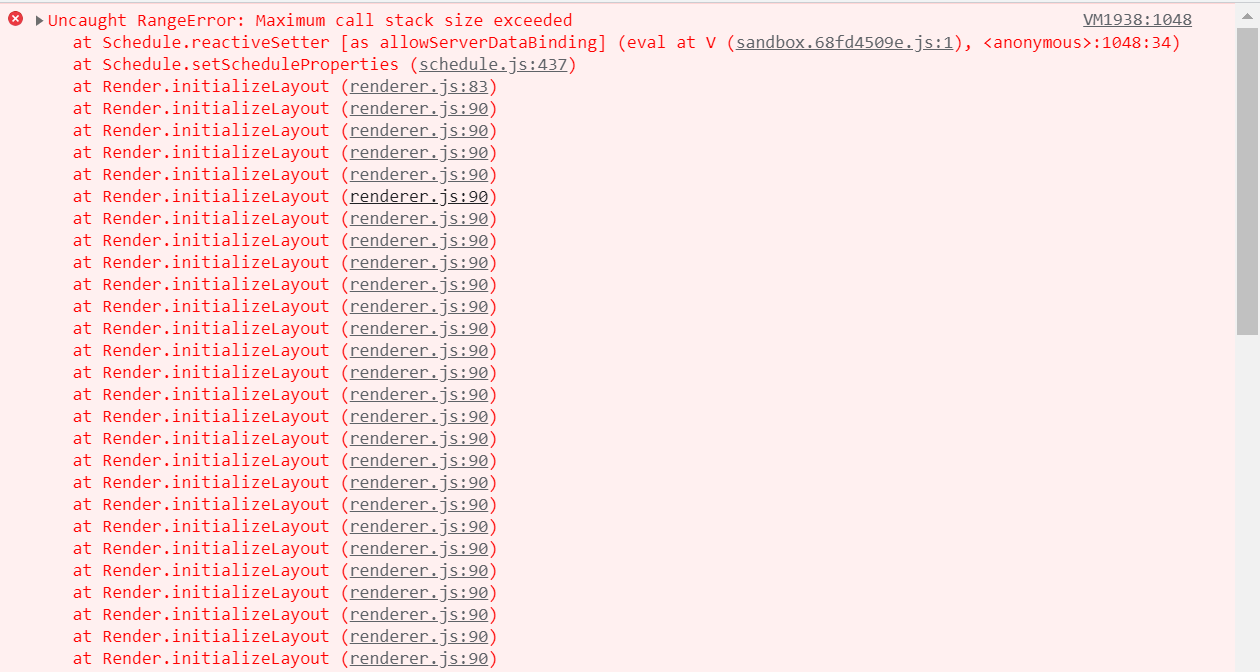
Maximum Call Stack Size Exceeded
Error Image:
Solution:
This error occurs when a view used in the Schedule component is not imported and injected. Each view such as Day, TimelineWeek, TimelineMonth, and Agenda must be injected before use. If a view is referenced without injection, the Schedule component throws a Maximum call stack size exceeded error.
In the following example, the Day view is used without injection, which results in the issue. Injecting the required view modules resolves the problem.
<template>
  <div>
    <div id="app">
      <div id="container">
        <ejs-schedule id="Schedule" width="100%" height="550px">
          <e-views>
            <e-view option="Day"></e-view>
            <e-view option="TimelineWeek"></e-view>
            <e-view option="TimelineMonth"></e-view>
            <e-view option="Agenda"></e-view>
          </e-views>
        </ejs-schedule>
      </div>
    </div>
  </div>
</template>

<script>
import Vue from "vue";
import {
  SchedulePlugin,
  TimelineViews,
  TimelineMonth,
  Agenda,
} from "@syncfusion/ej2-vue-schedule";
Grouping with Empty Resources
Grouping without providing any resource data will throw the following problems.
- Normal(vertical) views are rendered, but you are not able to perform CRUD operations
- Timeline views not at all render and shows empty scheduler table
So, we suggest to avoid grouping with empty resources in the scheduler.
Not providing e-field in editor template
Error: While using editor template, value of e-field is missing in editor window.
Solution: The e-field attribute is mandatory for processing field values within the editor window. Refer to the detailed guidance in the editor template documentation: here
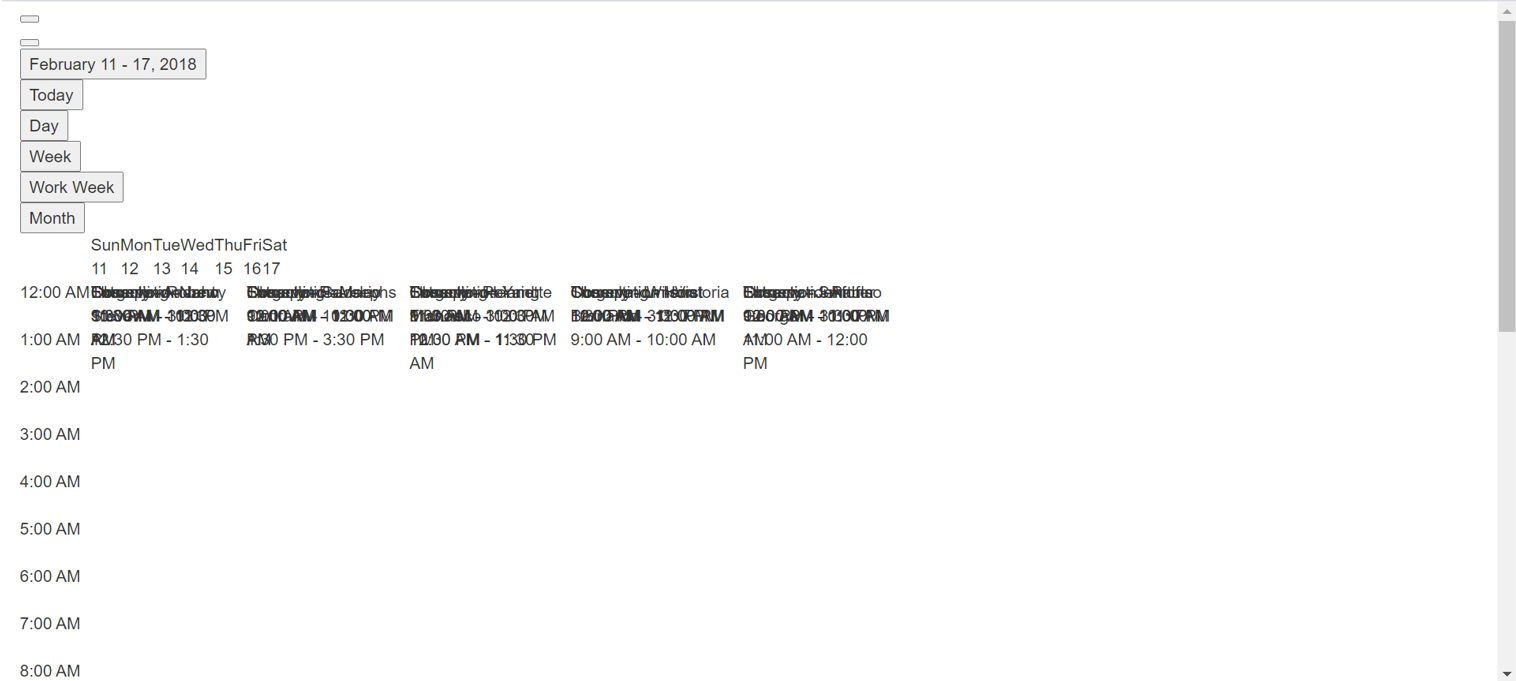
Missing CSS Reference
Error Image:
Solution:
This issue occurs when the required CSS files for the Schedule component are not included. Adding the appropriate CSS references resolves the problem.
      <! –– scheduler CSS is referred from this link ––>
<link href="https://cdn.syncfusion.com/ej2/tailwind3.css" rel="stylesheet">
                      or
      <! –– From here ––>

<style>
@import "/node_modules/@syncfusion/ej2-base/styles/tailwind3.css";
@import "/node_modules/@syncfusion/ej2-buttons/styles/tailwind3.css";
@import "/node_modules/@syncfusion/ej2-calendars/styles/tailwind3.css";
@import "/node_modules/@syncfusion/ej2-dropdowns/styles/tailwind3.css";
@import "/node_modules/@syncfusion/ej2-inputs/styles/tailwind3.css";
@import "/node_modules/@syncfusion/ej2-navigations/styles/tailwind3.css";
@import "/node_modules/@syncfusion/ej2-popups/styles/tailwind3.css";
@import "/node_modules/@syncfusion/ej2-vue-schedule/styles/tailwind3.css";
</style>
QuickInfoTemplate at bottom
When using the quickInfoTemplate in scheduler, sometimes quickinfo popup not shown fully at the bottom area of scheduler. This can be resolved by using the cellClick and eventClick events and below code snippet.
<template>
    <ejs-schedule
          id="Schedule"
          width="100%"
          height="550px"
          :cellClick="onClick"
          :eventClick="onClick"
        >
    </ejs-schedule>
</template>
 .
 .
var eventAdded = false;

methods: {
  onClick: function () {
    if (!this.eventAdded) {
      let popupInstance = document.querySelector('.e-quick-popup-wrapper').ej2_instances[0];
      popupInstance.open = () => {
        popupInstance.refreshPosition();
      };
      this.eventAdded = true;
    }
  }
}
Not Importing Culture Files When using Localization
Error Image:
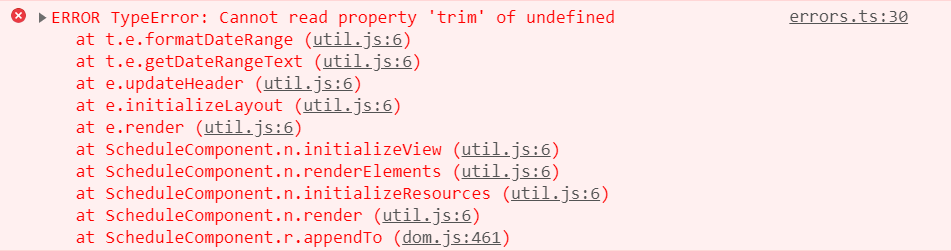
While using locale in scheduler, not importing the required culture files properly throws the problem.
Solution: Properly add and import the culture files(numberingSystems, timeZoneNames, loadCldr, L10n etc.,) in your project will resolve the problem.
import { loadCldr, L10n } from '@syncfusion/ej2-base';
import enNumberData from '@syncfusion/ej2-cldr-data/main/en-GB/numbers.json';
import entimeZoneData from '@syncfusion/ej2-cldr-data/main/en-GB/timeZoneNames.json';
import enGregorian from '@syncfusion/ej2-cldr-data/main/en-GB/ca-gregorian.json';
import enNumberingSystem from '@syncfusion/ej2-cldr-data/supplemental/numberingSystems.json';

loadCldr(frNumberData, frtimeZoneData, frGregorian, frNumberingSystem);

L10n.load({
  'en-GB': {
    schedule: {
      day: 'Day',
      week: 'Week',
      workWeek: 'Work Week',
      month: 'Month'
      }
    }
  });