Positioning node’s port
28 Mar 202524 minutes to read
Diagram allows you to customize the position of the port efficiently. Port can be aligned relative to the node boundaries. It has Margin, Offset, Horizontal, and Vertical alignment settings.
Port offset
The offset property is used to align the ports based on fractions. 0 represents top/left corner, 1 represents bottom/right corner, and 0.5 represents half of width/height.
The following table shows the position of port within the shape.
The following table shows the position of port within the shape.
| Offset values | Output |
|---|---|
| (0,0) | 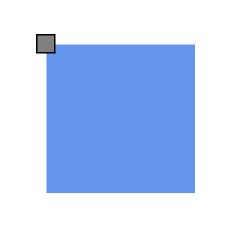 |
| (0,0.5) | 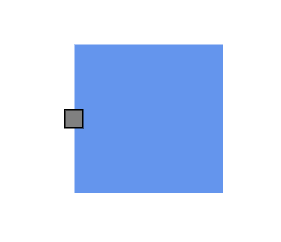 |
| (0,1) | 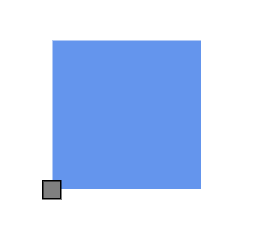 |
| (0.5,0) | 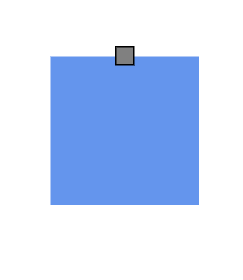 |
| (0.5,0.5) | 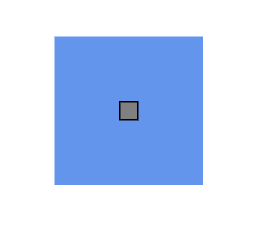 |
| (0.5,1) | 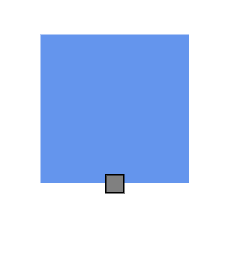 |
| (1,0) | 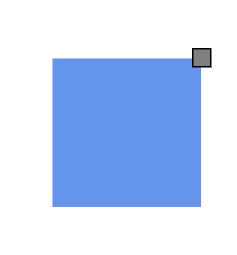 |
| (1,0.5) | 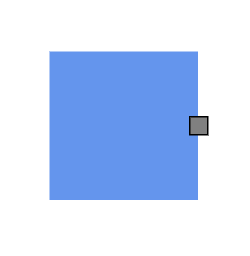 |
| (1,1) | 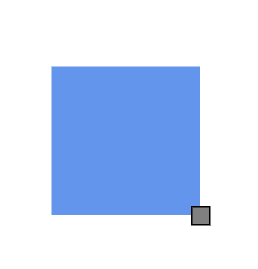 |
Horizontal and vertical alignment
The horizontalAlignment property of the port is used to set how the port is horizontally aligned at the port position. The verticalAlignment property is used to set how the port is vertically aligned at the port position.
<template>
    <div id="app">
        <ejs-diagram id="diagram" ref="diagram" :width='width' :height='height' :nodes='nodes'></ejs-diagram>
    </div>
</template>
<script setup>
import { onMounted, ref } from "vue";
import { DiagramComponent as EjsDiagram, PortVisibility } from '@syncfusion/ej2-vue-diagrams';

const diagram = ref(null);
const nodes = [
  {
    id: 'node1',
    offsetX: 100,
    offsetY: 100,
    width: 100,
    height: 100,
    annotations: [{ content: 'Left Top' }],
    ports: [
      {
        id: 'nodePort',
        offset: { x: 0, y: 0 },
        visibility: PortVisibility.Visible,
        horizontalAlignment: 'Left',
        verticalAlignment: 'Top',
      },
    ],
  },
  {
    id: 'node2',
    offsetX: 250,
    offsetY: 100,
    width: 100,
    height: 100,
    annotations: [{ content: 'Left Bottom' }],
    ports: [
      {
        id: 'nodePort',
        offset: { x: 0, y: 0 },
        visibility: PortVisibility.Visible,
        horizontalAlignment: 'Left',
        verticalAlignment: 'Bottom',
      },
    ],
  },
  {
    id: 'node3',
    offsetX: 400,
    offsetY: 100,
    width: 100,
    height: 100,
    annotations: [{ content: 'Left Center' }],
    ports: [
      {
        id: 'nodePort',
        offset: { x: 0, y: 0 },
        visibility: PortVisibility.Visible,
        horizontalAlignment: 'Left',
        verticalAlignment: 'Center',
      },
    ],
  },
  {
    id: 'node4',
    offsetX: 100,
    offsetY: 250,
    width: 100,
    height: 100,
    annotations: [{ content: 'Right Top' }],
    ports: [
      {
        id: 'nodePort',
        offset: { x: 0, y: 0 },
        visibility: PortVisibility.Visible,
        horizontalAlignment: 'Right',
        verticalAlignment: 'Top',
      },
    ],
  },
  {
    id: 'node5',
    offsetX: 250,
    offsetY: 250,
    width: 100,
    height: 100,
    annotations: [{ content: 'Right Bottom' }],
    ports: [
      {
        id: 'nodePort',
        offset: { x: 0, y: 0 },
        visibility: PortVisibility.Visible,
        horizontalAlignment: 'Right',
        verticalAlignment: 'Bottom',
      },
    ],
  },
  {
    id: 'node6',
    offsetX: 400,
    offsetY: 250,
    width: 100,
    height: 100,
    annotations: [{ content: 'Right Center' }],
    ports: [
      {
        id: 'nodePort',
        offset: { x: 0, y: 0 },
        visibility: PortVisibility.Visible,
        horizontalAlignment: 'Right',
        verticalAlignment: 'Center',
      },
    ],
  },
  {
    id: 'node7',
    offsetX: 100,
    offsetY: 400,
    width: 100,
    height: 100,
    annotations: [{ content: 'Center Top' }],
    ports: [
      {
        id: 'nodePort',
        offset: { x: 0, y: 0 },
        visibility: PortVisibility.Visible,
        horizontalAlignment: 'Center',
        verticalAlignment: 'Top',
      },
    ],
  },
  {
    id: 'node8',
    offsetX: 250,
    offsetY: 400,
    width: 100,
    height: 100,
    annotations: [{ content: 'Center Bottom' }],
    ports: [
      {
        id: 'nodePort',
        offset: { x: 0, y: 0 },
        visibility: PortVisibility.Visible,
        horizontalAlignment: 'Center',
        verticalAlignment: 'Bottom',
      },
    ],
  },
  {
    id: 'node9',
    offsetX: 400,
    offsetY: 400,
    width: 100,
    height: 100,
    annotations: [{ content: 'Center Center' }],
    ports: [
      {
        id: 'nodePort',
        offset: { x: 0, y: 0 },
        visibility: PortVisibility.Visible,
        horizontalAlignment: 'Center',
        verticalAlignment: 'Center',
      },
    ],
  },
];

const width = "100%";
const height = "350px";


</script>
<style>
@import "../node_modules/@syncfusion/ej2-vue-diagrams/styles/material.css";
</style><template>
<div id="app">
<ejs-diagram
id="diagram"
ref="diagram"
:width="width"
:height="height"
:nodes="nodes"
></ejs-diagram>
</div>
</template>
<script>
import { DiagramComponent, PortVisibility } from "@syncfusion/ej2-vue-diagrams";
let nodes = [
{
id: 'node1',
offsetX: 100,
offsetY: 100,
width: 100,
height: 100,
annotations: [{ content: 'Left Top' }],
ports: [
{
id: 'nodePort',
offset: { x: 0, y: 0 },
visibility: PortVisibility.Visible,
horizontalAlignment: 'Left',
verticalAlignment: 'Top',
},
],
},
{
id: 'node2',
offsetX: 250,
offsetY: 100,
width: 100,
height: 100,
annotations: [{ content: 'Left Bottom' }],
ports: [
{
id: 'nodePort',
offset: { x: 0, y: 0 },
visibility: PortVisibility.Visible,
horizontalAlignment: 'Left',
verticalAlignment: 'Bottom',
},
],
},
{
id: 'node3',
offsetX: 400,
offsetY: 100,
width: 100,
height: 100,
annotations: [{ content: 'Left Center' }],
ports: [
{
id: 'nodePort',
offset: { x: 0, y: 0 },
visibility: PortVisibility.Visible,
horizontalAlignment: 'Left',
verticalAlignment: 'Center',
},
],
},
{
id: 'node4',
offsetX: 100,
offsetY: 250,
width: 100,
height: 100,
annotations: [{ content: 'Right Top' }],
ports: [
{
id: 'nodePort',
offset: { x: 0, y: 0 },
visibility: PortVisibility.Visible,
horizontalAlignment: 'Right',
verticalAlignment: 'Top',
},
],
},
{
id: 'node5',
offsetX: 250,
offsetY: 250,
width: 100,
height: 100,
annotations: [{ content: 'Right Bottom' }],
ports: [
{
id: 'nodePort',
offset: { x: 0, y: 0 },
visibility: PortVisibility.Visible,
horizontalAlignment: 'Right',
verticalAlignment: 'Bottom',
},
],
},
{
id: 'node6',
offsetX: 400,
offsetY: 250,
width: 100,
height: 100,
annotations: [{ content: 'Right Center' }],
ports: [
{
id: 'nodePort',
offset: { x: 0, y: 0 },
visibility: PortVisibility.Visible,
horizontalAlignment: 'Right',
verticalAlignment: 'Center',
},
],
},
{
id: 'node7',
offsetX: 100,
offsetY: 400,
width: 100,
height: 100,
annotations: [{ content: 'Center Top' }],
ports: [
{
id: 'nodePort',
offset: { x: 0, y: 0 },
visibility: PortVisibility.Visible,
horizontalAlignment: 'Center',
verticalAlignment: 'Top',
},
],
},
{
id: 'node8',
offsetX: 250,
offsetY: 400,
width: 100,
height: 100,
annotations: [{ content: 'Center Bottom' }],
ports: [
{
id: 'nodePort',
offset: { x: 0, y: 0 },
visibility: PortVisibility.Visible,
horizontalAlignment: 'Center',
verticalAlignment: 'Bottom',
},
],
},
{
id: 'node9',
offsetX: 400,
offsetY: 400,
width: 100,
height: 100,
annotations: [{ content: 'Center Center' }],
ports: [
{
id: 'nodePort',
offset: { x: 0, y: 0 },
visibility: PortVisibility.Visible,
horizontalAlignment: 'Center',
verticalAlignment: 'Center',
},
],
},
];
export default {
name: "App",
components: {
"ejs-diagram": DiagramComponent,
},
data() {
return {
width: "100%",
height: "600px",
nodes: nodes,
};
},
};
</script>
<style>
@import "../node_modules/@syncfusion/ej2-vue-diagrams/styles/material.css";
</style>The following table shows all the possible alignments visually with offset (0, 0).
| Horizontal Alignment | Vertical Alignment | Output with Offset(0,0) |
|---|---|---|
| Left | Top | 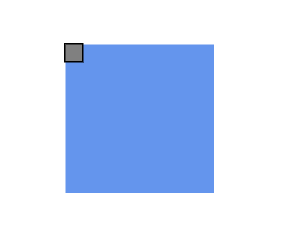 |
| Center | Top | 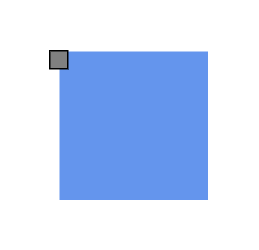 |
| Right | Top | 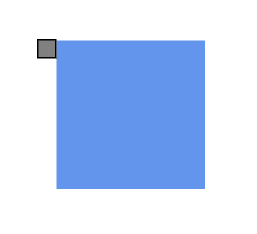 |
| Left | Center | 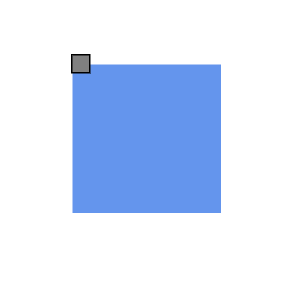 |
| Center | Center | 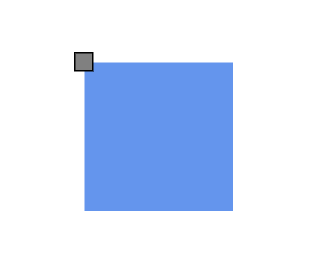 |
| Right | Center | 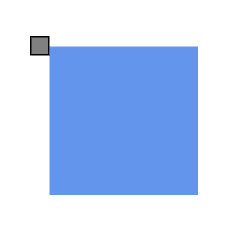 |
| Left | Bottom | 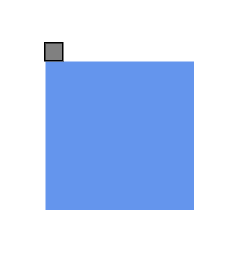 |
| Center | Bottom | 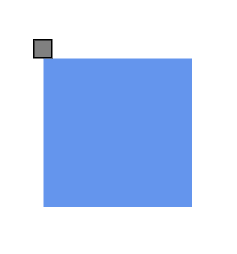 |
| Right | Bottom | 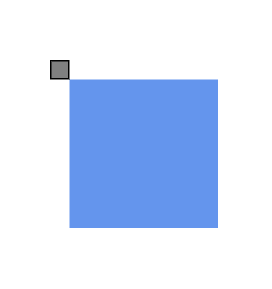 |
Margin for port
Margin is an absolute value used to add some blank space to any one of its four sides. The ports can be displaced with the margin property. The following code example explains how to align a port based on its offset and margin values.
<template>
    <div id="app">
        <ejs-diagram id="diagram" ref="diagram" :width='width' :height='height' :nodes='nodes'></ejs-diagram>
    </div>
</template>
<script setup>
import { onMounted, ref } from "vue";
import { DiagramComponent as EjsDiagram, PortVisibility } from '@syncfusion/ej2-vue-diagrams';


const diagram = ref(null);

const nodes = [
  {
    id: 'node1',
    offsetX: 100,
    offsetY: 100,
    width: 100,
    height: 100,
    annotations: [{ content: 'margin:{left:50}' }],
    ports: [
      {
        id: 'nodePort',
        offset: { x: 1, y: 0 },
        visibility: PortVisibility.Visible,
        horizontalAlignment: 'Left',
        verticalAlignment: 'Top',
        margin: { left: 50 },
      },
    ],
  },
];

const width = "100%";
const height = "350px";


</script>
<style>
@import "../node_modules/@syncfusion/ej2-vue-diagrams/styles/material.css";
</style><template>
<div id="app">
<ejs-diagram id="diagram" ref="diagram" :width='width' :height='height' :nodes='nodes'></ejs-diagram>
</div>
</template>
<script>
import { DiagramComponent, PortVisibility } from '@syncfusion/ej2-vue-diagrams';
let nodes = [
{
id: 'node1',
offsetX: 100,
offsetY: 100,
width: 100,
height: 100,
annotations: [{ content: 'margin:{left:50}' }],
ports: [
{
id: 'nodePort',
offset: { x: 1, y: 0 },
visibility: PortVisibility.Visible,
horizontalAlignment: 'Left',
verticalAlignment: 'Top',
margin: { left: 50 },
},
],
},
];
export default {
name: "App",
components: {
"ejs-diagram": DiagramComponent
},
data() {
return {
width: "100%",
height: "350px",
nodes: nodes,
}
},
}
</script>
<style>
@import "../node_modules/@syncfusion/ej2-vue-diagrams/styles/material.css";
</style>