Styles and Appearance in React TreeView Component
13 Apr 202624 minutes to read
The following content provides the exact CSS structure that can be used to modify the component’s appearance based on the user preference.
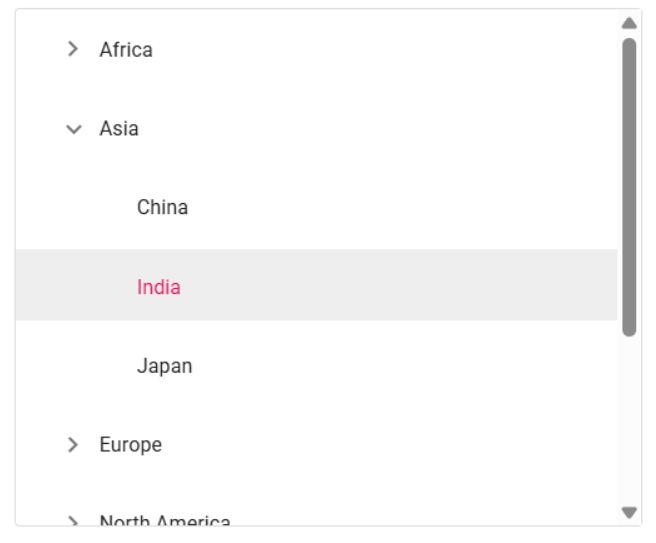
Customizing the height of TreeView nodes
Use the following CSS to customize the TreeView nodes.
.e-treeview .e-list-item {
        line-height: 45px;
}
.e-treeview .e-fullrow {
        height: 45px;
}
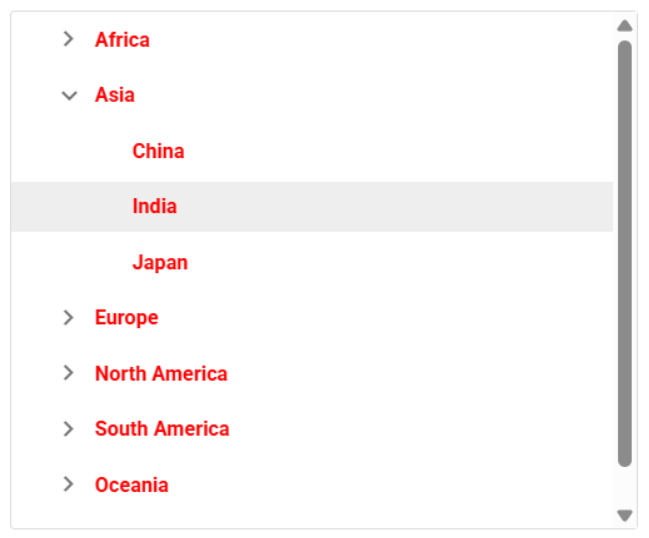
Customizing the text of TreeView nodes
Use the following CSS to customize the text of TreeView nodes.
.e-treeview .e-list-text {
        font-weight: bold;
        color:yellow !important;
}
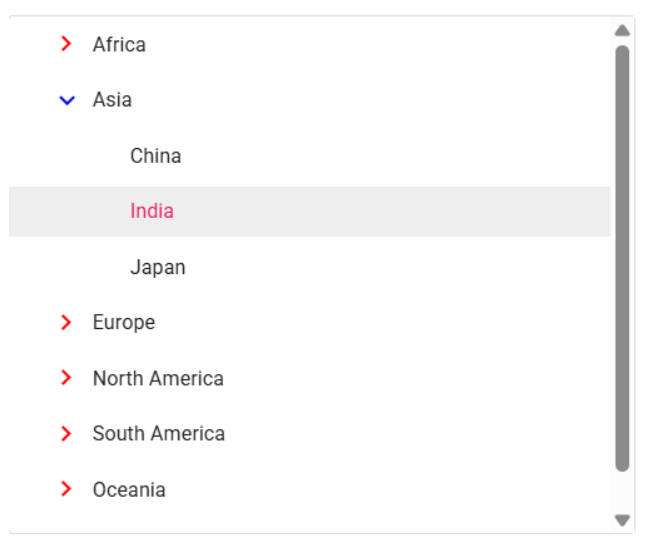
Customizing the TreeView expand and collapse icons
Use the following CSS to customize the TreeView expand and collapse icons.
.e-treeview .e-icon-expandable {
        color: red;
}
.e-treeview .e-icon-collapsible {
        color: black;
}
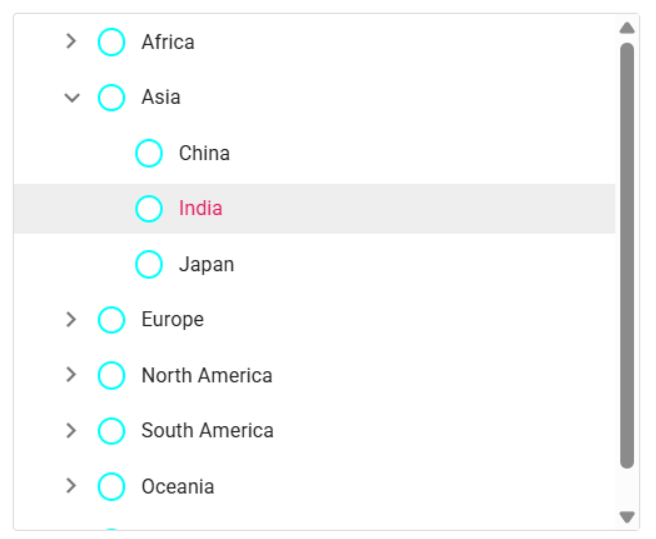
Customizing the TreeView checkboxes
Use the following CSS to customize the TreeView checkboxes.
.e-checkbox-wrapper .e-frame {
    border:aqua solid 2px !important;
    border-radius: 50% !important;
}
.e-checkbox-wrapper:hover .e-frame{
    border:black solid 2px !important;
    border-radius:50% !important;
}
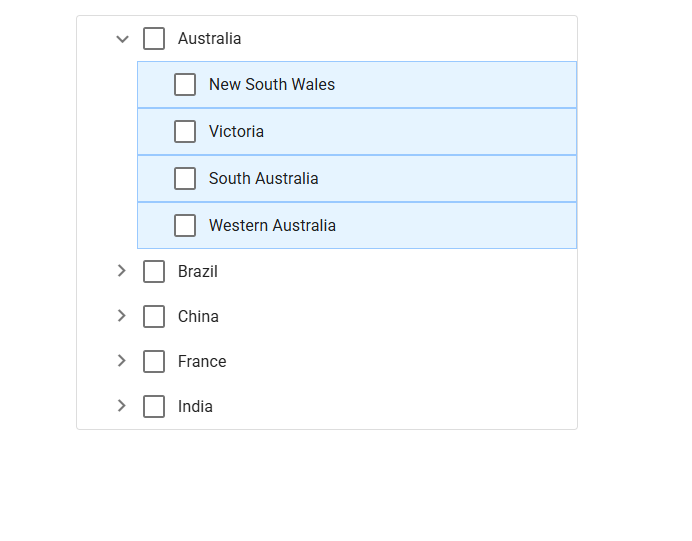
Customizing the TreeView nodes based on levels
Use the following CSS to customize the TreeView nodes based on levels.
.e-treeview .e-level-2 > .e-text-content {
    background: #E6F4FF;
    border: 1px solid #99C9FF;
}
Customizing the TreeView using HtmlAttributes
The htmlAttributes property of the TreeView component allows you to define a mapping field for applying custom HTML attributes to individual TreeView nodes.
By using attributes, you can customize specific nodes effectively. For instance, in the given example, a ‘child-node’ class is added to a specific node, allowing you to customize the corresponding node via CSS.
.child-node {
  font-weight: bold;
}import * as React from 'react';
import * as ReactDOM from 'react-dom';
import { TreeViewComponent } from '@syncfusion/ej2-react-navigations';
function App() {
// define the array of data
const hierarchicalData = [
{
id: '01', name: 'Local Disk (C:)', expanded: true,
subChild: [
{
id: '01-01', name: 'Program Files',
htmlAttributes: { class: 'child-node' },
subChild: [
{ id: '01-01-01', name: '7-Zip' },
{ id: '01-01-02', name: 'Git' },
{ id: '01-01-03', name: 'IIS Express' },
]
},
{
id: '01-02', name: 'Users', expanded: true,
subChild: [
{ id: '01-02-01', name: 'Smith' },
{ id: '01-02-02', name: 'Public' },
{ id: '01-02-03', name: 'Admin' },
]
},
{
id: '01-03', name: 'Windows',
subChild: [
{ id: '01-03-01', name: 'Boot' },
{ id: '01-03-02', name: 'FileManager' },
{ id: '01-03-03', name: 'System32' },
]
},
]
},
{
id: '02', name: 'Local Disk (D:)',
subChild: [
{
id: '02-01', name: 'Personals',
subChild: [
{ id: '02-01-01', name: 'My photo.png' },
{ id: '02-01-02', name: 'Rental document.docx' },
{ id: '02-01-03', name: 'Pay slip.pdf' },
]
},
{
id: '02-02', name: 'Projects',
subChild: [
{ id: '02-02-01', name: 'ASP Application' },
{ id: '02-02-02', name: 'TypeScript Application' },
{ id: '02-02-03', name: 'React Application' },
]
},
{
id: '02-03', name: 'Office',
subChild: [
{ id: '02-03-01', name: 'Work details.docx' },
{ id: '02-03-02', name: 'Weekly report.docx' },
{ id: '02-03-03', name: 'Wish list.csv' },
]
},
]
},
{
id: '03', name: 'Local Disk (E:)', icon: 'folder',
subChild: [
{
id: '03-01', name: 'Pictures',
subChild: [
{ id: '03-01-01', name: 'Wind.jpg' },
{ id: '03-01-02', name: 'Stone.jpg' },
{ id: '03-01-03', name: 'Home.jpg' },
]
},
{
id: '03-02', name: 'Documents',
subChild: [
{ id: '03-02-01', name: 'Environment Pollution.docx' },
{ id: '03-02-02', name: 'Global Warming.ppt' },
{ id: '03-02-03', name: 'Social Network.pdf' },
]
},
{
id: '03-03', name: 'Study tailwind3s',
subChild: [
{ id: '03-03-01', name: 'UI-Guide.pdf' },
{ id: '03-03-02', name: 'Tutorials.zip' },
{ id: '03-03-03', name: 'TypeScript.7z' },
]
},
]
}
];
const fields = { dataSource: hierarchicalData, id: 'id', text: 'name', child: 'subChild', htmlAttributes: 'htmlAttributes' };
return (
// specifies the tag for render the TreeView component
<TreeViewComponent fields={fields}/>);
}
export default App;
ReactDOM.render(<App />, document.getElementById('sample'));import * as React from 'react';
import * as ReactDOM from 'react-dom';
import { TreeViewComponent } from '@syncfusion/ej2-react-navigations';
function App() {
// define the array of data
const hierarchicalData: { [key: string]: Object }[] = [
{
id: '01', name: 'Local Disk (C:)', expanded: true,
subChild: [
{
id: '01-01', name: 'Program Files',
htmlAttributes: { class: 'child-node' },
subChild: [
{ id: '01-01-01', name: '7-Zip' },
{ id: '01-01-02', name: 'Git' },
{ id: '01-01-03', name: 'IIS Express' },
]
},
{
id: '01-02', name: 'Users', expanded: true,
subChild: [
{ id: '01-02-01', name: 'Smith' },
{ id: '01-02-02', name: 'Public' },
{ id: '01-02-03', name: 'Admin' },
]
},
{
id: '01-03', name: 'Windows',
subChild: [
{ id: '01-03-01', name: 'Boot' },
{ id: '01-03-02', name: 'FileManager' },
{ id: '01-03-03', name: 'System32' },
]
},
]
},
{
id: '02', name: 'Local Disk (D:)',
subChild: [
{
id: '02-01', name: 'Personals',
subChild: [
{ id: '02-01-01', name: 'My photo.png' },
{ id: '02-01-02', name: 'Rental document.docx' },
{ id: '02-01-03', name: 'Pay slip.pdf' },
]
},
{
id: '02-02', name: 'Projects',
subChild: [
{ id: '02-02-01', name: 'ASP Application' },
{ id: '02-02-02', name: 'TypeScript Application' },
{ id: '02-02-03', name: 'React Application' },
]
},
{
id: '02-03', name: 'Office',
subChild: [
{ id: '02-03-01', name: 'Work details.docx' },
{ id: '02-03-02', name: 'Weekly report.docx' },
{ id: '02-03-03', name: 'Wish list.csv' },
]
},
]
},
{
id: '03', name: 'Local Disk (E:)', icon: 'folder',
subChild: [
{
id: '03-01', name: 'Pictures',
subChild: [
{ id: '03-01-01', name: 'Wind.jpg' },
{ id: '03-01-02', name: 'Stone.jpg' },
{ id: '03-01-03', name: 'Home.jpg' },
]
},
{
id: '03-02', name: 'Documents',
subChild: [
{ id: '03-02-01', name: 'Environment Pollution.docx' },
{ id: '03-02-02', name: 'Global Warming.ppt' },
{ id: '03-02-03', name: 'Social Network.pdf' },
]
},
{
id: '03-03', name: 'Study tailwind3s',
subChild: [
{ id: '03-03-01', name: 'UI-Guide.pdf' },
{ id: '03-03-02', name: 'Tutorials.zip' },
{ id: '03-03-03', name: 'TypeScript.7z' },
]
},
]
}
];
const fields: object = { dataSource: hierarchicalData, id: 'id', text: 'name', child: 'subChild', htmlAttributes: 'htmlAttributes' };
return (
// specifies the tag for render the TreeView component
<TreeViewComponent fields={fields} />
);
}
export default App;
ReactDOM.render(<App />, document.getElementById('sample'));<!DOCTYPE html>
<html lang="en">
<head>
<title>Syncfusion React TreeView</title>
<meta charset="utf-8" />
<meta name="viewport" content="width=device-width, initial-scale=1.0" />
<meta name="description" content="Essential JS 2 for React Components" />
<meta name="author" content="Syncfusion" />
<link href="style.css" rel="stylesheet"/>
<link href="https://cdn.syncfusion.com/ej2/34.1.29/ej2-base/styles/tailwind3.css" rel="stylesheet" />
<link href="https://cdn.syncfusion.com/ej2/34.1.29/ej2-inputs/styles/tailwind3.css" rel="stylesheet" />
<link href="https://cdn.syncfusion.com/ej2/34.1.29/ej2-buttons/styles/tailwind3.css" rel="stylesheet" />
<link href="https://cdn.syncfusion.com/ej2/34.1.29/ej2-react-navigations/styles/tailwind3.css" rel="stylesheet" />
<script src="https://cdnjs.cloudflare.com/ajax/libs/systemjs/0.19.38/system.js"></script>
<script src="systemjs.config.js"></script>
</head>
<body>
<div id='treeparent'>
<div id='sample'>
<div id='loader'>Loading....</div>
</div>
</div>
</body>
</html>#loader {
color: #008cff;
height: 40px;
left: 45%;
position: absolute;
top: 45%;
width: 30%;
}
#treeparent {
display: block;
max-width: 350px;
max-height: 350px;
margin: auto;
overflow: auto;
border: 1px solid #dddddd;
border-radius: 3px;
}
.child-node {
font-weight: bold;
}