Persisting data in server in React TreeGrid
11 Oct 202513 minutes to read
Edited data can be persisted to a database using RESTful web services.
All CRUD operations in the TreeGrid are performed through the DataManager. The DataManager can bind CRUD requests to server-side endpoints.
The ODataAdaptor persists data on the server according to the OData protocol.
The following sections explain how to perform server-side CRUD using the UrlAdaptor and the RemoteSaveAdaptor.
URL adaptor
Use the UrlAdaptor when binding a data source from a remote service. On initial load, data is fetched from the remote endpoint specified in the url property of DataManager and bound to the TreeGrid. Map CRUD operations to server-side controller actions using insertUrl, removeUrl, updateUrl, and batchUrl.
The following example demonstrates this behavior.
import { DataManager, UrlAdaptor } from '@syncfusion/ej2-data';
import { ColumnDirective, ColumnsDirective, TreeGridComponent } from '@syncfusion/ej2-react-treegrid';
import { Edit, EditSettingsModel, Inject, Toolbar, ToolbarItems } from '@syncfusion/ej2-react-treegrid';
import * as React from 'react';


function App() {

    const editOptions: EditSettingsModel = { allowEditing: true, allowAdding: true, allowDeleting: true, mode: 'Row', newRowPosition: 'Below' };

    const toolbarOptions: ToolbarItems[] = ['Add', 'Edit', 'Delete', 'Update', 'Cancel'];

    const dataManager: DataManager = new DataManager({
        adaptor: new UrlAdaptor,
        insertUrl: "Home/Insert",
        removeUrl: "Home/Delete",
        updateUrl: "Home/Update",
        batchUrl: "Home/Remove",
        url: "Home/DataSource",
    });

    return <TreeGridComponent dataSource={dataManager} treeColumnIndex={1} idMapping= 'TaskID'
    parentIdMapping='parentID' height='270' editSettings={editOptions}
    toolbar={toolbarOptions}>
        <ColumnsDirective>
          <ColumnDirective field='TaskID' headerText='Task ID' width='90' textAlign='Right' isPrimaryKey={true}/>
          <ColumnDirective field='TaskName' headerText='Task Name' width='180'/>
          <ColumnDirective field='StartDate' headerText='Start Date' width='90' textAlign='Right' editType='datepickeredit' format='yMd' type='date' />
          <ColumnDirective field='EndDate' headerText='End Date' width='90' format='yMd' textAlign='Right' />
          <ColumnDirective field='Priority' headerText='Priority' width='110' editType='dropdownedit'/>
        </ColumnsDirective>
        <Inject services={[Edit,Toolbar]}/>
        </TreeGridComponent>
};
export default App;
When using the UrlAdaptor, return JSON from controller actions. the JSON object must contain a property as result with dataSource as its value and one more property count with the dataSource total records count as its value.
The following example illustrates the expected response pattern.
public ActionResult DataSource(DataManager dm)
{
    var DataSource = TreeData.GetTree();
    DataOperations operation = new DataOperations();
    if (dm.Where != null && dm.Where.Count > 0)
    {
        DataSource = operation.PerformFiltering(DataSource, dm.Where, "and");   //perform filtering  and maintain child records on Expand/Collapse operation
    }
    var count = DataSource.ToList<TreeData>().Count();
    if (dm.Skip != 0)
    {
        DataSource = operation.PerformSkip(DataSource, dm.Skip);   //Paging
    }
    if (dm.Take != 0)
    {
        DataSource = operation.PerformTake(DataSource, dm.Take);
    }
    return dm.RequiresCounts ? Json(new { result = DataSource, count = count }) : Json(DataSource);
}
Insert record
Specify the controller action URL for insert operations on the server-side using insertUrl.
The following example inserts a new record based on newRowPosition set to “Below”.
public void Insert(TreeGridData value, int relationalKey)
{
    var i = 0;
    for (; i < TreeData.tree.Count; i++)
    {
        if (TreeData.tree[i].TaskID == relationalKey)
        {
            break;
        }
    }
    i += FindChildRecords(relationalKey); // Inserted new record when newRowPosition API is in "Below".
    TreeData.tree.Insert(i + 1, value);
}

public int FindChildRecords(int id)
{
    var count = 0;
    for (var i = 0; i < TreeData.tree.Count; i++)
    {
        if (TreeData.tree[i].ParentItem == id)
        {
            count++;
            count += FindChildRecords(TreeData.tree[i].TaskID);
        }
    }
    return count;
}
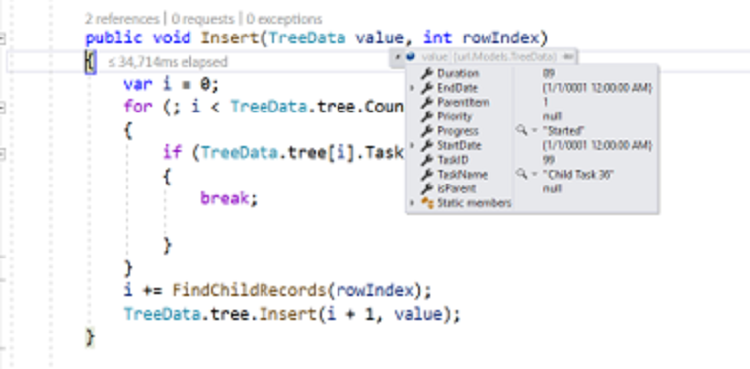
The newly added record is provided in the value parameter. The relationalKey parameter contains the primary key of the selected record and is used to determine the insert position.
Update record
Specify the controller action URL for save/update operations on the server-side using updateUrl.
The following example updates an existing record.
public ActionResult Update(TreeGridData value)
{
    var val = TreeData.tree.Where(ds => ds.TaskID == value.TaskID).FirstOrDefault();
    val.TaskName = value.TaskName;
    val.StartDate = value.StartDate;
    val.Duration = value.Duration;
    val.Priority = value.Priority;
    val.Progress = value.Progress;
    return Json(value);
}
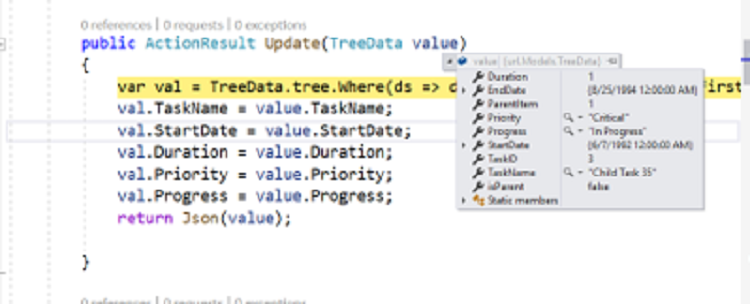
The updated record is provided in the value parameter.
Delete record
Specify controller action URLs for delete operations on the server-side using removeUrl and batchUrl.
The following example demonstrates single and batch delete operations.
public ActionResult Delete(int key)
{
    TreeData.tree.Remove(TreeData.tree.Where(ds => ds.TaskID == key).FirstOrDefault());
}

// Remove method (batchUrl) will be triggered when we delete parent record.

public ActionResult Remove(List<TreeGridData> changed, List<TreeGridData> added, List<TreeGridData> deleted)
{
    for (var i = 0; i < deleted.Count; i++)
    {
        TreeData.tree.Remove(TreeData.tree.Where(ds => ds.TaskID == deleted[i].TaskID).FirstOrDefault());
    }
}
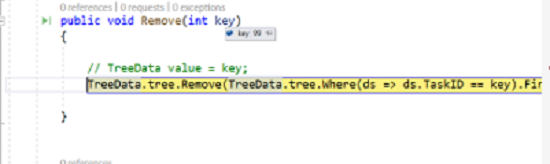
For single delete, the primary key is provided in the key parameter.
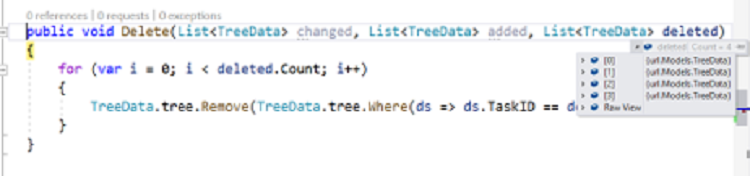
When deleting a parent record, both parent and child records are provided in the deleted parameter.
Remote save adaptor
When all TreeGrid actions should run on the client except CRUD (which must be persisted on the server), use RemoteSaveAdaptor.
- Set the initial data to the
jsonproperty - Set
adaptortoRemoteSaveAdaptor - Map CRUD operations using
updateUrl,insertUrl,removeUrl, andbatchUrl
The following example shows RemoteSaveAdaptor configuration.
import { DataManager, RemoteSaveAdaptor } from '@syncfusion/ej2-data';
import { ColumnDirective, ColumnsDirective, TreeGridComponent } from '@syncfusion/ej2-react-treegrid';
import { Edit, EditSettingsModel, Inject, Toolbar, ToolbarItems } from '@syncfusion/ej2-react-treegrid';
import * as React from 'react';

import { projectData } from './datasource';

function App() {

    const editOptions: EditSettingsModel = { allowEditing: true, allowAdding: true, allowDeleting: true, mode: 'Row', newRowPosition: 'Below' };

    const toolbarOptions: ToolbarItems[] = ['Add', 'Edit', 'Delete', 'Update', 'Cancel'];

    const dataManager: DataManager = new DataManager({
        adaptor: new RemoteSaveAdaptor,
        insertUrl: "Home/Insert",
        removeUrl: "Home/Delete",
        updateUrl: "Home/Update",
        batchUrl: "Home/Remove",
        json: projectData,
    });

    return <TreeGridComponent dataSource={dataManager} treeColumnIndex={1} idMapping= 'TaskID'
    parentIdMapping='parentID' height='270' editSettings={editOptions}
    toolbar={toolbarOptions}>
        <ColumnsDirective>
          <ColumnDirective field='TaskID' headerText='Task ID' width='90' textAlign='Right' isPrimaryKey={true}/>
          <ColumnDirective field='TaskName' headerText='Task Name' width='180'/>
          <ColumnDirective field='StartDate' headerText='Start Date' width='90' textAlign='Right' editType='datepickeredit' format='yMd' type='date' />
          <ColumnDirective field='EndDate' headerText='End Date' width='90' format='yMd' textAlign='Right' />
          <ColumnDirective field='Priority' headerText='Priority' width='110' editType='dropdownedit'/>
        </ColumnsDirective>
        <Inject services={[Edit,Toolbar]}/>
    </TreeGridComponent>
};
export default App;
The following example illustrates server-side handlers for CRUD with RemoteSaveAdaptor.
public void Insert(TreeData value, int relationalKey)
{
    var i = 0;
    for (; i < TreeData.tree.Count; i++)
    {
        if (TreeData.tree[i].TaskID == relationalKey)
        {
            break;
        }
    }
    i += FindChildRecords(relationalKey); // Inserted new record when newRowPosition API is in "Below".
    TreeData.tree.Insert(i + 1, value);
}

public ActionResult Update(TreeData value)
{
    var val = TreeData.tree.Where(ds => ds.TaskID == value.TaskID).FirstOrDefault();
    val.TaskName = value.TaskName;
    val.StartDate = value.StartDate;
    val.Duration = value.Duration;
    val.Priority = value.Priority;
    val.Progress = value.Progress;
    return Json(value);
}

public ActionResult Delete(int key)
{
    TreeData.tree.Remove(TreeData.tree.Where(ds => ds.TaskID == key).FirstOrDefault());;
}

// Remove method (batchUrl) will be triggered when we delete parent record.

public ActionResult Remove(List<TreeGridData> changed, List<TreeGridData> added, List<TreeGridData> deleted)
{
    for (var i = 0; i < deleted.Count; i++)
    {
        TreeData.tree.Remove(TreeData.tree.Where(ds => ds.TaskID == deleted[i].TaskID).FirstOrDefault());
    }
}