Download Syncfusion React offline installer
The Syncfusion® React (JavaScript - EJ2) offline installer is available from the Syncfusion website. Depending on the license type, download either the trial installer or the licensed installer. Offline installers are provided in the following format:
-
Windows: EXE and ZIP
- Trial installer: For evaluating the product for 30 days.
- Licensed installer: For customers with a valid license.
Prerequisites
Before downloading, ensure the following:
- A registered Syncfusion account (required for both trial and licensed downloads).
- For licensed downloads, a valid Syncfusion license associated with your account.
- At least 2 GB of free disk space for the downloaded archive and installed content.
- Administrator privileges are required to run the installer.
Download the free trial version
The 30-day trial is available in two ways:
- Download the free trial setup.
- Start a trial if components were installed via NPM.
Download free trial setup
-
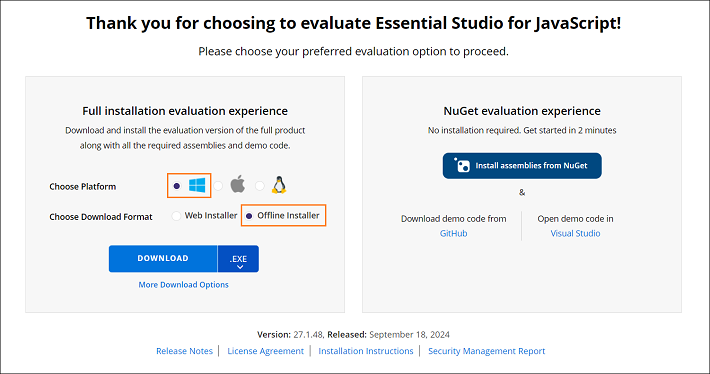
Visit the Download Free Trial page and select the JavaScript - EJ2 product to evaluate.
-
After completing the form or signing in with a registered Syncfusion® account, download the JavaScript - EJ2 trial installer from the confirmation page.
-
Trial licenses provide access to the latest trial installer only.
-
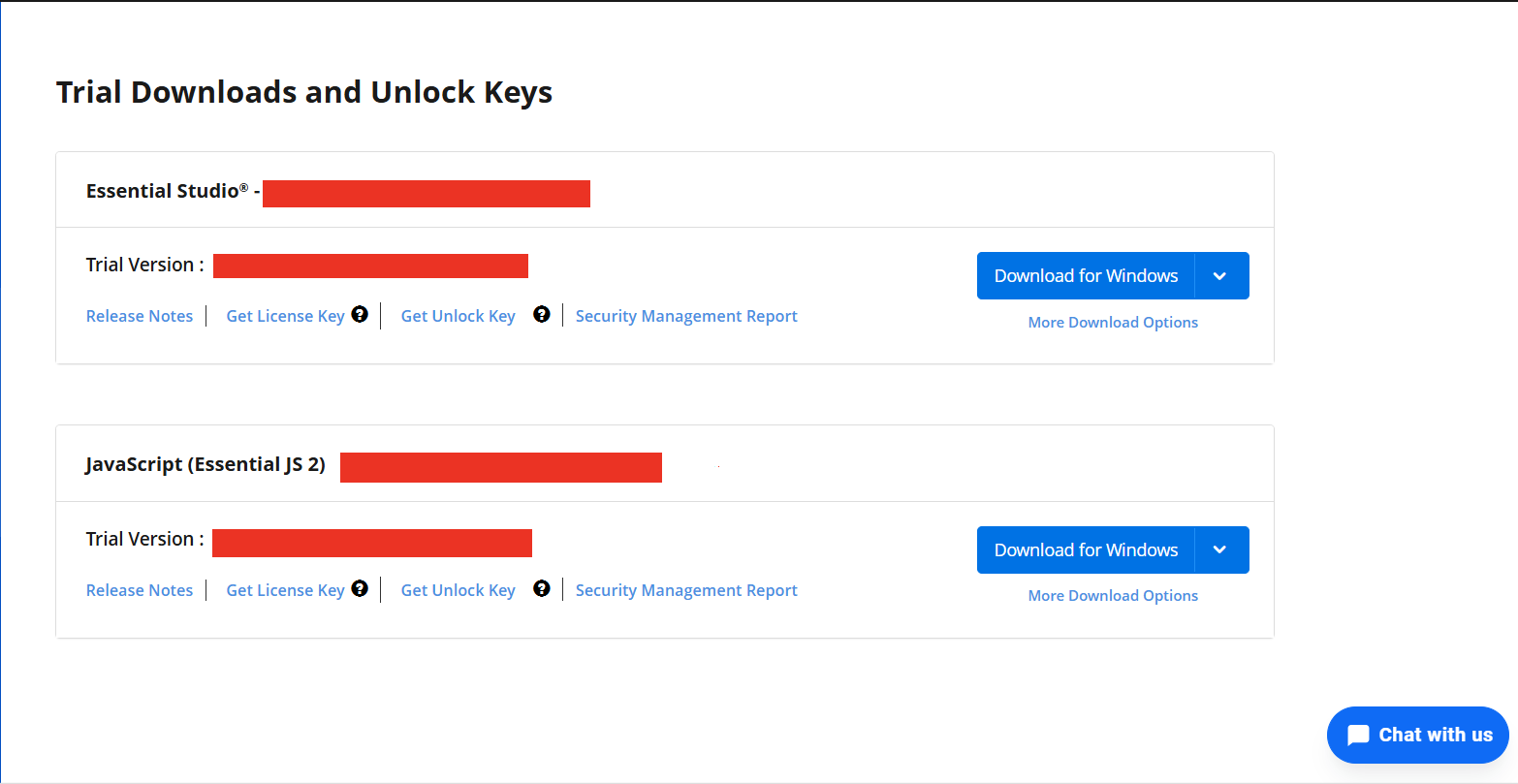
The Syncfusion® JavaScript - EJ2 trial installer can be unlocked with a trial unlock key or a registered Syncfusion® account. For details on generating an unlock key, see this article.
-
Before the trial expires, download the trial installer at any time from the Trials & Downloads page in your account.
-
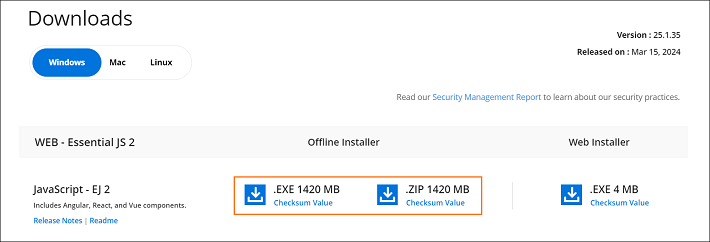
Click the More Download Options button (labeled 2 in the screenshot above) to access the JavaScript - EJ2 offline trial installer, available in this format:
- Windows: EXE and ZIP
Start trial for npm users
If components were installed via NPM, start an evaluation to obtain a license key.
-
Start the 30-day trial for JavaScript - EJ2 from the Start Trial page in the account.

-
Sign in with the registered Syncfusion® account.
-
Select the JavaScript - EJ2 product to begin the trial.
If an active trial already exists and has not expired, the same product trial cannot be restarted.
-
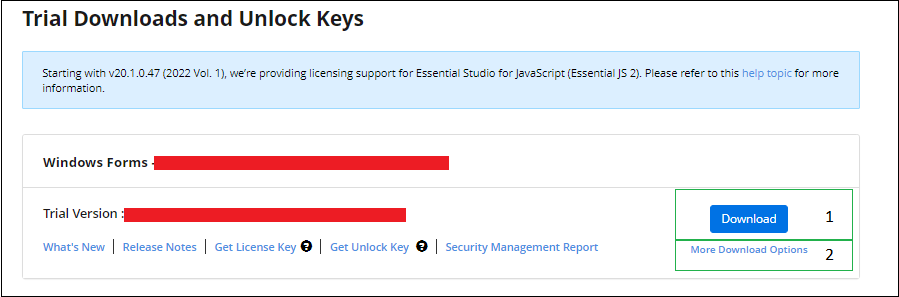
After starting the trial, go to the Trials & Downloads page to download the latest trial installer or to generate an unlock key.
-
Active trial products appear on the Trials & Downloads page.
Download the licensed version
-
Licensed products are available on the License & Downloads page in the registered Syncfusion® account.
-
This page lists all licenses (active and expired) associated with the account.
-
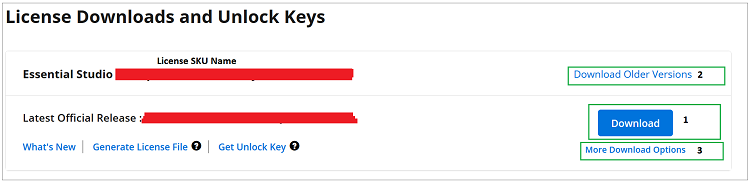
Click the Download button (labeled 1 in the screenshot below) to download the installer for the chosen product.
-
The most recent installer version is provided by default.
-
To access older installers, select Downloads Older Versions (labeled 2).
-
For additional platforms or add-on installers, choose More Downloads Options (labeled 3).
Next steps
After downloading the installer, refer to the Offline Installer Installation Guide for step-by-step installation instructions.