UML Sequence Diagram in React Diagram
6 Aug 202624 minutes to read
A UML sequence diagram is a type of interaction diagram that visualizes how objects communicate with each other over time. These diagrams show the sequence of messages exchanged between participants, making them essential for understanding system interactions, API workflows, and process flows.
The Syncfusion® React Diagram component provides comprehensive support for creating and visualizing UML sequence diagrams through the UmlSequenceDiagramModel. This specialized model enables the creation of sequence diagrams with proper UML notation and automated layout capabilities.
UML Sequence Diagram Elements
A sequence diagram includes several key elements, such as participants, messages, activation boxes, and fragments. The sections below demonstrate how to define and configure these components using the Diagram control.
Participants
UmlSequenceParticipantModel represents an entity that interacts with other entities in a sequence diagram. Participants appear at the top of the diagram, with lifelines extending vertically downward.
UmlSequenceParticipantModel Properties
| Property | Type | Description |
|---|---|---|
| id | string | number | A unique identifier for the participant. |
| content | string | The display text of the participant. |
| showDestructionMarker | boolean | Indicates whether a destruction marker (X) is shown at the end of the participant lifeline. |
| activationBoxes | UmlSequenceActivationBoxModel[] | A collection of activation boxes associated with the participant. |
| stereotype | UmlSequenceParticipantStereotype | The visual stereotype used to render the participant header, such as Actor, Boundary, Control, Entity, or Database. |
Participant Stereotypes
The UmlSequenceParticipantStereotype enum defines the visual style of a participant. A stereotype helps show the role of a participant in the interaction.
| Stereotype | Description | Shape |
|---|---|---|
| Default | Standard object participant displayed as a labeled rectangle. | 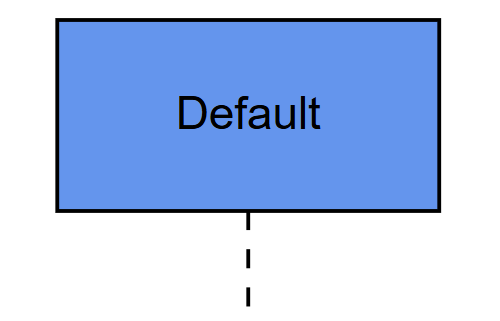 |
| Actor | External person or system that interacts with the process. | 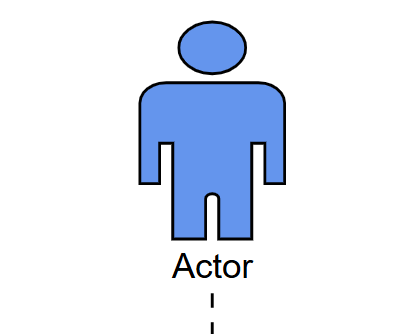 |
| Boundary | Interface or entry point, such as a UI, API gateway, or external system. | 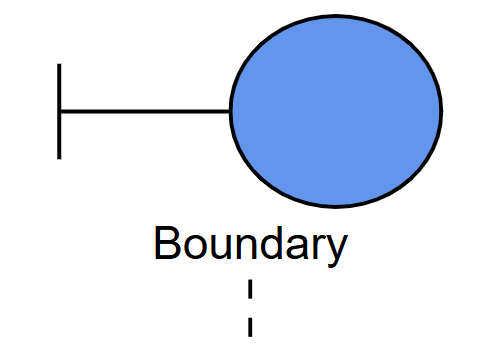 |
| Control | Object that manages the flow, such as a controller or coordinator. | 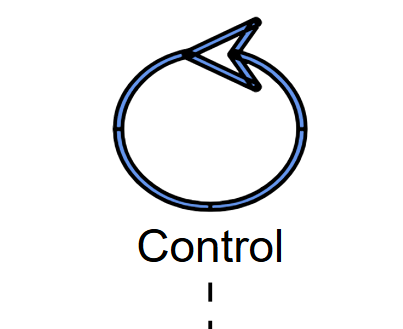 |
| Entity | Object that represents data, domain objects, or stored information. | 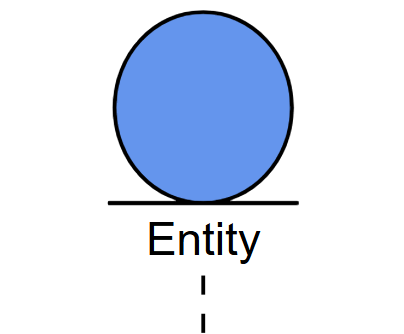 |
| Database | Database or persistent storage system, displayed using a cylindrical shape. | 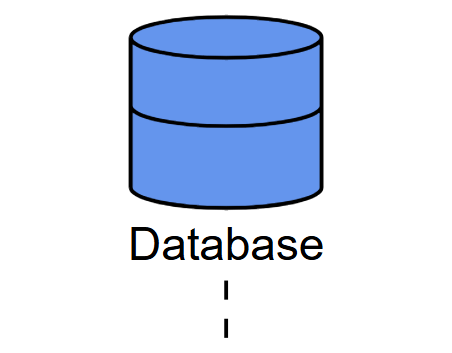 |
Creating Participants
The following code example demonstrates how to create different types of participants:
import * as React from "react";
import * as ReactDOM from "react-dom";
import { SnapConstraints, DiagramComponent, UmlSequenceParticipantStereotype } from "@syncfusion/ej2-react-diagrams";
// Define the model for the UML Sequence Diagram
const umlSequenceDiagramModel = {
  // Define the participants involved in the UML Sequence Diagram
  participants: [
    {
      id: "User", // Unique identifier for the participant
      content: "User", // Label or name of the participant
      stereotype: UmlSequenceParticipantStereotype.Actor // Indicates that the participant is an actor
    },
    {
      id: "System", // Unique identifier for the participant
      content: "System", // Label or name of the participant
      showDestructionMarker: true, // Flag to show destruction marker at the end of the lifeline
    }
  ],
};

// initialize Diagram component
function App() {
  return (
    <DiagramComponent id="container"
      width={'100%'} height={'600px'}
      model={umlSequenceDiagramModel}
      snapSettings=
    />
  );
}
const root = ReactDOM.createRoot(document.getElementById('diagram'));
root.render(<App />);
import * as React from "react";
import * as ReactDOM from "react-dom";
import { DiagramComponent, } from "@syncfusion/ej2-react-diagrams";
import { UmlSequenceDiagramModel, SnapConstraints, UmlSequenceParticipantStereotype } from "@syncfusion/ej2-diagrams";
// Define the model for the UML Sequence Diagram
const umlSequenceDiagramModel: UmlSequenceDiagramModel = {
// Define the participants involved in the UML Sequence Diagram
participants: [
{
id: "User", // Unique identifier for the participant
content: "User", // Label or name of the participant
stereotype: UmlSequenceParticipantStereotype.Actor // Indicates that the participant is an actor
},
{
id: "System", // Unique identifier for the participant
content: "System", // Label or name of the participant
showDestructionMarker: true, // Flag to show destruction marker at the end of the lifeline
}
],
};
// initialize Diagram component
function App() {
return (
<DiagramComponent id="container"
width={'100%'} height={'600px'}
model={umlSequenceDiagramModel}
snapSettings=
/>
);
}
const root = ReactDOM.createRoot(document.getElementById('diagram'));
root.render(<App />);Messages
UmlSequenceMessageModel represents communication between participants . Messages are displayed as arrows connecting lifelines and indicate the flow of information or requests between system components.
Message Types and Usage
Different message types serve specific purposes in sequence diagrams:
| Message Type | Description | Example |
|---|---|---|
| Synchronous | The sender waits for a response |  |
| Asynchronous | The sender continues without waiting |  |
| Reply | A response to a previous message |  |
| Create | Creates a new participant |  |
| Delete | Terminates a participant | 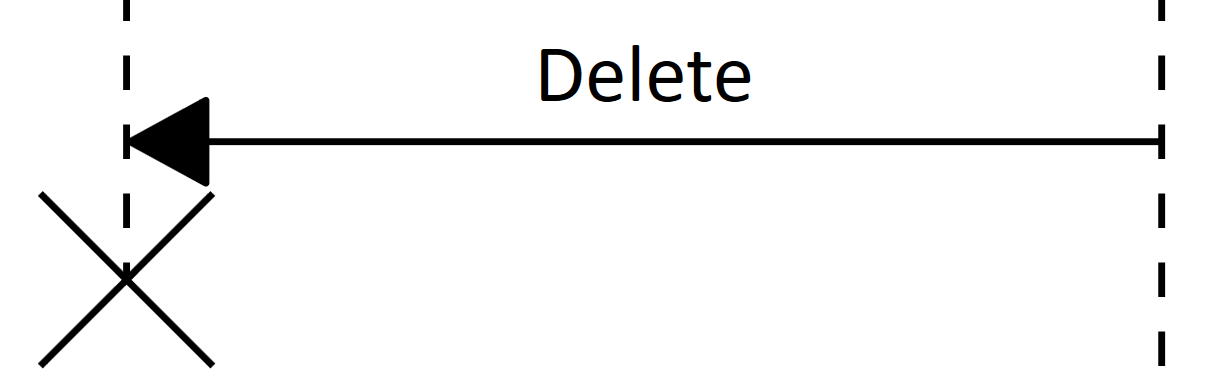 |
| Self | A message from a participant to itself |  |
UmlSequenceMessageModel Properties
| Property | Type | Description |
|---|---|---|
| id | string | number | A unique identifier for the message. |
| content | string | The display text for the message. |
| fromParticipantID | string | number | ID of the participant sending the message.. |
| toParticipantID | string | number | ID of the participant receiving the message |
| type | UmlSequenceMessageType | Type of the message (Synchronous, Asynchronous, Reply, Create, Delete, Self). |
Creating Messages
The following example shows how to create different types of messages between participants:
import * as React from "react";
import * as ReactDOM from "react-dom";
import { DiagramComponent } from "@syncfusion/ej2-react-diagrams";
import { SnapConstraints, UmlSequenceMessageType, UmlSequenceParticipantStereotype } from "@syncfusion/ej2-diagrams";

// Define the UML Sequence Diagram model with participants and messages
const umlSequenceDiagramModel = {
  // Defines the participants involved in the sequence diagram
  participants: [
    { id: "User", content: "User", stereotype: UmlSequenceParticipantStereotype.Actor }, // User as an actor
    { id: "System", content: "System", showDestructionMarker: true, }, // System participant
    { id: "Logger", content: "Logger", showDestructionMarker: true, }, // Logger participant
    { id: "SessionManager", content: "SessionManager" } // SessionManager participant
  ],
  // Define messages exchanged between participants
  messages: [
    // User sends login request to System via Synchronous message
    {
      id: "MSG1", content: "Login Request", fromParticipantID: "User", toParticipantID: "System",
      type: UmlSequenceMessageType.Synchronous
    },
    // System replies to User with login response via Reply message
    {
      id: "MSG2", content: "Login Response", fromParticipantID: "System", toParticipantID: "User",
      type: UmlSequenceMessageType.Reply
    },
    // System sends log event to Logger via Asynchronous message
    {
      id: "MSG3", content: "Log Event", fromParticipantID: "System", toParticipantID: "Logger",
      type: UmlSequenceMessageType.Asynchronous
    },
    // System requests SessionManager to create session via Create message
    {
      id: "MSG4", content: "Create Session", fromParticipantID: "System", toParticipantID: "SessionManager",
      type: UmlSequenceMessageType.Create
    },
    // System requests SessionManager to delete session via Delete message
    {
      id: "MSG5", content: "Delete Session", fromParticipantID: "System", toParticipantID: "SessionManager",
      type: UmlSequenceMessageType.Delete
    },
    // System validates inputs itself via Self message
    {
      id: "MSG6", content: "Validate Inputs", fromParticipantID: "System", toParticipantID: "System",
      type: UmlSequenceMessageType.Self
    }
  ],
};

// initialize Diagram component
function App() {
  return (
    <DiagramComponent id="container"
      width={'100%'} height={'700px'}
      model={umlSequenceDiagramModel}
      snapSettings=
    />
  );
}
const root = ReactDOM.createRoot(document.getElementById('diagram'));
root.render(<App />);
import * as React from "react";
import * as ReactDOM from "react-dom";
import { DiagramComponent } from "@syncfusion/ej2-react-diagrams";
import { SnapConstraints, UmlSequenceDiagramModel, UmlSequenceMessageType, UmlSequenceParticipantStereotype } from "@syncfusion/ej2-diagrams";
// Define the UML Sequence Diagram model with participants and messages
const umlSequenceDiagramModel: UmlSequenceDiagramModel = {
// Defines the participants involved in the sequence diagram
participants: [
{ id: "User", content: "User", stereotype: UmlSequenceParticipantStereotype.Actor }, // User as an actor
{ id: "System", content: "System", showDestructionMarker: true, }, // System participant
{ id: "Logger", content: "Logger", showDestructionMarker: true, }, // Logger participant
{ id: "SessionManager", content: "SessionManager" } // SessionManager participant
],
// Define messages exchanged between participants
messages: [
// User sends login request to System via Synchronous message
{
id: "MSG1", content: "Login Request", fromParticipantID: "User", toParticipantID: "System",
type: UmlSequenceMessageType.Synchronous
},
// System replies to User with login response via Reply message
{
id: "MSG2", content: "Login Response", fromParticipantID: "System", toParticipantID: "User",
type: UmlSequenceMessageType.Reply
},
// System sends log event to Logger via Asynchronous message
{
id: "MSG3", content: "Log Event", fromParticipantID: "System", toParticipantID: "Logger",
type: UmlSequenceMessageType.Asynchronous
},
// System requests SessionManager to create session via Create message
{
id: "MSG4", content: "Create Session", fromParticipantID: "System", toParticipantID: "SessionManager",
type: UmlSequenceMessageType.Create
},
// System requests SessionManager to delete session via Delete message
{
id: "MSG5", content: "Delete Session", fromParticipantID: "System", toParticipantID: "SessionManager",
type: UmlSequenceMessageType.Delete
},
// System validates inputs itself via Self message
{
id: "MSG6", content: "Validate Inputs", fromParticipantID: "System", toParticipantID: "System",
type: UmlSequenceMessageType.Self
}
],
};
// initialize Diagram component
function App() {
return (
<DiagramComponent id="container"
width={'100%'} height={'700px'}
model={umlSequenceDiagramModel}
snapSettings=
/>
);
}
const root = ReactDOM.createRoot(document.getElementById('diagram'));
root.render(<App />);Activation Boxes
UmlSequenceActivationBoxModel represents periods when a participant is actively processing or executing operations. Activation boxes appear as thin rectangles overlaid on participant lifelines, indicating the duration of active processing between specific messages.
UmlSequenceActivationBoxModel Properties
| Property | Type | Description |
|---|---|---|
| id | string | number | A unique identifier for the activation box. |
| startMessageID | string | number | ID of the message that initiates the activation.. |
| endMessageID | string | number | ID of the message that terminates the activation. |
Creating Activation Boxes
The following example demonstrates how to create activation boxes that span specific message sequences:
import * as React from "react";
import * as ReactDOM from "react-dom";
import { DiagramComponent } from "@syncfusion/ej2-react-diagrams";
import { SnapConstraints, UmlSequenceMessageType, UmlSequenceParticipantStereotype } from "@syncfusion/ej2-diagrams";

// Define the UML Sequence Diagram model with participants and activation boxes
const model = {
  // Defines the participants involved in the sequence diagram
  participants: [
    {
      id: "User",
      content: "User",
      stereotype: UmlSequenceParticipantStereotype.Actor
    },
    {
      id: "System",
      content: "System",
      showDestructionMarker: true,
      // Activation boxes for System
      activationBoxes: [
        {
          id: "ActSystem", // Unique identifier for the activation box
          startMessageID: "MSG1", // Message ID that marks the start of the activation
          endMessageID: "MSG2" // Message ID that marks the end of the activation
        }
      ]
    }
  ],
  // Define messages exchanged between participants
  messages: [
    {
      id: "MSG1", content: "Login Request", fromParticipantID: "User", toParticipantID: "System",
      type: UmlSequenceMessageType.Synchronous
    },
    {
      id: "MSG2", content: "Login Response", fromParticipantID: "System", toParticipantID: "User",
      type: UmlSequenceMessageType.Reply
    }
  ],
};

// Initialize Diagram component
function App() {
  return (
    <DiagramComponent id="container"
      width={'100%'} height={'600px'}
      model={model}
      snapSettings=
    />
  );
}
const root = ReactDOM.createRoot(document.getElementById('diagram'));
root.render(<App />);
import * as React from "react";
import * as ReactDOM from "react-dom";
import { DiagramComponent } from "@syncfusion/ej2-react-diagrams";
import { SnapConstraints, UmlSequenceDiagramModel, UmlSequenceMessageType, UmlSequenceParticipantStereotype } from "@syncfusion/ej2-diagrams";
// Define the UML Sequence Diagram model with participants and activation boxes
const model: UmlSequenceDiagramModel = {
// Defines the participants involved in the sequence diagram
participants: [
{
id: "User",
content: "User",
stereotype: UmlSequenceParticipantStereotype.Actor
},
{
id: "System",
content: "System",
showDestructionMarker: true,
// Activation boxes for System
activationBoxes: [
{
id: "ActSystem", // Unique identifier for the activation box
startMessageID: "MSG1", // Message ID that marks the start of the activation
endMessageID: "MSG2" // Message ID that marks the end of the activation
}
]
}
],
// Define messages exchanged between participants
messages: [
{
id: "MSG1", content: "Login Request", fromParticipantID: "User", toParticipantID: "System",
type: UmlSequenceMessageType.Synchronous
},
{
id: "MSG2", content: "Login Response", fromParticipantID: "System", toParticipantID: "User",
type: UmlSequenceMessageType.Reply
}
],
};
// Initialize Diagram component
function App() {
return (
<DiagramComponent id="container"
width={'100%'} height={'600px'}
model={model}
snapSettings=
/>
);
}
const root = ReactDOM.createRoot(document.getElementById('diagram'));
root.render(<App />);Fragments
UmlSequenceFragmentModel represents logical groupings of messages based on specific conditions or control structures. Fragments appear as rectangular enclosures that visually organize conditional logic, loops, and alternative execution paths within sequence diagrams.
Fragment Applications
Fragments are essential for modeling:
- Conditional logic (if-then-else statements).
- Iterative processes (loops and repetitions).
- Optional operations that may or may not execute.
- Error handling and exception flows.
- Parallel processing scenarios.
Fragment Types
The UmlSequenceFragmentType enum defines the following fragment types:
| Fragment Type | Description | Example |
|---|---|---|
| Optional | Represents a sequence that is executed only if a specified condition is met; otherwise, it is skipped. | 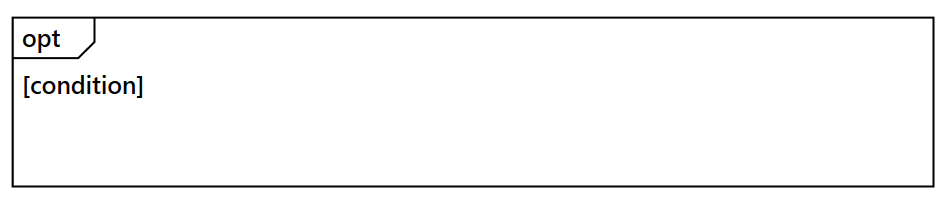 |
| Alternative | Represents multiple conditional paths (if-else structure), where only one path executes based on the condition. | 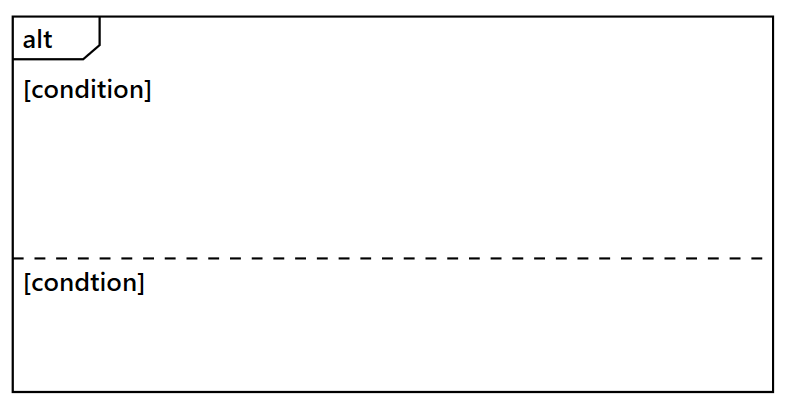 |
| Loop | Represents a repeating sequence of interactions that continues based on a loop condition. | 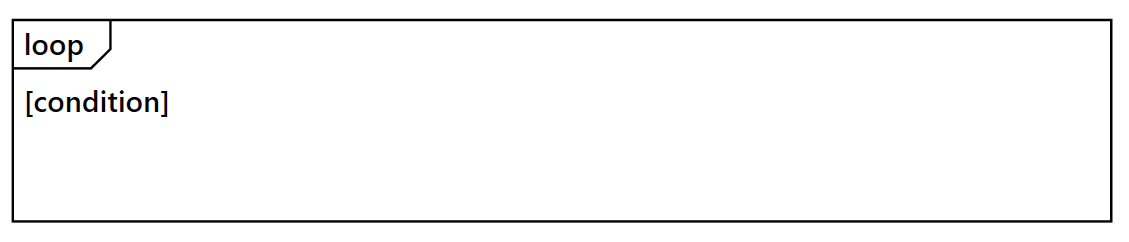 |
UmlSequenceFragmentModel Properties
| Property | Type | Description |
|---|---|---|
| id | string | number | A unique identifier for the fragment. |
| type | UmlSequenceFragmentType | Type of the fragment (Optional, Loop, Alternative). |
| conditions | UmlSequenceFragmentConditionModel[] | Collection of conditions for the fragment. |
UmlSequenceFragmentConditionModel Properties
| Property | Type | Description |
|---|---|---|
| content | string | Text describing the condition or parameter. |
| messageIds | (string | number)[] | Collection of message IDs included in this condition section. |
| fragmentIds | string[] | Collection of nested fragments ids (for complex structures). |
Creating Fragments
The following example illustrates how to create fragments with different condition types:
import * as React from "react";
import * as ReactDOM from "react-dom";
import { DiagramComponent } from "@syncfusion/ej2-react-diagrams";
import { SnapConstraints, UmlSequenceMessageType, UmlSequenceFragmentType, UmlSequenceParticipantStereotype } from "@syncfusion/ej2-diagrams";

// Define the UML Sequence Diagram model
const model = {
  // Define the space between participants
  spaceBetweenParticipants: 300,
  participants: [
    { id: "Customer", content: "Customer", stereotype: UmlSequenceParticipantStereotype.Actor },
    { id: "OrderSystem", content: "Order System" },
    { id: "PaymentGateway", content: "Payment Gateway" }
  ],
  // Define the messages passed between participants
  messages: [
    {
      id: "MSG1", content: "Place Order", fromParticipantID: "Customer", toParticipantID: "OrderSystem",
      type: UmlSequenceMessageType.Synchronous
    },
    {
      id: "MSG2", content: "Check Stock Availability", fromParticipantID: "OrderSystem", toParticipantID: "OrderSystem",
      type: UmlSequenceMessageType.Synchronous
    },
    {
      id: "MSG3", content: "Stock Available", fromParticipantID: "OrderSystem", toParticipantID: "Customer",
      type: UmlSequenceMessageType.Reply
    },
    {
      id: "MSG4", content: "Process Payment", fromParticipantID: "OrderSystem", toParticipantID: "PaymentGateway",
      type: UmlSequenceMessageType.Synchronous
    },
    {
      id: "MSG5", content: "Payment Successful", fromParticipantID: "PaymentGateway", toParticipantID: "OrderSystem",
      type: UmlSequenceMessageType.Reply
    },
    {
      id: "MSG6", content: "Order Confirmed and Shipped", fromParticipantID: "OrderSystem", toParticipantID: "Customer",
      type: UmlSequenceMessageType.Reply
    },
    {
      id: "MSG7", content: "Payment Failed", fromParticipantID: "PaymentGateway", toParticipantID: "OrderSystem",
      type: UmlSequenceMessageType.Reply
    },
    {
      id: "MSG8", content: "Retry Payment", fromParticipantID: "OrderSystem", toParticipantID: "Customer",
      type: UmlSequenceMessageType.Reply
    }
  ],
  // Define fragments for conditional visual representation
  fragments: [
    // Child Fragment 1 (Optional)
    {
      id: 1,
      type: UmlSequenceFragmentType.Optional,
      conditions: [
        {
          content: "if item is in stock",
          messageIds: ["MSG4"]
        }
      ]
    },
    // Child Fragment 2 (Alternative)
    {
      id: 2,
      type: UmlSequenceFragmentType.Alternative,
      conditions: [
        {
          content: "if payment is successful",
          messageIds: ["MSG5", "MSG6"]
        },
        {
          content: "if payment fails",
          messageIds: ["MSG7", "MSG8"]
        }
      ]
    },
    // Parent Fragment (Loop)
    {
      id: 3,
      type: UmlSequenceFragmentType.Loop,
      conditions: [
        {
          content: "while attempts less than 3",
          // Use IDs of child fragments for nested conditions
          fragmentIds: ['1', '2'],
        }
      ]
    },
  ],
};


// Initialize Diagram component
function App() {
  return (
    <DiagramComponent id="container"
      width={'100%'} height={'700px'}
      model={model}
      snapSettings=
    />
  );
}
const root = ReactDOM.createRoot(document.getElementById('diagram'));
root.render(<App />);
import * as React from "react";
import * as ReactDOM from "react-dom";
import { DiagramComponent } from "@syncfusion/ej2-react-diagrams";
import { SnapConstraints, UmlSequenceDiagramModel, UmlSequenceMessageType, UmlSequenceFragmentType, UmlSequenceParticipantStereotype } from "@syncfusion/ej2-diagrams";
// Define the UML Sequence Diagram model
const model: UmlSequenceDiagramModel = {
// Define the space between participants
spaceBetweenParticipants: 300,
participants: [
{ id: "Customer", content: "Customer", stereotype: UmlSequenceParticipantStereotype.Actor },
{ id: "OrderSystem", content: "Order System" },
{ id: "PaymentGateway", content: "Payment Gateway" }
],
// Define the messages passed between participants
messages: [
{
id: "MSG1", content: "Place Order", fromParticipantID: "Customer", toParticipantID: "OrderSystem",
type: UmlSequenceMessageType.Synchronous
},
{
id: "MSG2", content: "Check Stock Availability", fromParticipantID: "OrderSystem", toParticipantID: "OrderSystem",
type: UmlSequenceMessageType.Synchronous
},
{
id: "MSG3", content: "Stock Available", fromParticipantID: "OrderSystem", toParticipantID: "Customer",
type: UmlSequenceMessageType.Reply
},
{
id: "MSG4", content: "Process Payment", fromParticipantID: "OrderSystem", toParticipantID: "PaymentGateway",
type: UmlSequenceMessageType.Synchronous
},
{
id: "MSG5", content: "Payment Successful", fromParticipantID: "PaymentGateway", toParticipantID: "OrderSystem",
type: UmlSequenceMessageType.Reply
},
{
id: "MSG6", content: "Order Confirmed and Shipped", fromParticipantID: "OrderSystem", toParticipantID: "Customer",
type: UmlSequenceMessageType.Reply
},
{
id: "MSG7", content: "Payment Failed", fromParticipantID: "PaymentGateway", toParticipantID: "OrderSystem",
type: UmlSequenceMessageType.Reply
},
{
id: "MSG8", content: "Retry Payment", fromParticipantID: "OrderSystem", toParticipantID: "Customer",
type: UmlSequenceMessageType.Reply
}
],
// Define fragments for conditional visual representation
fragments: [
// Child Fragment 1 (Optional)
{
id: 1,
type: UmlSequenceFragmentType.Optional,
conditions: [
{
content: "if item is in stock",
messageIds: ["MSG4"]
}
]
},
// Child Fragment 2 (Alternative)
{
id: 2,
type: UmlSequenceFragmentType.Alternative,
conditions: [
{
content: "if payment is successful",
messageIds: ["MSG5", "MSG6"]
},
{
content: "if payment fails",
messageIds: ["MSG7", "MSG8"]
}
]
},
// Parent Fragment (Loop)
{
id: 3,
type: UmlSequenceFragmentType.Loop,
conditions: [
{
content: "while attempts less than 3",
// Use IDs of child fragments for nested conditions
fragmentIds: ['1', '2'],
}
]
},
],
};
// Initialize Diagram component
function App() {
return (
<DiagramComponent id="container"
width={'100%'} height={'700px'}
model={model}
snapSettings=
/>
);
}
const root = ReactDOM.createRoot(document.getElementById('diagram'));
root.render(<App />);Customization Options
Adjusting Participant Spacing
The spaceBetweenParticipants property controls the horizontal spacing between participants in the sequence diagram. Adjust this value to accommodate longer message labels or improve diagram readability.
// Define the UML Sequence Diagram model
const model = {
  // Define the space between participants
  spaceBetweenParticipants: 300,
  participants: participants,    // collection of participants in the sequence diagram
  messages: messages,            // collection of messages exchanged between participants
  fragments: fragments           // collection of sequence diagram fragments (opt, alt, loop)
}