Placeholder in ASP.NET MVC OTP Input control
13 Jun 20241 minute to read
The placeholder in OTP Input specifies the text that is shown as a hint or placeholder until the user enters a value in the input field. It acts as a guidance for the users regarding the expected input format or purpose of the input field.
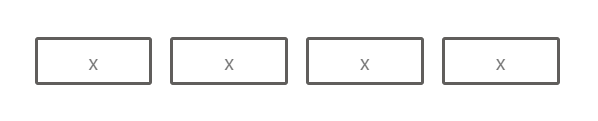
You can set the placeholder text by using the Placeholder property. Additionally, when providing a single character as the placeholder value all input fields within the OTP Input control will display the same character.
@using Syncfusion.EJ2.Inputs

<div id='container' style="width: 350px;">
    @Html.EJS().OtpInput("otpInput").Placeholder("x").Render()
</div>
public ActionResult Default()
{
return View();
}
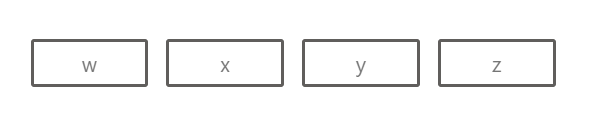
When a placeholder with multiple placeholder characters is provided each input field will display characters from the placeholder string in sequence based on the available OTP input length.
@using Syncfusion.EJ2.Inputs

<div id='container' style="width: 350px;">
    @Html.EJS().OtpInput("otpInput").Placeholder("wxyz").Render()
</div>
public ActionResult Default()
{
return View();
}