Preview Tab in ASP.NET MVC Form Builder component
22 Oct 20261 minute to read
The Form Builder provides a preview tab that lets you view the generated form as it will appear to end users. It also includes a JSON code preview to review the form schema created by the builder.
Preview the form
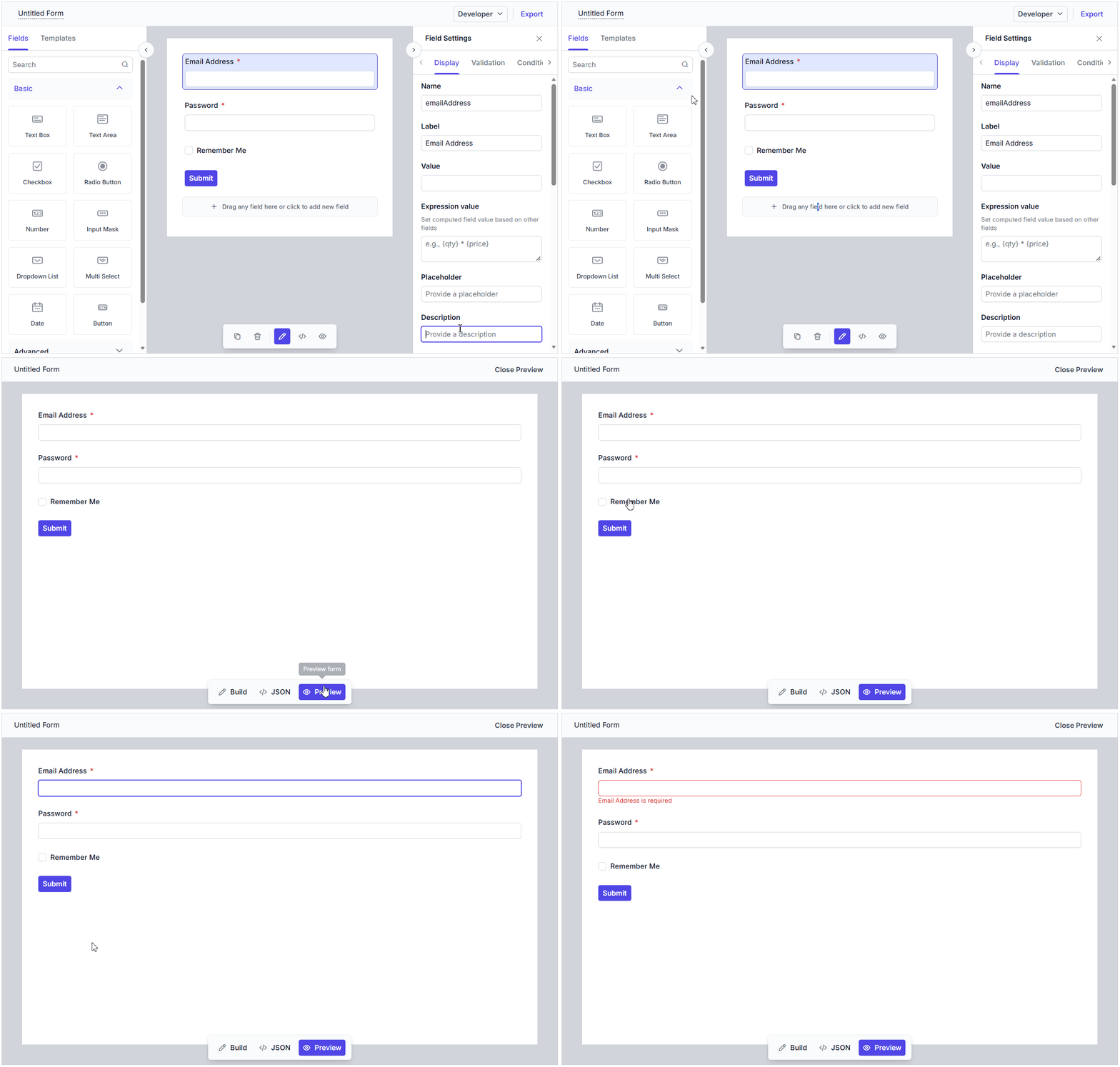
You can switch to the Preview tab to see a live preview of the form. This view reflects the current form configuration and helps you validate the layout, labels, and field behavior before exporting or publishing the form.
Disabling the preview
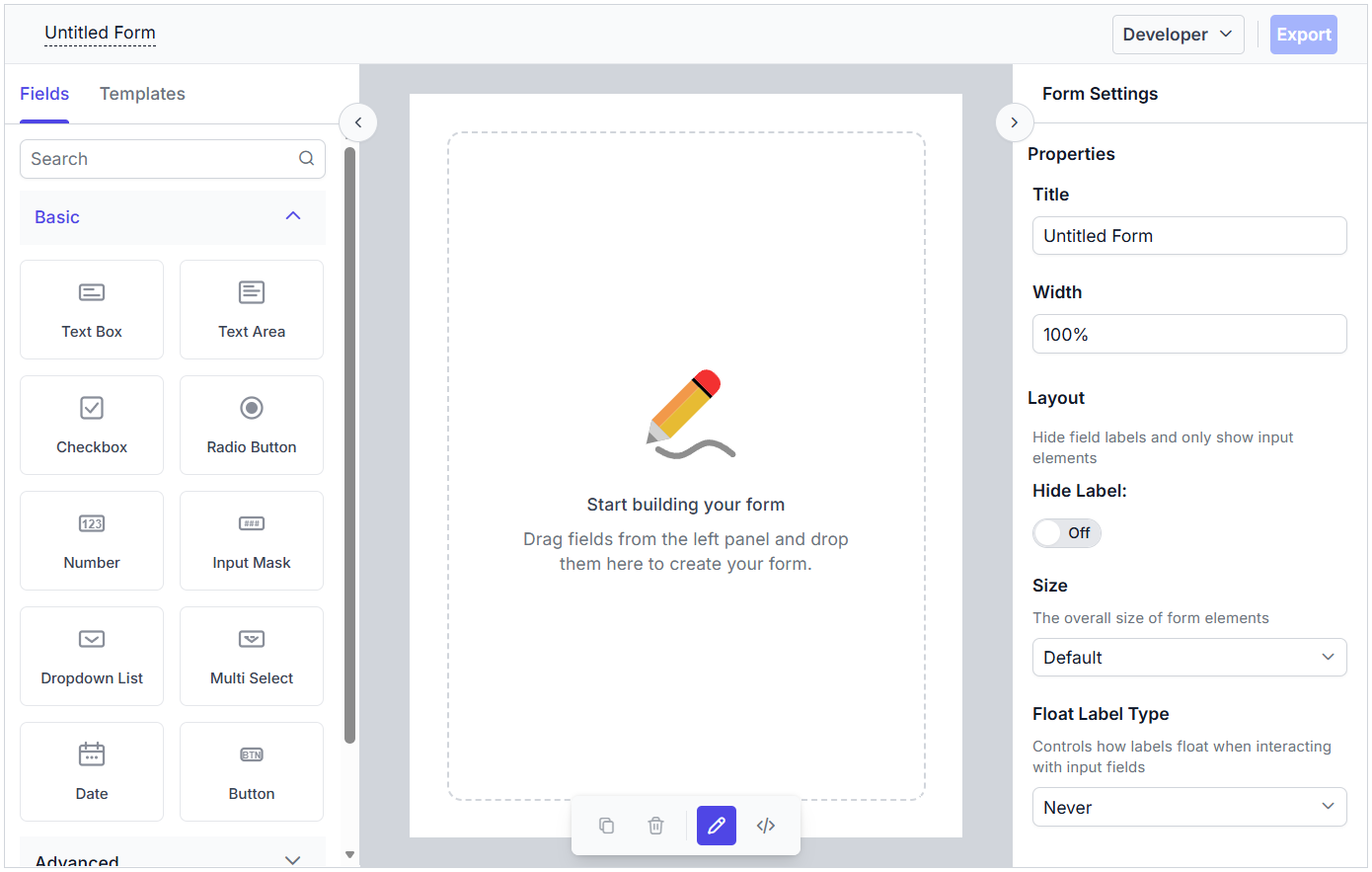
The preview option can be disabling by setting the EnablePreview property to false. The default value is true.
@using Syncfusion.EJ2
@using Syncfusion.EJ2.FormBuilder

<div>
    @Html.EJS().FormBuilder("form-builder-control").EnablePreview(false).Render()
</div>
The output will appear as follows:
JSON code preview
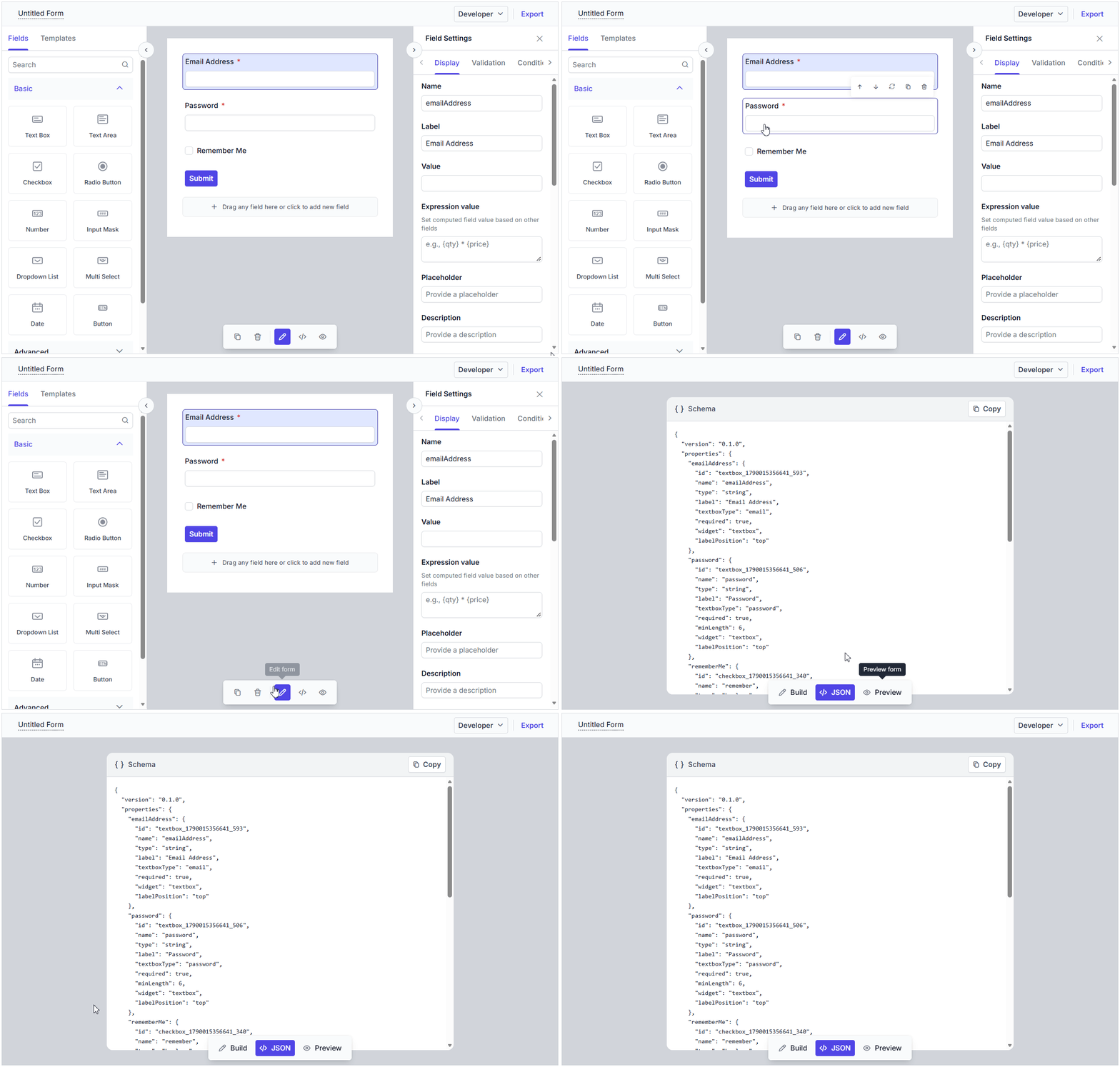
You can switch to the JSON tab to view the form schema as a JSON object. This code preview is useful for reviewing the generated schema and understanding the structure used by the Form Builder.
The Copy button in the JSON code preview copies the created form schema JSON object to the clipboard so that you can reuse it in another application or pass it to the Form Renderer control.
Build and preview workflow
Use the Build tab to create or edit the form, then switch to Preview to validate the rendered form. If you need the schema representation, open JSON and use Copy to copy the generated form schema.