Paste Clean-up in ASP.NET Core Block Editor control
25 Mar 202616 minutes to read
The Block Editor control provides robust paste clean-up functionalities to ensure that pasted content integrates seamlessly and maintains consistency with the editor’s styling and structure. This helps in removing unwanted formatting, scripts, or elements often copied from external sources like web pages or word processors.
You can configure the paste settings using the e-blockeditor-pastesettings tag helper in the Block Editor control. This property allows you to define various options to control how content is pasted into the editor.
Configuring allowed styles
The AllowedStyles property in the PasteCleanupSettings model allows you to define which CSS styles are permitted when content is pasted into the editor. Any style not included in this list will be stripped from the pasted content. This ensures that only desired visual attributes are preserved, maintaining a clean and consistent look.
By default, following styles are allowed:
[‘font-weight’, ‘font-style’, ‘text-decoration’, ‘text-transform’].
In the below example, only font-weight and font-style styles will be retained from the pasted content. All other inline styles will be removed.
@{
    var allowedStyles = new string[] { "font-weight", "font-style" };
}
<div id='blockeditor-container'>
    <ejs-blockeditor id="block-editor">
        <e-blockeditor-pastesettings allowedStyles="@allowedStyles"></e-blockeditor-pastesettings>
    </ejs-blockeditor>
</div>
Setting denied tags
The DeniedTags property in PasteCleanupSettings enables you to specify HTML tags that should be completely removed from the pasted content. This is particularly useful for stripping out potentially problematic or irrelevant tags, such as script tags, iframes, or any other elements you don’t want to allow in the editor. By default, the DeniedTags property is an empty array, meaning no tags are removed by default.
In the below example, any <script> or <iframe> tags found in the pasted content will be removed, preventing unwanted behavior or styling issues.
@{
    var deniedTags = new string[] { "script", "iframe" };
}
<div id='blockeditor-container'>
    <ejs-blockeditor id="block-editor">
        <e-blockeditor-pastesettings deniedTags="@deniedTags"></e-blockeditor-pastesettings>
    </ejs-blockeditor>
</div>
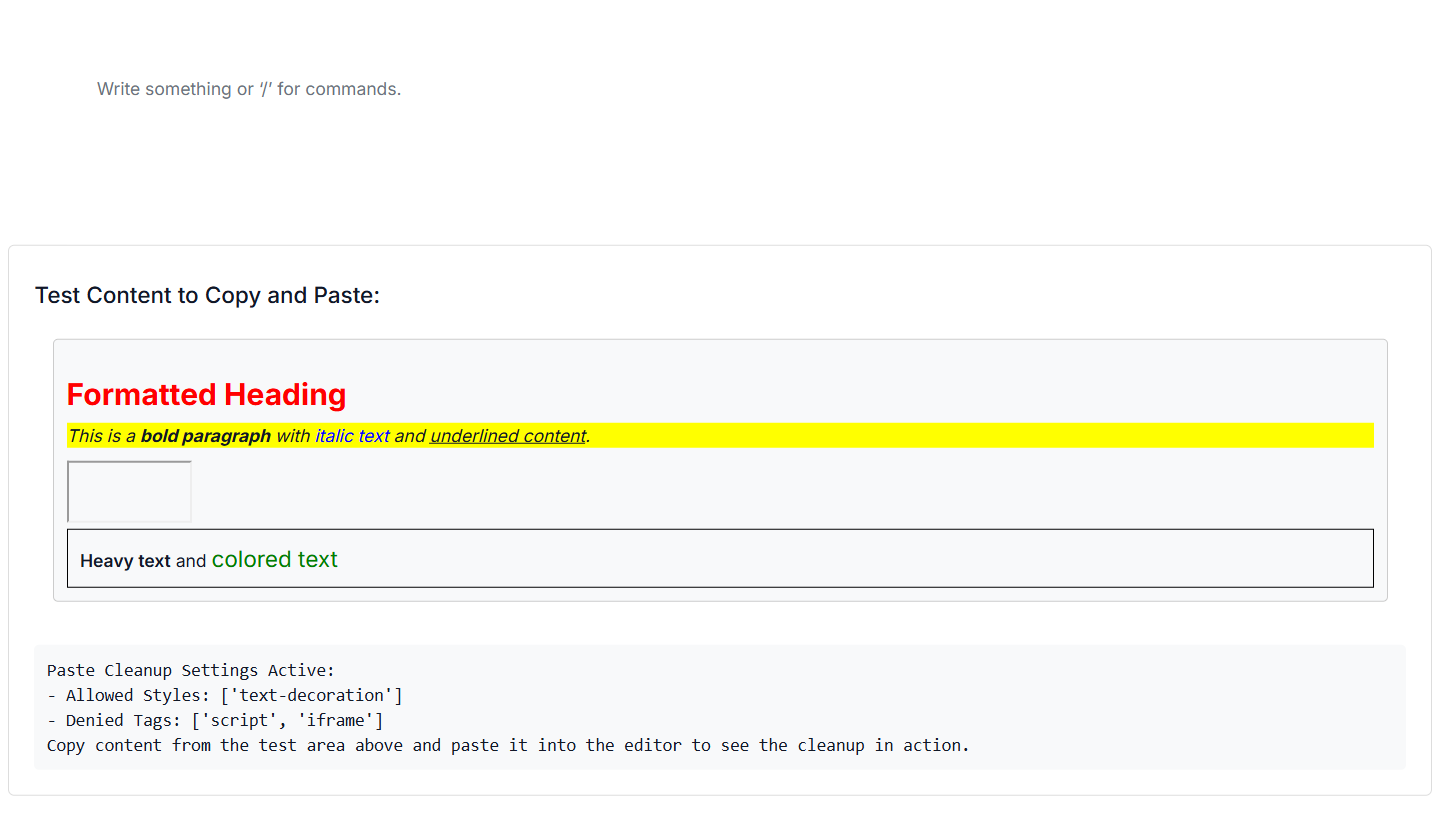
Below example demonstrates the usage of paste settings that allows only specific styles and also removes the specific tags from the pasted content.
@using Syncfusion.EJ2.BlockEditor

@{
    var allowedStyles = new string[] { "text-decoration" };
    var deniedTags = new string[] { "script", "iframe" };
    var displayText = string.Format(
                @"Paste Cleanup Settings Active:
- Allowed Styles: ['{0}']
- Denied Tags: ['{1}']
Copy content from the test area above and paste it into the editor to see the cleanup in action.",
        string.Join("', '", allowedStyles),
        string.Join("', '", deniedTags)
    );

}

<div id='blockeditor-container'>
    <ejs-blockeditor id="block-editor" blocks="@ViewBag.BlocksData" created="onEditorCreated()" afterPaste="function(e){ displayOutput(`After Paste Event: Processed content length: ${e.content.length} characters`); }">
        <e-blockeditor-pastesettings deniedTags="@deniedTags" allowedStyles="@allowedStyles"></e-blockeditor-pastesettings>
    </ejs-blockeditor>
    <div id="controls">
        <h4>Test Content to Copy and Paste:</h4>
        <div class="test-content">
            <div id="sampleContent" contenteditable="true">
                <h2 style="color: red; font-weight: bold; font-size: 24px;">Formatted Heading</h2>
                <p style="background-color: yellow; font-style: italic;">
                    This is a <span style="font-weight: bold;">bold paragraph</span> with
                    <span style="color: blue; font-style: italic;">italic text</span> and
                    <span style="text-decoration: underline;">underlined content</span>.
                </p>
                <script> console.log('This script should be removed'); </script>
                <iframe src="about:blank" width="100" height="50"></iframe>
                <div style="border: 1px solid black; padding: 10px;">
                    <span style="font-weight: 600;">Heavy text</span> and
                    <span style="color: green; font-size: 18px;">colored text</span>
                </div>
            </div>
        </div>
        <div id="output"></div>
    </div>
</div>

<style>
    #blockeditor-container {
        margin: 20px auto;
        gap: 20px;
        display: flex;
        flex-direction: column;
        align-items: center;
    }

    #controls {
        width: 100%;
        margin-top: 20px;
        padding: 20px;
        border: 1px solid #ddd;
        border-radius: 5px;
    }

    .test-content {
        margin-bottom: 20px;
        padding: 15px;
        border-radius: 4px;
    }

    #sampleContent {
        padding: 10px;
        border: 1px solid #ccc;
        border-radius: 4px;
        background-color: #f8f9fa;
        min-height: 150px;
    }

    #output {
        margin-top: 15px;
        padding: 10px;
        background-color: #f8f9fa;
        border-radius: 4px;
        min-height: 50px;
        font-family: monospace;
        white-space: pre-wrap;
    }
</style>

<script>

    function displayOutput(message) {
        const outputDiv = document.getElementById('output');
        if (outputDiv) {
            outputDiv.textContent = message;
        }
    }

    function onEditorCreated() {
        displayOutput(@Html.Raw(Json.Serialize(displayText)));
    }
</script>
using Syncfusion.EJ2.BlockEditor;
public List<BlockModel> BlocksData { get; set; } = new List<BlockModel>();
public class BlockModel
{
public string id { get; set; }
public string blockType { get; set; }
public object properties { get; set; }
public List<object> content { get; set; }
}
public ActionResult AllowedStyle()
{
BlocksData.Add(new BlockModel()
{
id = "demo-block",
blockType = "Paragraph"
});
ViewBag.BlocksData = BlocksData;
return View();
}
Disable Keep format
By default, the editor attempts to keep the formatting of the pasted content (e.g., bold, italics, links). You can disable this behavior by setting the KeepFormat property to false in PasteCleanupSettings. When disabled, the editor will primarily paste the content as plain text regardless of AllowedStyles.
<div id='blockeditor-container'>
    <ejs-blockeditor id="block-editor">
        <e-blockeditor-pastesettings keepFormat="false"></e-blockeditor-pastesettings>
    </ejs-blockeditor>
</div>
Allowing plain text
To paste content purely as plain text, stripping all HTML tags and inline styles, you can set the PlainText property to true in PasteCleanupSettings. This ensures that only the raw textual content is inserted into the editor, making it ideal for maintaining strict content consistency. By default, the PlainText property is set to false.
<div id='blockeditor-container'>
    <ejs-blockeditor id="block-editor">
        <e-blockeditor-pastesettings plainText="true"></e-blockeditor-pastesettings>
    </ejs-blockeditor>
</div>
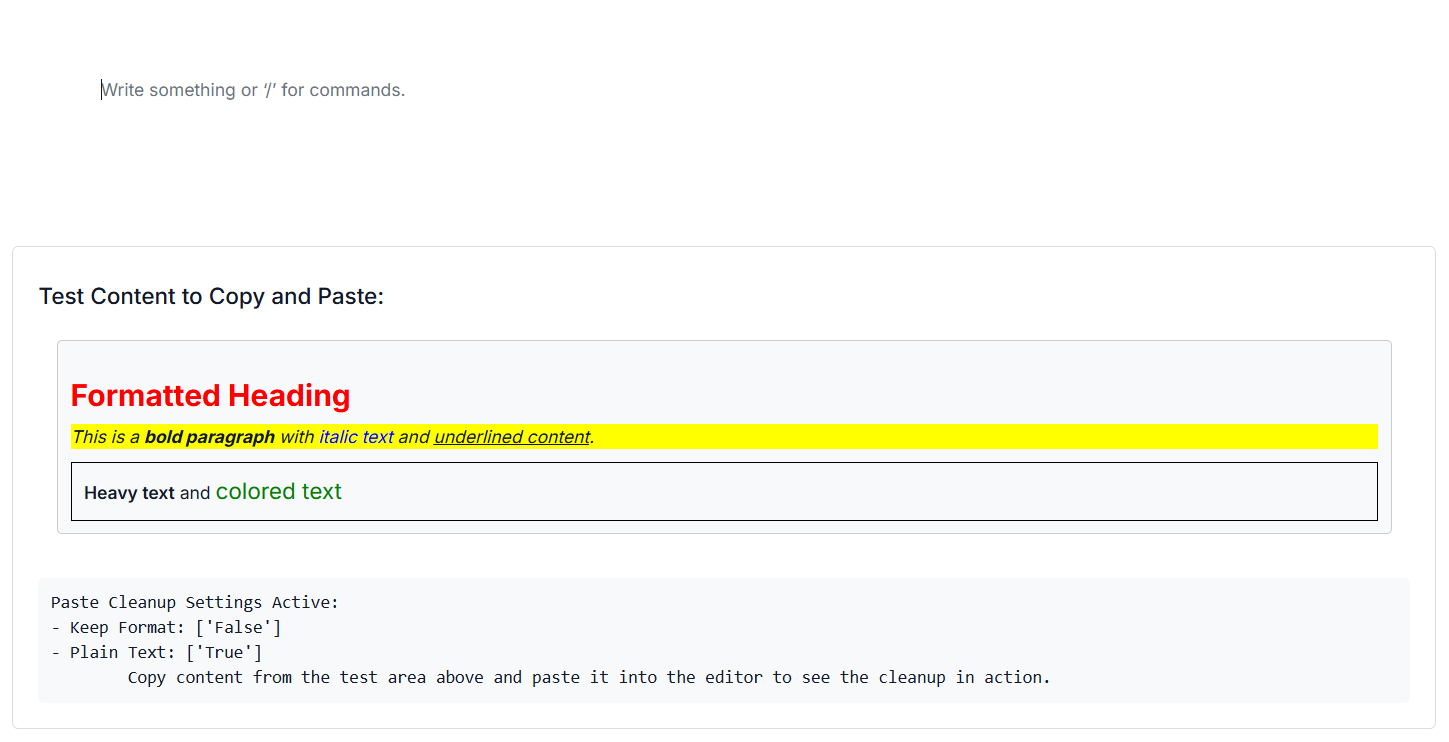
Below example demonstrates the usage of paste settings that disables the keep format and allows plain text.
@using Syncfusion.EJ2.BlockEditor

@{
    var keepFormat = false;
    var plainText = true;
    var displayText = string.Format(
                @"Paste Cleanup Settings Active:
- Keep Format: ['{0}']
- Plain Text: ['{1}']
Copy content from the test area above and paste it into the editor to see the cleanup in action.",
        string.Join("', '", keepFormat),
        string.Join("', '", plainText)
    );

}

<div id='blockeditor-container'>
    <ejs-blockeditor id="block-editor" created="onEditorCreated()" afterPaste="function(e){ displayOutput(`After Paste Event: Processed content length: ${e.content.length} characters`); }" blocks="@ViewBag.BlocksData">
        <e-blockeditor-pastesettings keepFormat="false" plainText="true"></e-blockeditor-pastesettings>
    </ejs-blockeditor>
    <div id="controls">
        <h4>Test Content to Copy and Paste:</h4>
        <div class="test-content">
            <div id="sampleContent" contenteditable="true">
                <h2 style="color: red; font-weight: bold; font-size: 24px;">Formatted Heading</h2>
                <p style="background-color: yellow; font-style: italic;">
                    This is a <span style="font-weight: bold;">bold paragraph</span> with
                    <span style="color: blue; font-style: italic;">italic text</span> and
                    <span style="text-decoration: underline;">underlined content</span>.
                </p>
                <div style="border: 1px solid black; padding: 10px;">
                    <span style="font-weight: 600;">Heavy text</span> and
                    <span style="color: green; font-size: 18px;">colored text</span>
                </div>
            </div>
        </div>
        <div id="output"></div>
    </div>
</div>

<style>
    #blockeditor-container {
        margin: 20px auto;
        gap: 20px;
        display: flex;
        flex-direction: column;
        align-items: center;
    }

    #controls {
        width: 100%;
        margin-top: 20px;
        padding: 20px;
        border: 1px solid #ddd;
        border-radius: 5px;
    }

    .test-content {
        margin-bottom: 20px;
        padding: 15px;
        border-radius: 4px;
    }

    #sampleContent {
        padding: 10px;
        border: 1px solid #ccc;
        border-radius: 4px;
        background-color: #f8f9fa;
        min-height: 150px;
    }

    #output {
        margin-top: 15px;
        padding: 10px;
        background-color: #f8f9fa;
        border-radius: 4px;
        min-height: 50px;
        font-family: monospace;
        white-space: pre-wrap;
    }
</style>

<script>

    function displayOutput(message) {
        const outputDiv = document.getElementById('output');
        if (outputDiv) {
            outputDiv.textContent = message;
        }
    }

    function onEditorCreated() {
        displayOutput(@Html.Raw(Json.Serialize(displayText)));
    }
</script>
using Syncfusion.EJ2.BlockEditor;
public List<BlockModel> BlocksData { get; set; } = new List<BlockModel>();
public class BlockModel
{
public string id { get; set; }
public string blockType { get; set; }
public object properties { get; set; }
public List<object> content { get; set; }
}
public ActionResult PlainText()
{
BlocksData.Add(new BlockModel()
{
id = "demo-block",
blockType = "Paragraph"
});
ViewBag.BlocksData = BlocksData;
return View();
}
Events
The following events are available when pasting content into the editor.
| Name | Args | Description |
|---|---|---|
beforePasteCleanup |
BeforePasteCleanupEventArgs | Triggers before the content is pasted into the editor. |
afterPasteCleanup |
AfterPasteCleanupEventArgs | Triggers after the content is pasted into the editor. |
Below snippet demonstrates how to configure above events in the editor.
<div id='blockeditor-container'>
    <ejs-blockeditor id="block-editor" beforePasteCleanup="beforePaste" afterPasteCleanup="afterPaste"></ejs-blockeditor>
</div>

<script>
    function afterPaste(args) {
        // Process pasted content or update UI
    }
    function beforePaste(args) {
        // You may cancel paste if content contains restricted elements
    }
</script>