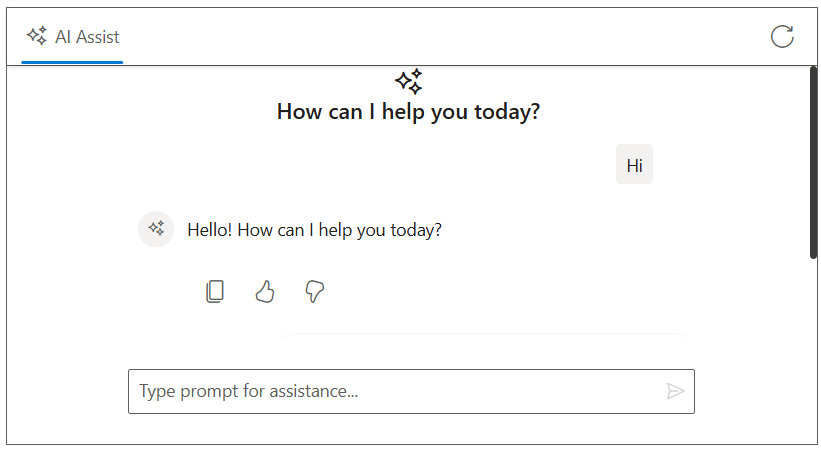
How can I help you?
Integrate Azure OpenAI with ASP.NET Core AI AssistView control
28 Oct 202515 minutes to read
The AI AssistView control integrates with Azure OpenAI to enable advanced conversational AI features in your applications. The control acts as a user interface, where user prompts are sent to the Azure OpenAI service via API calls, providing natural language understanding and context-aware responses.
Prerequisites
Before starting, ensure you have the following:
-
An Azure account: with access to Azure OpenAI services and a generated API key.
-
Syncfusion AI AssistView: Package Syncfusion.EJ2.AspNet.Core installed.
-
Markdig package available in the project for Markdown-to-HTML conversion (required by the sample code).
Set Up the AI AssistView control
Follow the Getting Started guide to configure and render the AI AssistView control in the application and that prerequisites are met.
Install Dependencies
Install the required packages:
- Install the
OpenAIandAzurenuget packages in the application.
NuGet\Install-Package OpenAI
NuGet\Install-Package Azure.AI.OpenAI
NuGet\Install-Package Azure.Core- Install the
Markdignuget packages in the application.
Nuget\Install-Package MarkdigNote: The sample below uses HttpClient directly and does not require the Azure/OpenAI SDKs.
Configure Azure OpenAI
-
Log in to the Azure Portal and navigate to your Azure OpenAI resource.
-
Under resource Management, select keys and endpoint to retrieve your API key and endpoint URL.
- Note the following values:
- API key
- Endpoint (for example, https://
.openai.azure.com/) - API version (must be supported by your resource)
- Deployment name (for example, gpt-4o-mini)
- Store these values securely, as they will be used in your application.
Security Note: expose your API key in client-side code for production applications. Use a server-side proxy or environment variables to manage sensitive information securely.
Configure AI AssistView with Azure OpenAI
Modify the index.cshtml file to integrate the Azure OpenAI with the AI AssistView control.
- Update the following configuration values with your Azure OpenAI details:
string endpoint = "Your_Azure_OpenAI_Endpoint";
string apiKey = "Your_Azure_OpenAI_API_Key";
string deploymentName = "Your_Deployment_Name";@model IndexModel
@using Syncfusion.EJ2.InteractiveChat
@{
ViewData["Title"] = "AI Assistance with Gemini";
}
<div class="aiassist-container" style="height: 350px; width: 650px;">
<ejs-aiassistview id="aiAssistView" bannerTemplate="#bannerContent"
promptSuggestions="@Model.ViewModel.PromptSuggestionData"
promptRequest="onPromptRequest"
stopRespondingClick="stopRespondingClick"
created="onCreated">
<e-aiassistview-toolbarsettings items="@Model.ViewModel.Items" itemClicked="toolbarItemClicked"></e-aiassistview-toolbarsettings>
</ejs-aiassistview>
</div>
<script id="bannerContent" type="text/x-jsrender">
<div class="banner-content">
<div class="e-icons e-assistview-icon"></div>
<h3>How can I help you today?</h3>
</div>
</script>
<script src="https://cdn.jsdelivr.net/npm/marked@latest/marked.min.js"></script>
<script>
var assistObj = null;
var stopStreaming = false;
var suggestions = @Html.Raw(Json.Serialize(Model.ViewModel.PromptSuggestionData));
function onCreated() {
assistObj = this;
}
function toolbarItemClicked(args) {
if (args.item.iconCss === 'e-icons e-refresh') {
this.prompts = [];
this.promptSuggestions = suggestions;
stopStreaming = true;
}
}
async function streamResponse(response) {
let lastResponse = '';
const responseUpdateRate = 10;
let i = 0;
const responseLength = response.length;
while (i < responseLength && !stopStreaming) {
lastResponse += response[i];
i++;
if (i % responseUpdateRate === 0 || i === responseLength) {
const htmlResponse = marked.parse(lastResponse);
assistObj.addPromptResponse(htmlResponse, i === responseLength);
assistObj.scrollToBottom();
}
await new Promise(resolve => setTimeout(resolve, 15));
}
assistObj.promptSuggestions = suggestions;
}
function onPromptRequest(args) {
fetch('/?handler=GetAIResponse', {
method: 'POST',
headers: {
'Content-Type': 'application/json'
},
body: JSON.stringify({ prompt: args.prompt })
})
.then(response => {
if (!response.ok) {
throw new Error(`HTTP ${response.status}: ${response.statusText}`);
}
return response.json();
})
.then(responseText => {
const text = responseText.trim() || 'No response received.';
stopStreaming = false;
streamResponse(text);
})
.catch(error => {
assistObj.addPromptResponse('⚠️ Something went wrong while connecting to the AI service. Please try again later.');
stopStreaming = true;
});
}
function stopRespondingClick() {
stopStreaming = true;
}
</script>
<style>
.aiassist-container .e-view-container {
margin: auto;
}
.aiassist-container .e-banner-view {
margin-left: 0;
}
.banner-content .e-assistview-icon:before {
font-size: 25px;
}
.banner-content {
text-align: center;
}
</style>using Azure;
using Azure.AI.OpenAI;
using Microsoft.AspNetCore.Mvc;
using Microsoft.AspNetCore.Mvc.RazorPages;
using OpenAI.Chat;
namespace WebApplication4.Pages
{
public class IndexModel : PageModel
{
public IndexViewModel ViewModel { get; set; } = new IndexViewModel();
public void OnGet()
{
// Initialize toolbar items
ViewModel.Items = new List<ToolbarItemModel>
{
new ToolbarItemModel
{
iconCss = "e-icons e-refresh",
align = "Right",
}
};
// Initialize prompt suggestions
ViewModel.PromptSuggestionData = new string[]
{
"What are the best tools for organizing my tasks?",
"How can I maintain work-life balance effectively?"
};
}
public async Task<IActionResult> OnPostGetAIResponse([FromBody] PromptRequest request)
{
try
{
_logger.LogInformation("Received request with prompt: {Prompt}", request?.Prompt);
if (string.IsNullOrEmpty(request?.Prompt))
{
_logger.LogWarning("Prompt is null or empty.");
return BadRequest("Prompt cannot be empty.");
}
string endpoint = "Your_Azure_OpenAI_Endpoint"; // Replace with your Azure OpenAI endpoint
string apiKey = "YOUR_AZURE_OPENAI_API_KEY"; // Replace with your Azure OpenAI API key
string deploymentName = "YOUR_DEPLOYMENT_NAME"; // Replace with your Azure OpenAI deployment name (e.g., gpt-4o-mini)
var credential = new AzureKeyCredential(apiKey);
var client = new AzureOpenAIClient(new Uri(endpoint), credential);
var chatClient = client.GetChatClient(deploymentName);
var chatCompletionOptions = new ChatCompletionOptions();
var completion = await chatClient.CompleteChatAsync(
new[] { new UserChatMessage(request.Prompt) },
chatCompletionOptions
);
string responseText = completion.Value.Content[0].Text;
if (string.IsNullOrEmpty(responseText))
{
_logger.LogError("Azure OpenAI API returned no text.");
return BadRequest("No response from Azure OpenAI.");
}
_logger.LogInformation("Azure OpenAI response received: {Response}", responseText);
return new JsonResult(responseText);
}
catch (Exception ex)
{
_logger.LogError("Exception in Azure OpenAI call: {Message}", ex.Message);
return BadRequest($"Error generating response: {ex.Message}");
}
}
}
public class IndexViewModel
{
public List<ToolbarItemModel> Items { get; set; } = new List<ToolbarItemModel>();
public string[] PromptSuggestionData { get; set; }
}
public class PromptRequest
{
public string Prompt { get; set; }
}
public class ToolbarItemModel
{
public string align { get; set; }
public string iconCss { get; set; }
}
}