How can I help you?
Integrate Gemini AI with ASP.NET Core AI AssistView control
28 Oct 202516 minutes to read
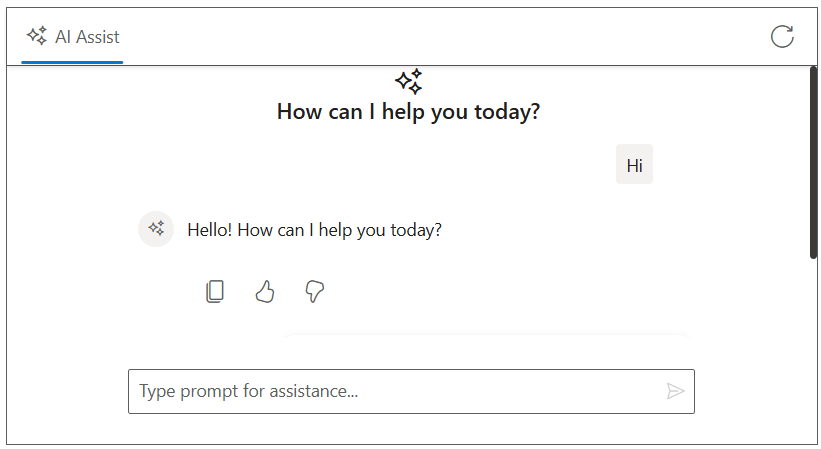
The AI AssistView control integrates with Google’s Gemini API to deliver intelligent conversational interfaces. It leverages advanced natural language understanding to interpret user input, maintain context throughout interactions, and provide accurate, relevant responses. By configuring secure authentication and data handling, developers can unlock powerful AI-driven communication features that elevate user engagement and streamline support experiences.
Prerequisites
-
Google Account: For generating a Gemini API key.
-
Syncfusion AI AssistView: Package Syncfusion.EJ2.AspNet.Core installed.
-
Markdig package: For parsing Markdown responses.
Set Up the AI AssistView control
Follow the Getting Started guide to configure and render the AI AssistView control in the application and that prerequisites are met.
Install Dependencies
- Install the
Gemini AInuget package in the application.
NuGet\Install-Package Mscc.GenerativeAI- Install the
Markdignuget packages in the application.
Nuget\Install-Package MarkdigGenerate API Key
-
Access Google AI Studio: Instructs users to sign into Google AI Studio with a Google account or create a new account if needed.
-
Navigate to API Key Creation: Go to the
Get API Keyoption in the left-hand menu or top-right corner of the dashboard. Click theCreate API Keybutton. -
Project Selection: Choose an existing Google Cloud project or create a new one.
-
API Key Generation: After project selection, the API key is generated. Users are instructed to copy and store the key securely, as it is shown only once.
Security note: Advises against committing the API key to version control and recommends using environment variables or a secret manager in production.
Gemini AI with AI AssistView
Modify the index.cshtml file to integrate the Gemini AI with the AI AssistView control.
- Add your Gemini API key securely in the configuration:
string apiKey = 'Place your API key here';@using Syncfusion.EJ2.InteractiveChat
@{
ViewData["Title"] = "AI Assistance with Gemini";
}
<div class="aiassist-container" style="height: 350px; width: 650px;">
<ejs-aiassistview id="aiAssistView" bannerTemplate="#bannerContent"
promptSuggestions="@Model.ViewModel.PromptSuggestionData"
promptRequest="onPromptRequest"
stopRespondingClick="stopRespondingClick"
created="onCreated">
<e-aiassistview-toolbarsettings items="@Model.ViewModel.Items" itemClicked="toolbarItemClicked"></e-aiassistview-toolbarsettings>
</ejs-aiassistview>
</div>
<script id="bannerContent" type="text/x-jsrender">
<div class="banner-content">
<div class="e-icons e-assistview-icon"></div>
<h3>How can I help you today?</h3>
</div>
</script>
<script src="https://cdn.jsdelivr.net/npm/marked@latest/marked.min.js"></script>
<script>
var assistObj = null;
var suggestions = @Html.Raw(Json.Serialize(Model.ViewModel.PromptSuggestionData));
var stopStreaming = false;
function onCreated() {
assistObj = this;
}
function toolbarItemClicked(args) {
if (args.item.iconCss === 'e-icons e-refresh') {
this.prompts = [];
this.promptSuggestions = suggestions;
}
}
async function streamResponse(response) {
let lastResponse = '';
const responseUpdateRate = 10;
let i = 0;
const responseLength = response.length;
while (i < responseLength && !stopStreaming) {
lastResponse += response[i];
i++;
if (i % responseUpdateRate === 0 || i === responseLength) {
const htmlResponse = marked.parse(lastResponse);
assistObj.addPromptResponse(htmlResponse, i === responseLength);
assistObj.scrollToBottom();
}
await new Promise(resolve => setTimeout(resolve, 15)); // Delay for streaming effect
}
assistObj.promptSuggestions = suggestions;
}
function onPromptRequest(args) {
if (!token) {
assistObj.addPromptResponse('⚠️ Antiforgery token not found.');
return;
}
fetch('/?handler=GetAIResponse', {
method: 'POST',
headers: {
'Content-Type': 'application/json'
},
body: JSON.stringify({ prompt: args.prompt})
})
.then(response => {
if (!response.ok) {
throw new Error(`HTTP ${response.status}: ${response.statusText}`);
}
return response.json();
})
.then(responseText => {
const text = responseText.trim() || 'No response received.';
stopStreaming = false;
streamResponse(text);
})
.catch(error => {
assistObj.addPromptResponse('⚠️ Something went wrong while connecting to the AI service. Please try again later.');
stopStreaming = true;
});
}
function stopRespondingClick() {
stopStreaming = true;
}
</script>
<style>
.aiassist-container .e-view-container {
margin: auto;
}
.aiassist-container .e-banner-view {
margin-left: 0;
}
.banner-content .e-assistview-icon:before {
font-size: 25px;
}
.banner-content {
text-align: center;
}
</style>using Mscc.GenerativeAI;
namespace WebApplication4.Pages
{
public class IndexModel : PageModel
{
public IndexViewModel ViewModel { get; set; } = new IndexViewModel();
public void OnGet()
{
// Initialize toolbar items
ViewModel.Items = new List<ToolbarItemModel>
{
new ToolbarItemModel
{
iconCss = "e-icons e-refresh",
align = "Right",
}
};
// Initialize prompt suggestions
ViewModel.PromptSuggestionData = new string[]
{
"What are the best tools for organizing my tasks?",
"How can I maintain work-life balance effectively?"
};
}
public async Task<IActionResult> OnPostGetAIResponse([FromBody] PromptRequest request)
{
try
{
_logger.LogInformation("Received request with prompt: {Prompt}", request?.Prompt);
if (string.IsNullOrEmpty(request?.Prompt))
{
_logger.LogWarning("Prompt is null or empty.");
return BadRequest("Prompt cannot be empty.");
}
string apiKey = ""; // Replace with your key
var googleAI = new GoogleAI(apiKey: apiKey);
var model = googleAI.GenerativeModel(model: Model.Gemini25Flash); //Replace your model name here
var response = await model.GenerateContent(request.Prompt);
if (string.IsNullOrEmpty(response?.Text))
{
_logger.LogError("Gemini API returned no text.");
return BadRequest("No response from Gemini.");
}
_logger.LogInformation("Gemini response received: {Response}", response.Text);
return new JsonResult(response.Text);
}
catch (Exception ex)
{
_logger.LogError("Exception in Gemini call: {Message}", ex.Message);
return BadRequest($"Error generating response: {ex.Message}");
}
}
}
public class IndexViewModel
{
public List<ToolbarItemModel> Items { get; set; } = new List<ToolbarItemModel>();
public string[] PromptSuggestionData { get; set; }
}
public class PromptRequest
{
public string Prompt { get; set; }
}
public class ToolbarItemModel
{
public string align { get; set; }
public string iconCss { get; set; }
}
}